Question: I'm having problems with the C# IsPostBack function. Here's the criterion: Collect the users name, complete address, date of birth, phone number, email address, username

I'm having problems with the C# IsPostBack function. Here's the criterion:

Collect the users name, complete address, date of birth, phone number, email address, username and password using textboxes. The state can be a dropdown list.

Dropdown lists should identify what age group the user belongs to: child, teenager, adult.

Radiobuttons should be used to identify gender: male, female, no response

Radiobuttons should be used to identify user preference: audio, hardcover, paperback

Checkboxes should provide a list the titles of the five The New York Times Best Sellers from http://www.nytimes.com/books/best-sellers/.

Dropdown lists should provide a list of at least 6 genres: mystery, fiction, science fiction, non-fiction, biography, historical, children's, poetry, adventure, fantasy, contemporary, romance, novel, gothic. science, informational, traditional literature, classics. The user should be able to pick multiple genres.

Include a button to submit the form.

One textbox should allow the user to enter comments across multiple lines of text.

Valid credit card number and type, expiration date and CV code.

User ID should be assigned to the new member and displayed to the user. They should not be able to change the iD.

You may want to visit http://www.regular-expressions.info/creditcard.html (Links to an external site.)Links to an external site. or other web site to locate sample code numbers for credit cards and the regular expressions used.

Validate the form data using validation controls.

All fields are required.

the password is shown as a password with asterisks.

The email is a valid format.

The user name is strong and at least 10 characters and a mix of upper, lower and special characters and numbers.

The zip code cannot be alpha characters.

The birthdate myst be a valid date and after 1900.

Use a validation summary control to show all the errors in one location on the page.

Send the output to the client.

Use Page.IsPostback to determine if the user has completed the form. If they have not been there before, display the form. If the form is completed and valid, hide the form and show the results nicely formatted to the user.

If the form is valid, then show the user what the values were and indicate that the form was successfully submitted. If the form was not valid, display appropriate error messages.

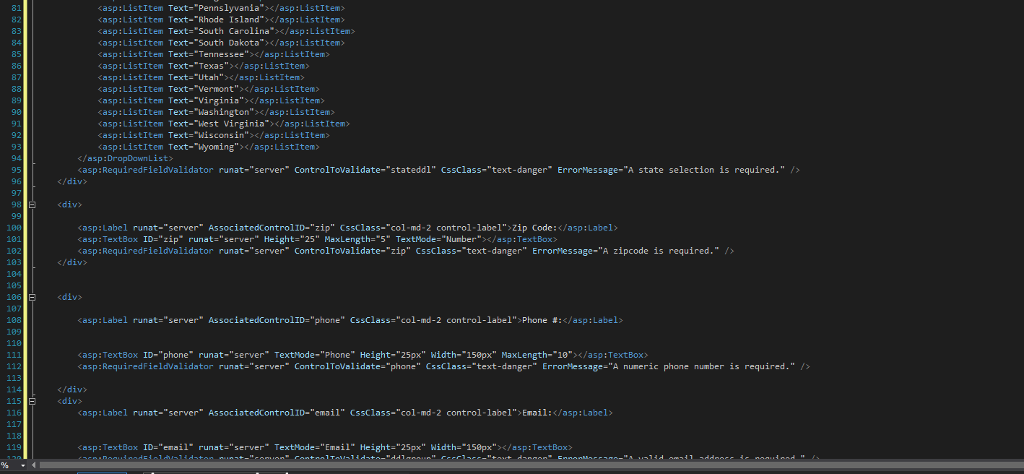
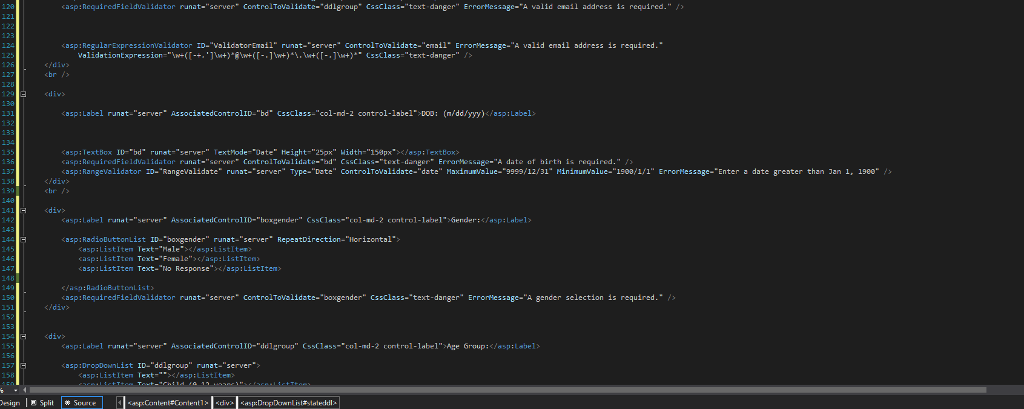
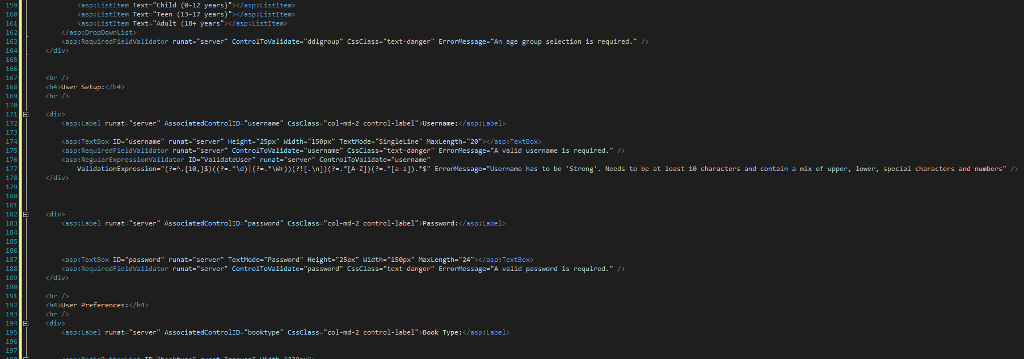
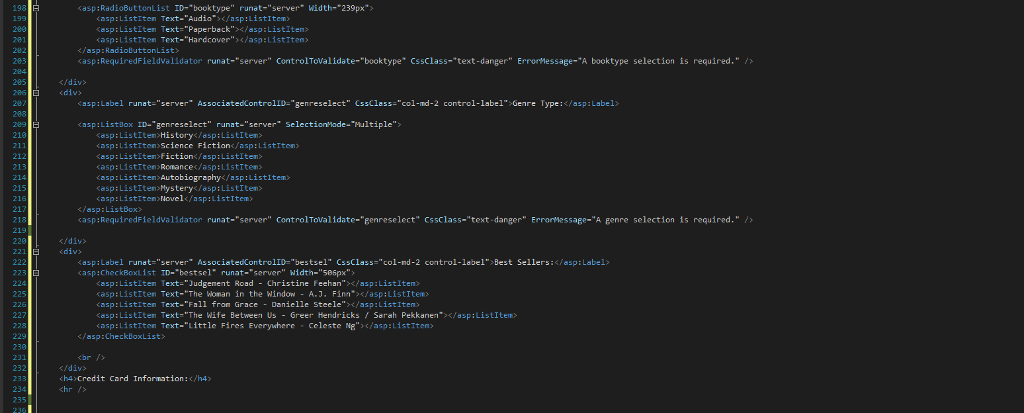
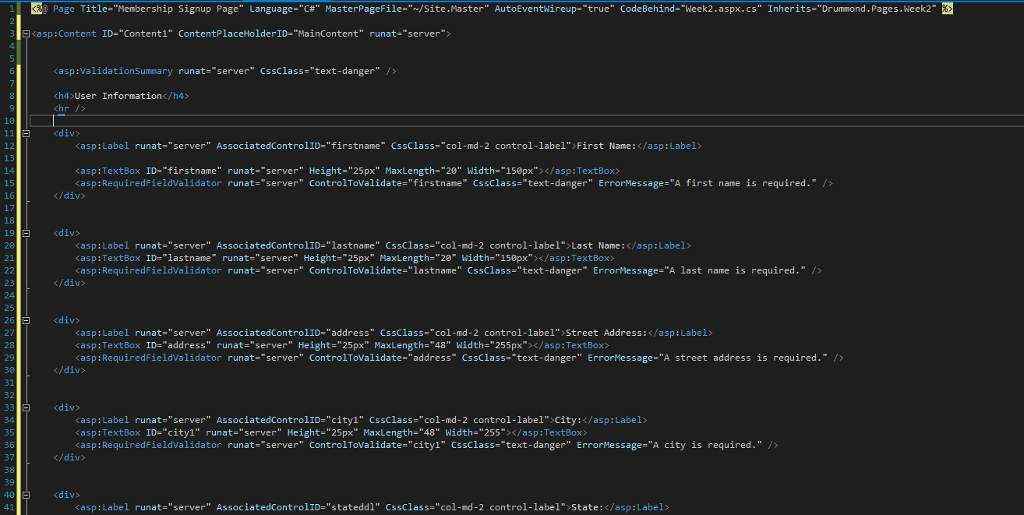
Here's my Week2.aspx code:
I'm having problems with the C# IsPostBack function. Here's the criterion: Collect

the users name, complete address, date of birth, phone number, email address,

username and password using textboxes. The state can be a dropdown list.

Dropdown lists should identify what age group the user belongs to: child,

teenager, adult. Radiobuttons should be used to identify gender: male, female, no

response Radiobuttons should be used to identify user preference: audio, hardcover, paperbackCheckboxes should provide a list the titles of the five The New

What I'm having issues with:

Use Page.IsPostback to determine if the user has completed the form. If they have not been there before, display the form. If the form is completed and valid, hide the form and show the results nicely formatted to the user.

If the form is valid, then show the user what the values were and indicate that the form was successfully submitted. If the form was not valid, display appropriate error messages.

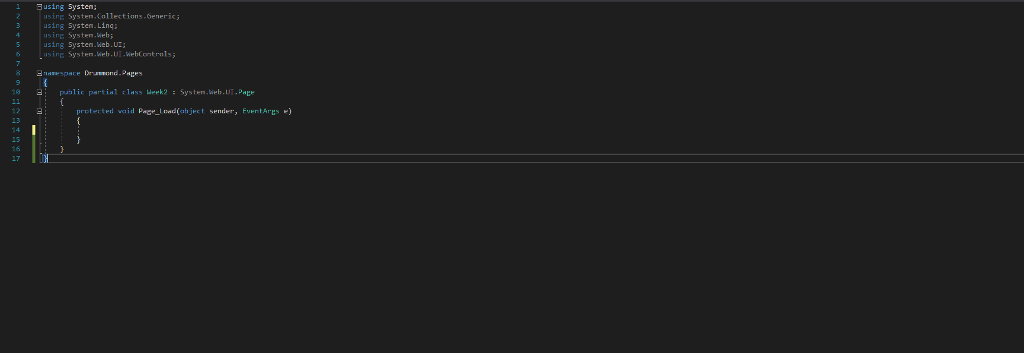
Here's my cs.aspx Code:
York Times Best Sellers from http://www.nytimes.com/books/best-sellers/. Dropdown lists should provide a list

Page Title- Membership Signup Page Language- C# MasterPageFile- site Master AutoEvent reup-true CodeBehind-week2.aspx.cs Inherits-Drummond Pages eek2" asp :Content ID-"Content!" ContentPlaceHolder!D-"MainContent" runat-"server"> asp:Validationsummary runat-"server" CssClass-"text-danger" /> ch4 User Information chr /> 11

asp: Label runat-"server" AssociatedControlID-"firstname CssClass-"col-md-2 control-label">First Name: Kasp:TextBox ID-"firstname" runat-"server" Height-"25px" MaxLength-"20" Width-"158px"> casp:RequiredFieldValidator runat-"server" ControlToValidate-"firstnane" Cssclass-"text-danger" ErrorMessage-"A first name is required."/
asp ; Label runat-''server" AssociatedControlID-lastname'. CssClass-"col-nd-2 control-label"hast Name : casp:TextBox ID-"lastnane" ru nat-"server" Height-"25px" MaxLength="20" idth-"150px">

26

asp: Label runat-"server" AssociatedControlID-"address" CssClass-"col-md-2 control-label" Street Address: kasp:TextBox ID-"address" runat-"server" Height-"25px" MaxLength-"48" Width-"255px"x/asp:TextBox> Kasp:RequiredFieldValidator runat-"server" ControlToValidate-"address CssClass-"text-danger" ErrorMessage-"A street address is required." />
casp : Label runat-"server" AssociatedControlID="city1" CssClass-"col-md-2 control-label"Kity:Label> Kasp:TextBox ID-"city1" runat-"server" Height-"25px" MaxLength-"48" Width-"255"/asp:TextBox> casp :RequiredFieldValidator runat-"server" contro1tovalidate="cityl" CssClass-text-danger" ErrorMessage-"A city is required." />
Page Title- Membership Signup Page Language- C# MasterPageFile- site Master AutoEvent reup-true CodeBehind-week2.aspx.cs Inherits-Drummond Pages eek2" asp :Content ID-"Content!" ContentPlaceHolder!D-"MainContent" runat-"server"> asp:Validationsummary runat-"server" CssClass-"text-danger" /> ch4 User Information chr /> 11
asp: Label runat-"server" AssociatedControlID-"firstname CssClass-"col-md-2 control-label">First Name: Kasp:TextBox ID-"firstname" runat-"server" Height-"25px" MaxLength-"20" Width-"158px"> casp:RequiredFieldValidator runat-"server" ControlToValidate-"firstnane" Cssclass-"text-danger" ErrorMessage-"A first name is required."/
asp ; Label runat-''server" AssociatedControlID-lastname'. CssClass-"col-nd-2 control-label"hast Name : casp:TextBox ID-"lastnane" ru nat-"server" Height-"25px" MaxLength="20" idth-"150px">
26
asp: Label runat-"server" AssociatedControlID-"address" CssClass-"col-md-2 control-label" Street Address: kasp:TextBox ID-"address" runat-"server" Height-"25px" MaxLength-"48" Width-"255px"x/asp:TextBox> Kasp:RequiredFieldValidator runat-"server" ControlToValidate-"address CssClass-"text-danger" ErrorMessage-"A street address is required." />
casp : Label runat-"server" AssociatedControlID="city1" CssClass-"col-md-2 control-label"Kity:Label> Kasp:TextBox ID-"city1" runat-"server" Height-"25px" MaxLength-"48" Width-"255"/asp:TextBox> casp :RequiredFieldValidator runat-"server" contro1tovalidate="cityl" CssClass-text-danger" ErrorMessage-"A city is required." />

Step by Step Solution

There are 3 Steps involved in it

1 Expert Approved Answer
Step: 1 Unlock blur-text-image
Question Has Been Solved by an Expert!

Get step-by-step solutions from verified subject matter experts

Step: 2 Unlock
Step: 3 Unlock

Students Have Also Explored These Related Databases Questions!