







Question: I'm new to Java program with a graphical message box can you help me with this question please ? You DO NOT need to make
I'm new to Java program with a graphical message box can you help me with this question please ? You DO NOT need to make a test plan, just a program for this question please. Thank you so much for your help. 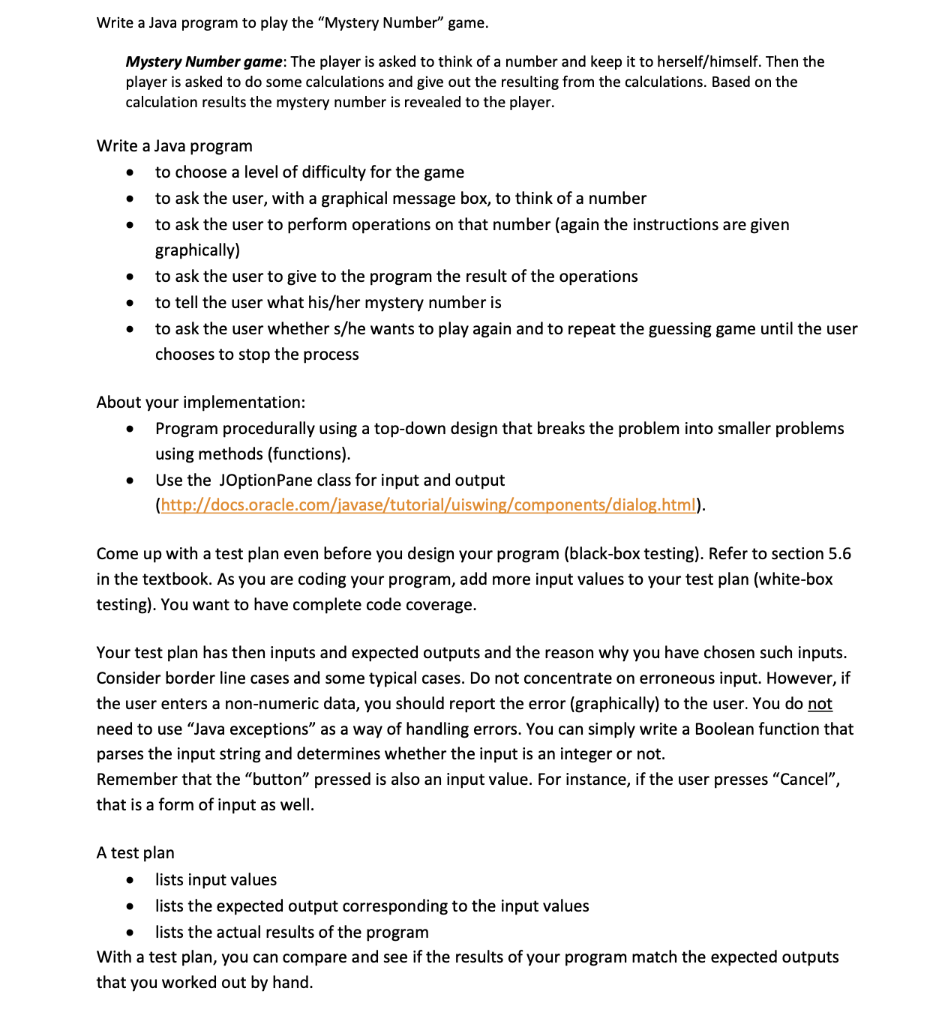
Write a Java program to play the "Mystery Number" game. Mystery Number game: The player is asked to think of a number and keep it to herself/himself. Then the player is asked to do some calculations and give out the resulting from the calculations. Based on the calculation results the mystery number is revealed to the player. . . Write a Java program to choose a level of difficulty for the game to ask the user, with a graphical message box, to think of a number to ask the user to perform operations on that number (again the instructions are given graphically) to ask the user to give to the program the result of the operations to tell the user what his/her mystery number is to ask the user whether s/he wants to play again and to repeat the guessing game until the user chooses to stop the process . . . . About your implementation: Program procedurally using a top-down design that breaks the problem into smaller problems using methods (functions). Use the JOptionPane class for input and output (http://docs.oracle.com/javase/tutorial/uiswing/components/dialog.html). . Come up with a test plan even before you design your program (black-box testing). Refer to section 5.6 in the textbook. As you are coding your program, add more input values to your test plan (white-box testing). You want to have complete code coverage. Your test plan has then inputs and expected outputs and the reason why you have chosen such inputs. Consider border line cases and some typical cases. Do not concentrate on erroneous input. However, if the user enters a non-numeric data, you should report the error (graphically) to the user. You do not need to use "Java exceptions" as a way of handling errors. You can simply write a Boolean function that parses the input string and determines whether the input is an integer or not. Remember that the "button" pressed is also an input value. For instance, if the user presses Cancel, that is a form of input as well. A test plan lists input values lists the expected output corresponding to the input values lists the actual results of the program With a test plan, you can compare and see if the results of your program match the expected outputs that you worked out by hand
Step by Step Solution
There are 3 Steps involved in it

Get step-by-step solutions from verified subject matter experts
 Study Help