







Question: I'm still having the same issue Enable Ginger Cannot connect to Ginger Check your internet connection or reload the browserDisable in this text fieldRephraseRephrase current
I'm still having the same issue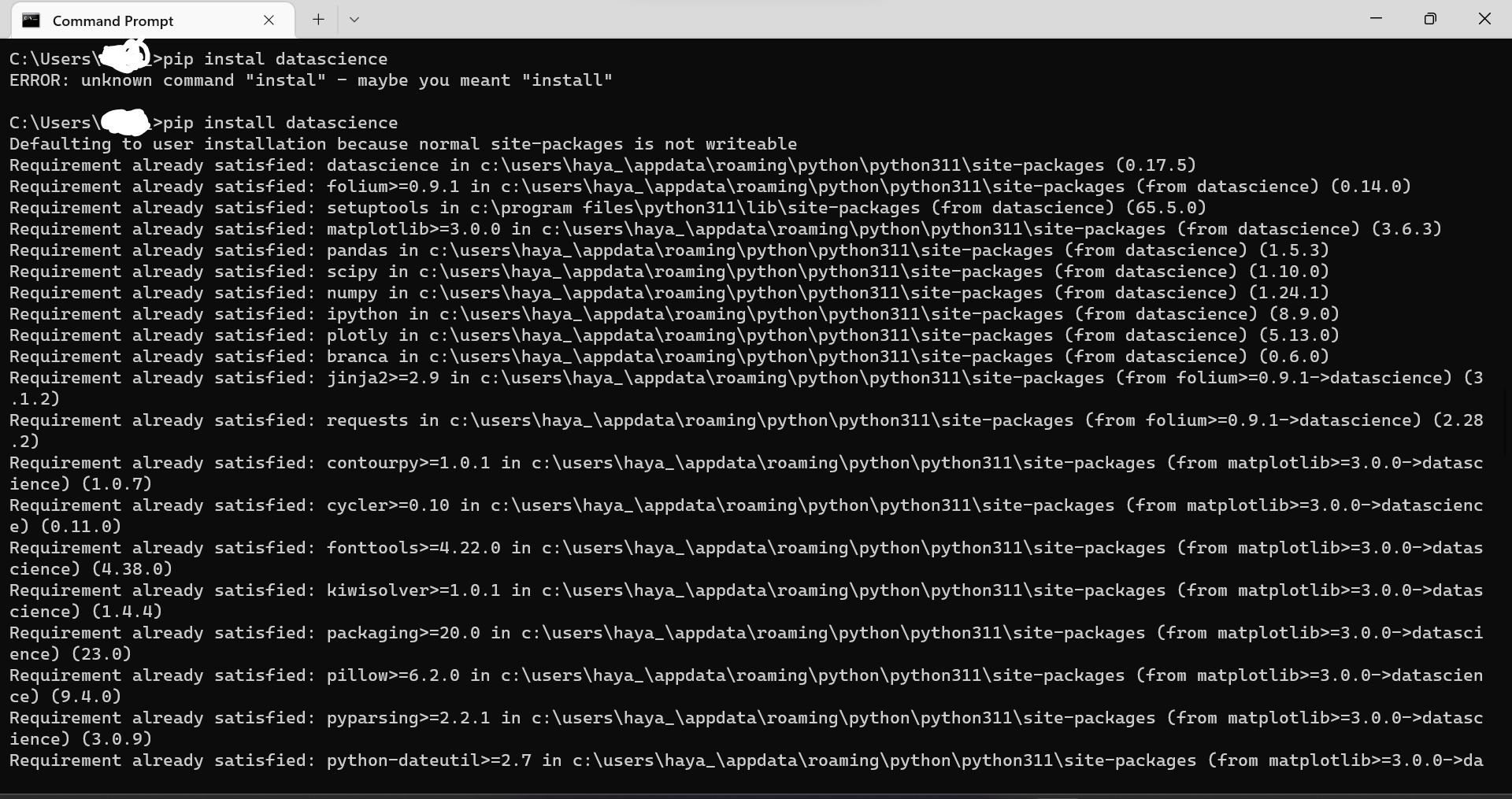
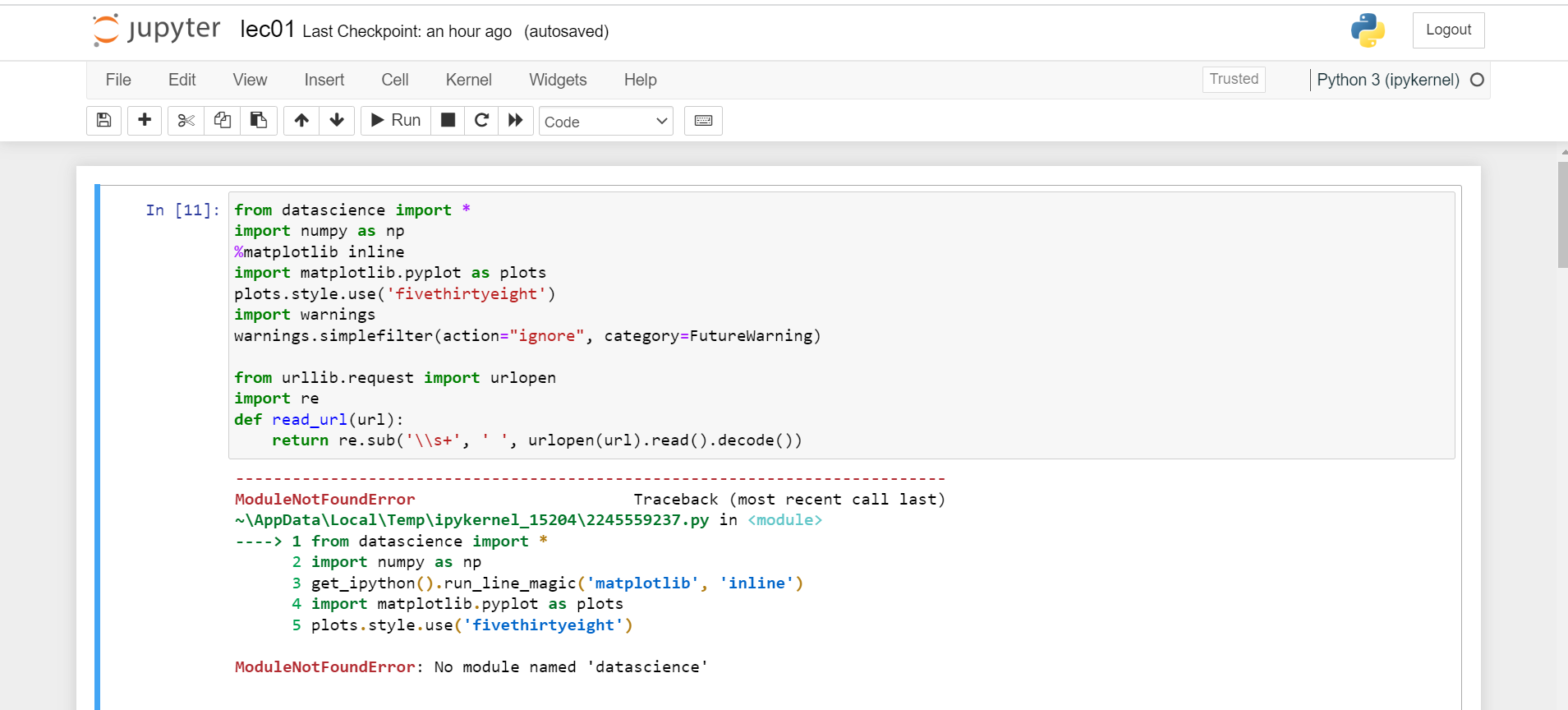
Enable GingerCannot connect to Ginger Check your internet connection or reload the browserDisable in this text fieldRephraseRephrase current sentence2Edit in Ginger C: usersl 1>pip instal datascience ERROR: unknown command "instal" - maybe you meant "install" C:\Users\C>ip install datascience Defaulting to user installation because normal site-packages is not writeable Requirement already satisfied: setuptools in c: \program files \ python311 \ lib \sitepackages (from datascience) (65.5.0) Requirement already satisfied: matplotlib >=3.0.0 in c:\users \ haya_\appdata \ roaming \python\python311\sitepackages (from datascience) (3.6.3) .1.2) .2) ience) (1.0.7) e) (0.11.0) cience) (4.38.0) cience) (1.4.4) Requirement already satisfied: packaging>=20.0 in c: \users \ haya_\appdata \ roaming \ python \python311\sitepackages (from matplotlib>=3. 0.0> datasci ence) (23.0) Requirement already satisfied: pillow>=6.2.0 in c: \users \ haya_\appdata \ roaming \python\python311\sitepackages (from matplotlib>=3.0.0->datascien ce) (9.4.0) ience) (3.0.9) jupyter lec01 Last Checkpoint: an hour ago (autosaved)
Step by Step Solution
There are 3 Steps involved in it

Get step-by-step solutions from verified subject matter experts
 Study Help