







Question: I'm trying to create a GUI in visual studio using IronPython. I created a button for loading the text file but for some reason when
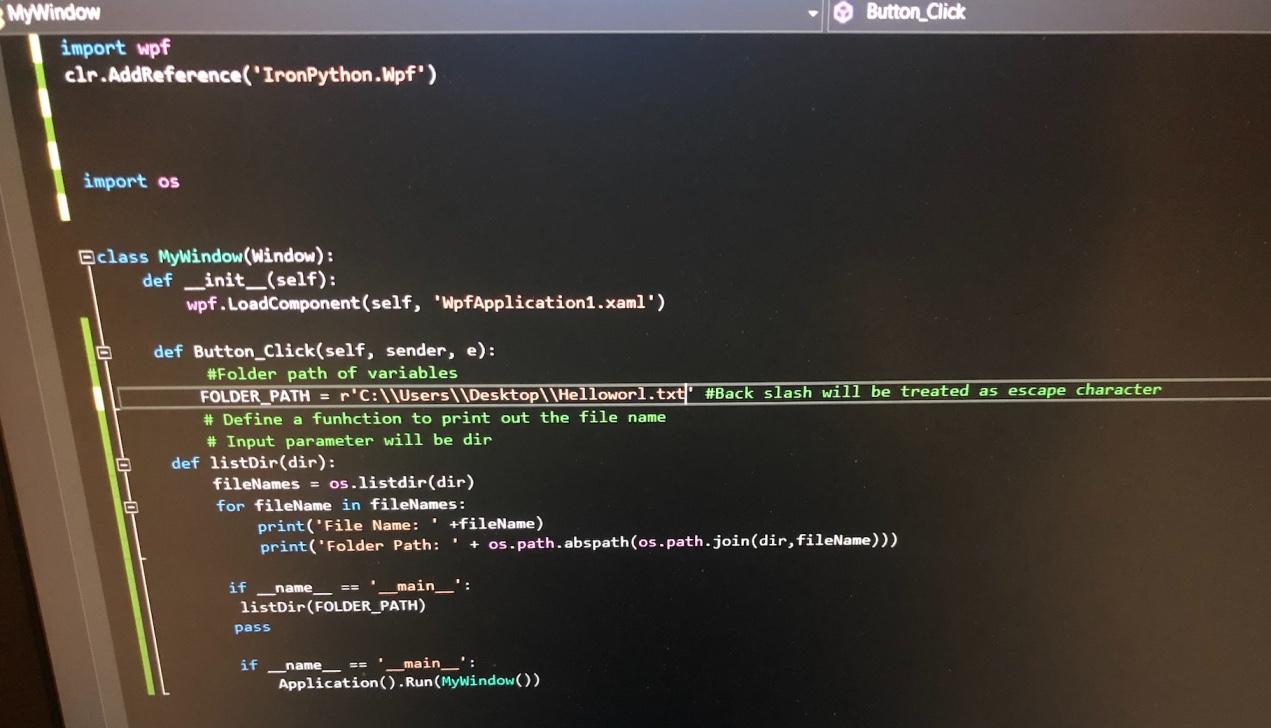
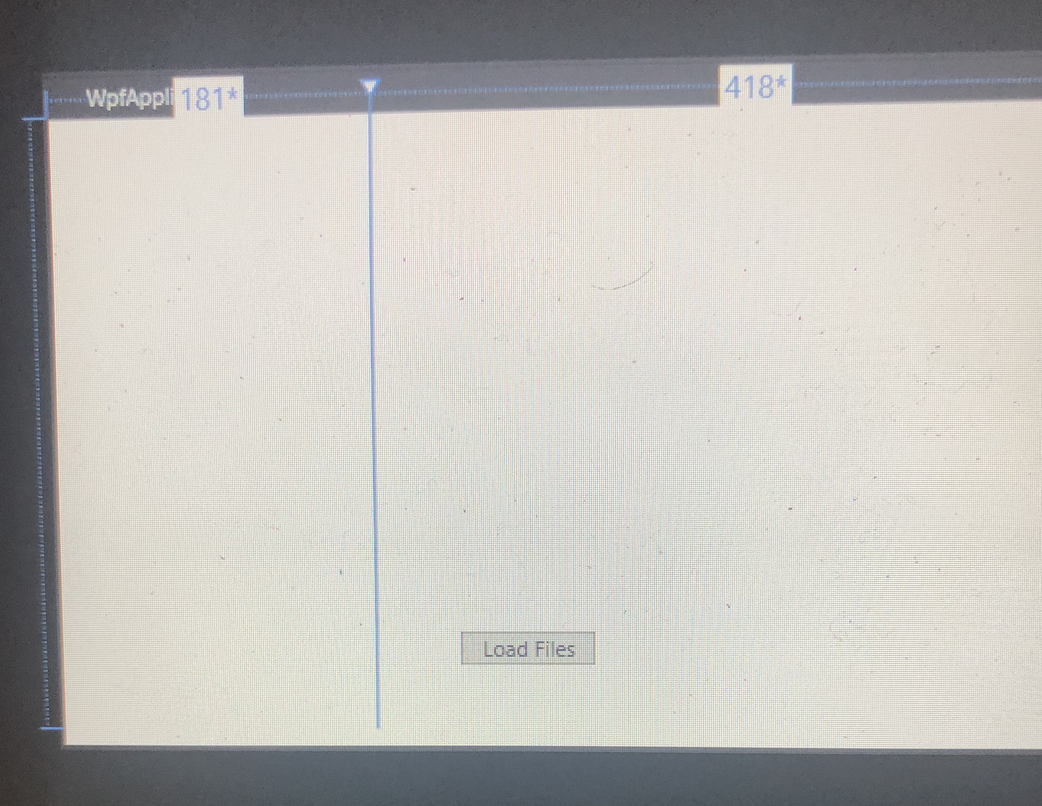
I'm trying to create a GUI in visual studio using IronPython. I created a button for loading the text file but for some reason when I clicked on "start" there is nothing appear even though there is no error.
Please help
Button_Click MyWindow import wpf clr.AddReference('IronPython.Wpf') import os Bclass MyWindow(Window): def _init__(self): wpf.LoadComponent(self, "WpfApplication1.xaml') def Button_Click(self, sender, e): #Folder path of variables FOLDER_PATH = R'C:\Users\\Desktop\\Helloworl.txt' #Back slash will be treated as escape character # Define a funhction to print out the file name # Input parameter will be dir def listDir(dir): fileNames = os.listdir(dir) for fileName in fileNames: print('File Name: +fileName) print('Folder Path: ' + os.path.abspath(os.path.join(dir, fileName))) _name if _main__': listDir(FOLDER_PATH) pass if __name == '__main__': Application().Run(MyWindow()) WpfAppli 1817 418* Load Files
Step by Step Solution
There are 3 Steps involved in it

Get step-by-step solutions from verified subject matter experts
 Study Help