







Question: Image processing problem: Please implement spatial filter function using Matlab. Write the function spatial_filter that takes two inputs: a grayscale image (a matrix, not a
Image processing problem: Please implement spatial filter function using Matlab.
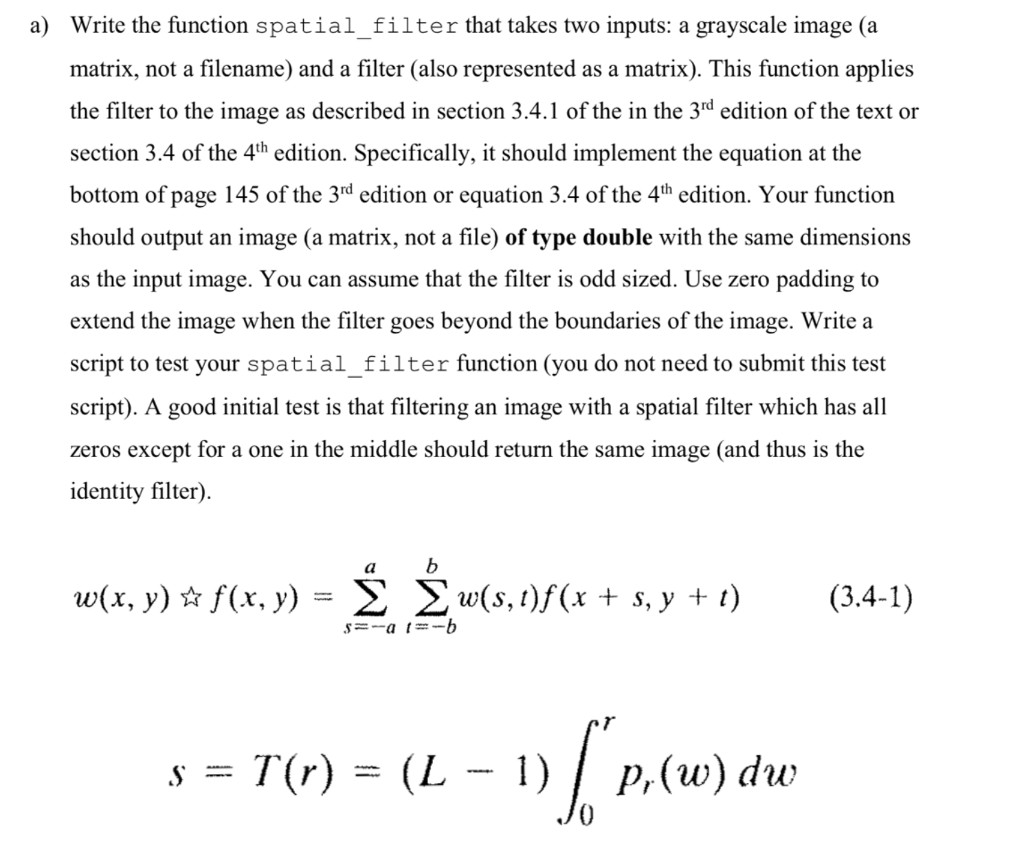
Write the function spatial_filter that takes two inputs: a grayscale image (a matrix, not a filename) and a filter (also represented as a matrix). This function applies the filter to the image as described in section 3.4.1 of the in the 3nd edition of the text or section 3.4 of the 4th edition. Specifically, it should implement the equation at the bottom of page 145 of the 3rd edition or equation 3.4 of the 4h edition. Your function should output an image (a matrix, not a file) of type double with the same dimensions as the input image. You can assume that the filter is odd sized. Use zero padding to extend the image when the filter goes beyond the boundaries of the image. Write a script to test your spatial_filter function (you do not need to submit this test script). A good initial test is that filtering an image with a spatial filter which has all zeros except for a one in the middle should return the same image (and thus is the identity filter) w(x, y) f(x, y) = 0(5,1)f(x + s, y + 1) (3.4.1) s = T(r) = (L-1) | p,(w) dw Write the function spatial_filter that takes two inputs: a grayscale image (a matrix, not a filename) and a filter (also represented as a matrix). This function applies the filter to the image as described in section 3.4.1 of the in the 3nd edition of the text or section 3.4 of the 4th edition. Specifically, it should implement the equation at the bottom of page 145 of the 3rd edition or equation 3.4 of the 4h edition. Your function should output an image (a matrix, not a file) of type double with the same dimensions as the input image. You can assume that the filter is odd sized. Use zero padding to extend the image when the filter goes beyond the boundaries of the image. Write a script to test your spatial_filter function (you do not need to submit this test script). A good initial test is that filtering an image with a spatial filter which has all zeros except for a one in the middle should return the same image (and thus is the identity filter) w(x, y) f(x, y) = 0(5,1)f(x + s, y + 1) (3.4.1) s = T(r) = (L-1) | p,(w) dw
Step by Step Solution
There are 3 Steps involved in it

Get step-by-step solutions from verified subject matter experts
 Study Help