







Question: #images.py: import tkinter import os, os.path tk = tkinter _root = None class ImageView(tk.Canvas): def __init__(self, image, title = New Image, autoflush=False): master = tk.Toplevel(_root)

#images.py:
import tkinter
import os, os.path
tk = tkinter
_root = None
class ImageView(tk.Canvas):
def __init__(self, image,
title = "New Image",
autoflush=False):
master = tk.Toplevel(_root)
master.protocol("WM_DELETE_WINDOW", self.close)
tk.Canvas.__init__(self, master,
width = image.getWidth(),
height = image.getHeight())
self.master.title(title)
self.pack()
master.resizable(0,0)
self.image = image
self.height = image.getHeight()
self.width = image.getWidth()
self.autoflush = autoflush
self.closed = False
def close(self):
"""Close the window"""
self.closed = True
self.master.destroy()
self.image.canvas = None
_root.quit()
def isClosed(self):
return self.closed
def getHeight(self):
"""Return the height of the window"""
return self.height
def getWidth(self):
"""Return the width of the window"""
return self.width
class Image:
def __init__(self, *args):
self.canvas = None
if len(args) == 1:
name = args[0]
if type(name) != str:
raise Exception('Must be a file name')
if name[-4:].upper() != '.GIF':
raise Exception('File must be a GIF')
if not os.path.exists(args[0]):
raise Exception('File not in current directory')
self.image = tk.PhotoImage(file = args[0], master = _root)
self.filename = args[0]
self.width = self.image.width()
self.height = self.image.height()
else: # arguments are width and height
self.width, self.height = args
self.image = tk.PhotoImage(master =_root,
width = self.width,
height = self.height)
self.filename = "smokey.gif"
def getWidth(self):
"""Returns the width of the image in pixels"""
return self.width
def getHeight(self):
"""Returns the height of the image in pixels"""
return self.height
def getPixel(self, x, y):
"""Returns a tuple (r,g,b) with the RGB color values for pixel (x,y)
r,g,b are in range(256)
"""
value = self.image.get(x, y)
if type(value) == int:
return (value, value, value)
elif type(value) == tuple:
return value
else:
return tuple(map(int, value.split()))
def setPixel(self, x, y, color):
"""Sets pixel (x,y) to the color given by RGB values r, g, and b.
r,g,b should be in range(256)
"""
(r, g, b) = color
r = round(r)
g = round(g)
b = round(b)
color = (r, g, b)
self.image.put("{#%02x%02x%02x}" % color, (x, y))
def draw(self):
"""Creates and opens a window on an image.
The user must close the window to return control to
the caller."""
if not self.canvas:
self.canvas = ImageView(self,
self.filename)
self.canvas.create_image(self.width // 2,
self.height // 2,
image = self.image)
_root.mainloop()
def save(self, filename = ""):
"""Saves the image to filename. If no file name
is provided, uses the image's file name if there
is one; otherwise, simply returns.
If the .gif extension is not present, it is added.
"""
if filename == "":
return
else:
self.filename = filename
path, name = os.path.split(filename)
ext = name.split(".")[-1]
if ext != "gif":
filename += ".gif"
self.filename = filename
self.image.write(self.filename, format = "gif")
def clone(self):
new = Image(self.width, self.height)
new.image = self.image.copy()
return new
def __str__(self):
rep = ""
if self.filename:
rep += ("File name: " + self.filename + "")
rep += ("Width: " + str(self.width) +
"Height: " + str(self.height))
return rep
_root = tk.Tk()
_root.withdraw()
The code should be in python and is in cengage so I cant use PIL
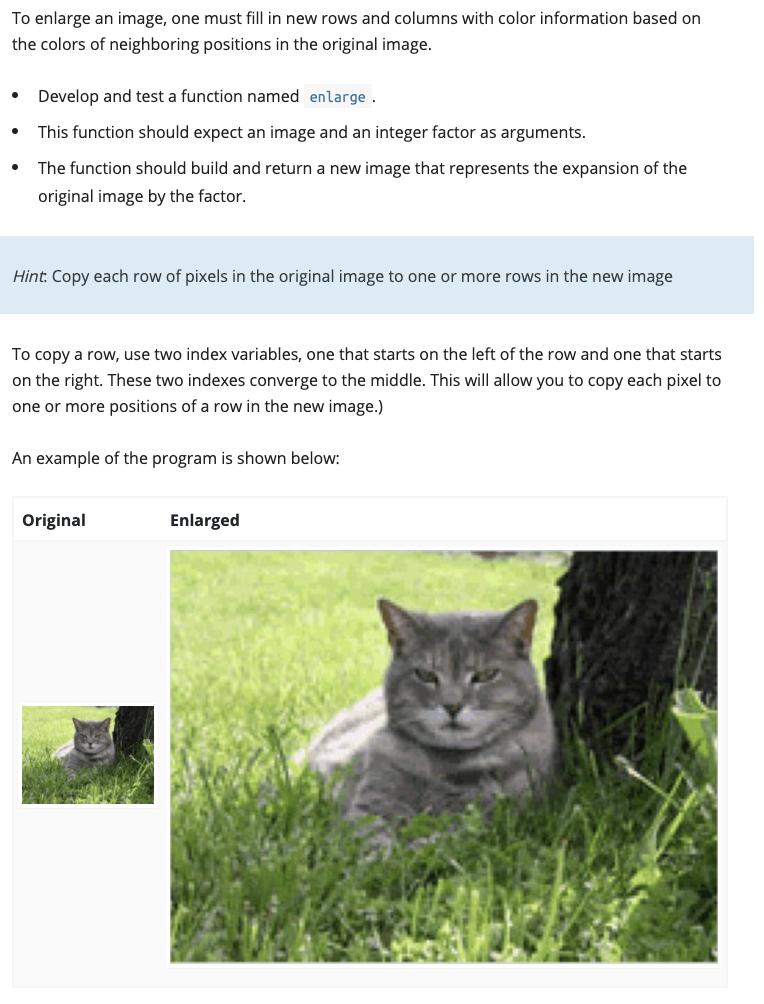
To enlarge an image, one must fill in new rows and columns with color information based on the colors of neighboring positions in the original image. Develop and test a function named enlarge. This function should expect an image and an integer factor as arguments. The function should build and return a new image that represents the expansion of the original image by the factor. Hint: Copy each row of pixels in the original image to one or more rows in the new image To copy a row, use two index variables, one that starts on the left of the row and one that starts on the right. These two indexes converge to the middle. This will allow you to copy each pixel to one or more positions of a row in the new image.) An example of the program is shown below: Original Enlarged
Step by Step Solution
3.37 Rating (156 Votes )
There are 3 Steps involved in it
solution copy of the argument image by the factor argument width imagegetWidth height imagegetHeig... View full answer

Get step-by-step solutions from verified subject matter experts
 Study Help