







Question: Implement and Test Schedule Create edu.ncsu.csc216.pack_scheduler.user.schedule Package Create the edu.ncsu.csc216.pack_scheduler.user.schedule package in the src/ folder of PackScheduler. Create Schedule Class Create Schedule in the src/
Implement and Test Schedule
Create edu.ncsu.csc216.pack_scheduler.user.schedule Package
Create the edu.ncsu.csc216.pack_scheduler.user.schedule package in the src/ folder of PackScheduler.
Create Schedule Class
Create Schedule in the src/ folder of the edu.ncsu.csc216.pack_scheduler.user.schedule package.
Create ScheduleTest Class
Create ScheduleTest in the test/ folder of the edu.ncsu.csc216.pack_scheduler.user.schedule package. You will need to create the edu.ncsu.csc216.pack_scheduler.user.schedule package in the test/ source folder.
When testing, you may find it useful to work with the CourseCatalog object for quickly loading and finding Courses.
Implement Schedule State
Schedule has the following state:
schedule: a custom ArrayList of Courses
title: the schedules title
Test and Implement Schedule.Schedule()
Write a test for Schedules constructor. You should implement Schedule.getScheduledCourses() and getTitle() to help with testing the constructor.
The constructor of Schedule should create an empty ArrayList of Courses. The title should be initialized to My Schedule
Test and Implement Schedule.addCourseToSchedule(Course)
Write tests for Schedule.addCourseToSchedule(Course).
Schedule.addCourseToSchedule(Course) should add the Course to the end of the schedule and return true if the Course was added.
However, if the Course is a duplicate to one already in the list through either equals() or via the isDuplidate() method, then an IllegalArgumentException should be thrown with the message specified in the requirements.
If there is a conflict with an existing Course in the schedule, a ConflictException is thrown from the call to Course.checkConflict(). Catch the ConflictException and throw an IllegalArgumentException with the message specified in the requirements.
If the Course to add to the Schedule is null, a NullPointerException is thrown. However, this check can be delegated to the ArrayList you wrote; the ArrayList doesnt allow null elements!
Test and Implement Schedule.removeCourseFromSchedule(Course)
Write tests for Schedule.removeCourseFromSchedule(Course).
Schedule.removeCourseFromSchedule(Course) should remove the Course from the schedule and return true if the Course was removed and false if there was not a Course to remove.
Test and Implement Schedule.resetSchedule()
Write tests for Schedule.resetSchedule().
Schedule.resetSchedule() should create a new schedule ArrayList and reset the title to the default value.
Test and Implement Schedule.getScheduledCourses()
Write tests for Schedule.getScheduledCourses().
Schedule.getScheduledCourses() should return a 2D array of Course information. Each row should be a Course and the columns are name, section, title, and the meeting string (i.e., Course.getShortDisplayArray()).
Test and Implement Schedule.setTitle(String)
Write tests for Schedule.setTitle(String).
Schedule.setTitle(String) should set the title to the parameter value. If the title is null, an IllegalArgumentException is thrown with the messages Title cannot be null.. Design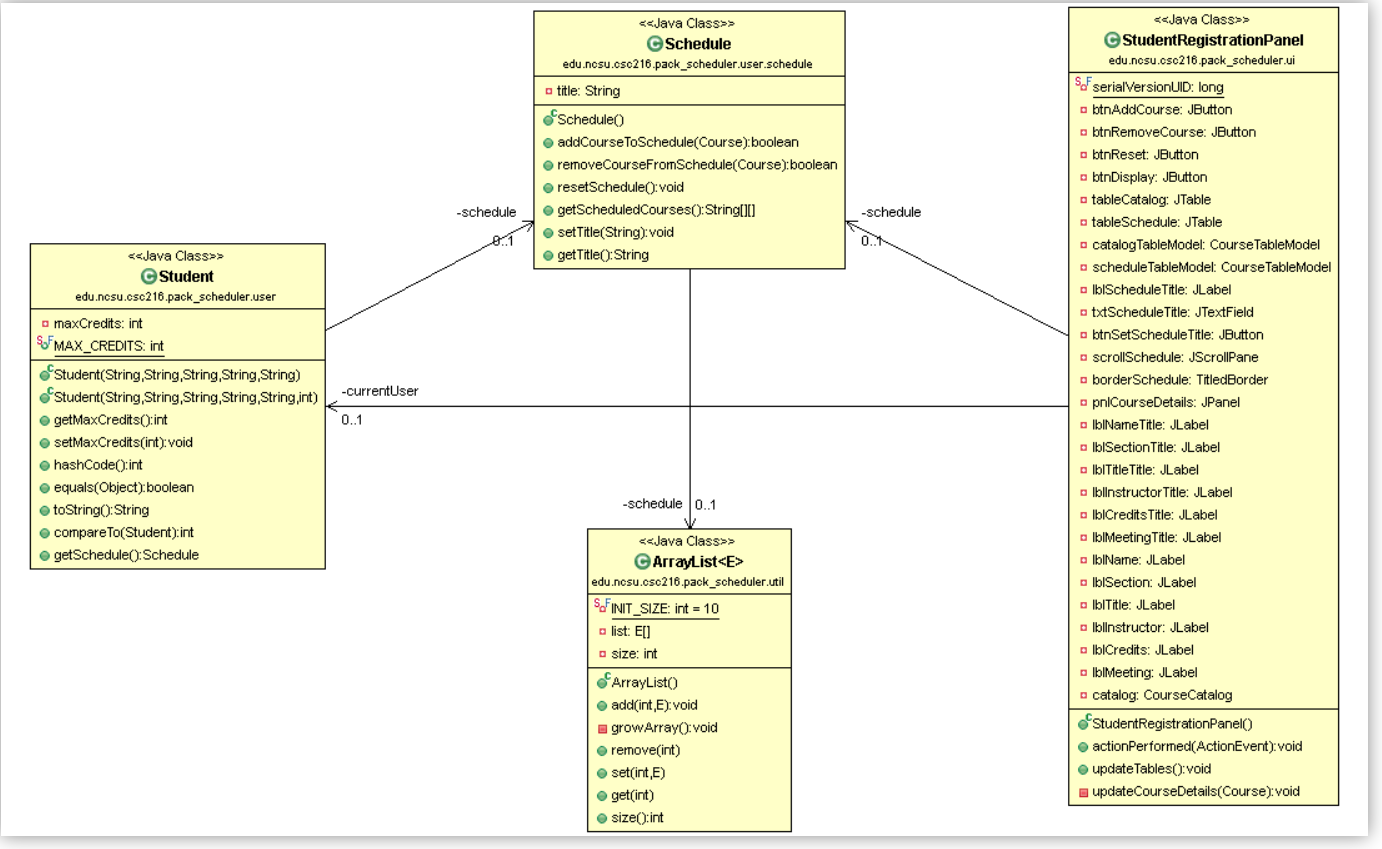
Step by Step Solution
There are 3 Steps involved in it

Get step-by-step solutions from verified subject matter experts
 Study Help