







Question: implement in C++ Exercise 2 (Arrays and File VO) (Based on programming project. 7.5) Write a program that reads in a list ofintegers into an
implement in C++
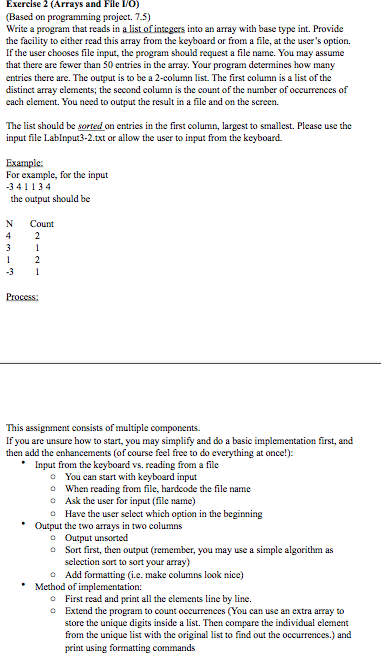
Exercise 2 (Arrays and File VO) (Based on programming project. 7.5) Write a program that reads in a list ofintegers into an array with base type int. Provide the facility to cither read this array from the keyboard or from a file, at the user's option. If the user chooses file input, the program should request a file name. You may assume that there are fewer than 50 entries in the array. Your program entries there are. The output is to be a 2-column list. The first column is a list of the distinct array clements; the second column is the count of the number of occurrences of cach element. You need to output the result in a file and on the screen. determines how many The list should be sorted on entries in the first column, largest to smallest. Please use the input file LabInput3-2.txt or allow the user to input from the keyboard For example, foe the input 341134 the output should be N Count This assignment consists of multiple components. If you are unsure how to start, you may simplify and do a basic implementation first, and then add the enhancements (of course feel free to do everything at once!) Input from the keyboard vs. reading from a file o You can start with keyboard input o When reading from file, hardcode the file name o Ask the user for input (file name) o Have the user select which option in the beginning Output the two arrays in two columns Sort first, then output (remember, you may use a simple algorithm as selection sort to sort your array) o o Add formatting (i.e. make columns look nice) Method of implementation: First read and print all the elements line by line. Extend the program to count occurrences (You can use an extra array to store the unique digits inside a list. Then from the unique list with the original list to find out the occurrences.) and peint using formatting commands o o compare the individual element
Step by Step Solution
There are 3 Steps involved in it

Get step-by-step solutions from verified subject matter experts
 Study Help