







Question: Implement the following JavaFX application: Set up a Stage that has two buttons (larger and smaller) and a pane (with dimensions 600 x 500). Afilled
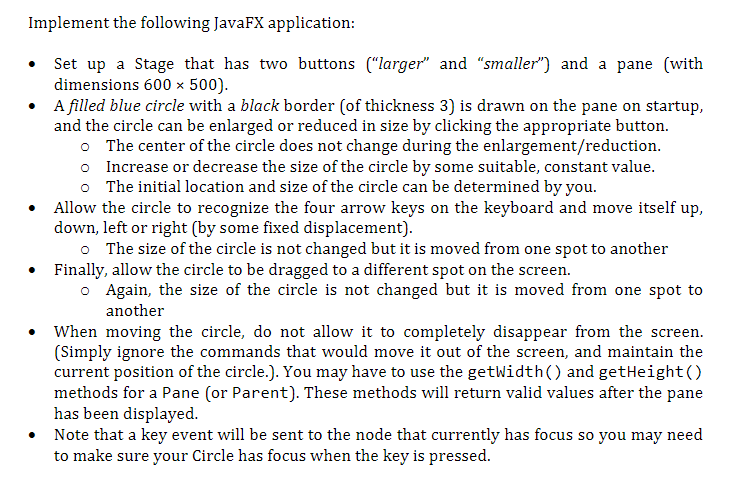
Implement the following JavaFX application: Set up a Stage that has two buttons ("larger and "smaller") and a pane (with dimensions 600 x 500). Afilled blue circle with a black border (of thickness 3) is drawn on the pane on startup, and the circle can be enlarged or reduced in size by clicking the appropriate button. o The center of the circle does not change during the enlargement/reduction o Increase or decrease the size of the circle by some suitable, constant value. o The initial location and size of the circle can be determined by you. Allow the circle to recognize the four arrow keys on the keyboard and move itself up, down, left or right (by some fixed displacement). o The size of the circle is not changed but it is moved from one spot to another Finally, allow the circle to be dragged to a different spot on the screen. o Again, the size of the circle is not changed but it is moved from one spot to another When moving the circle, do not allow it to completely disappear from the screen (Simply ignore the commands that would move it out of the screen, and maintain the current position of the circle.). You may have to use the getwidth() and getHeight() methods for a Pane (or Parent). These methods will return valid values after the pane has been displayed Note that a key event will be sent to the node that currently has focus so you may need to make sure your Circle has focus when the key is pressed
Step by Step Solution
There are 3 Steps involved in it

Get step-by-step solutions from verified subject matter experts
 Study Help