







Question: Implement the num_files parameter for the generate_dir_report function. The parameter is a bool and its default value is False. If set to True the names
Implement the num_files parameter for the generate_dir_report function. The parameter is a bool and its default value is False. If set to True the names of the directories are followed by a space and a parenthetical containing the number of files that are directly contained within that directory (not its sub-directories) and a keyword files. If set to False the parenthetical is omitted.
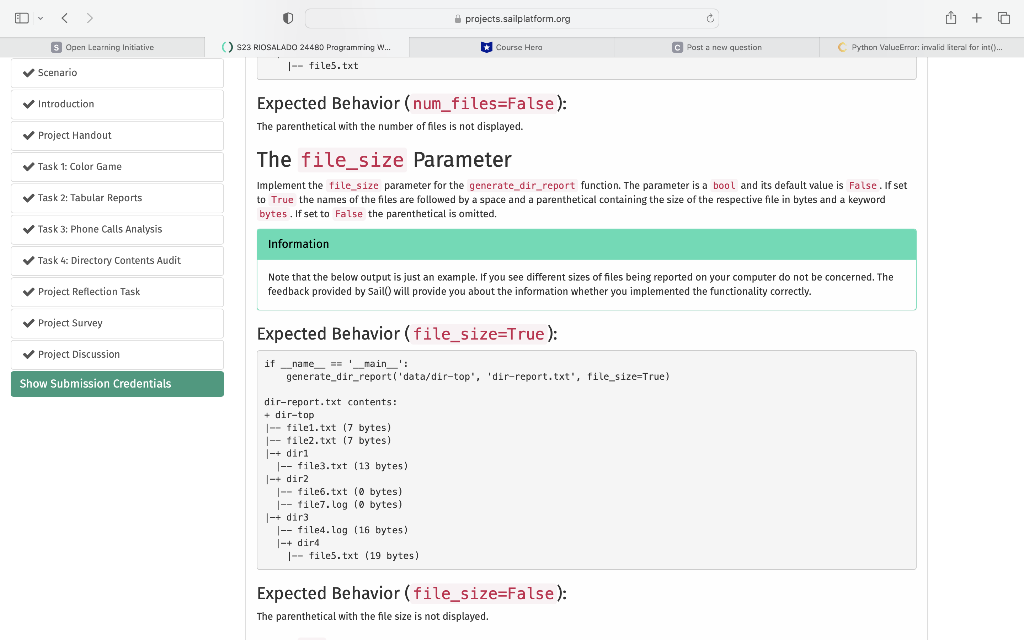
Implement the file_size parameter for the generate_dir_report function. The parameter is a bool and its default value is False. If set to True the names of the files are followed by a space and a parenthetical containing the size of the respective file in bytes and a keyword bytes. If set to False the parenthetical is omitted.
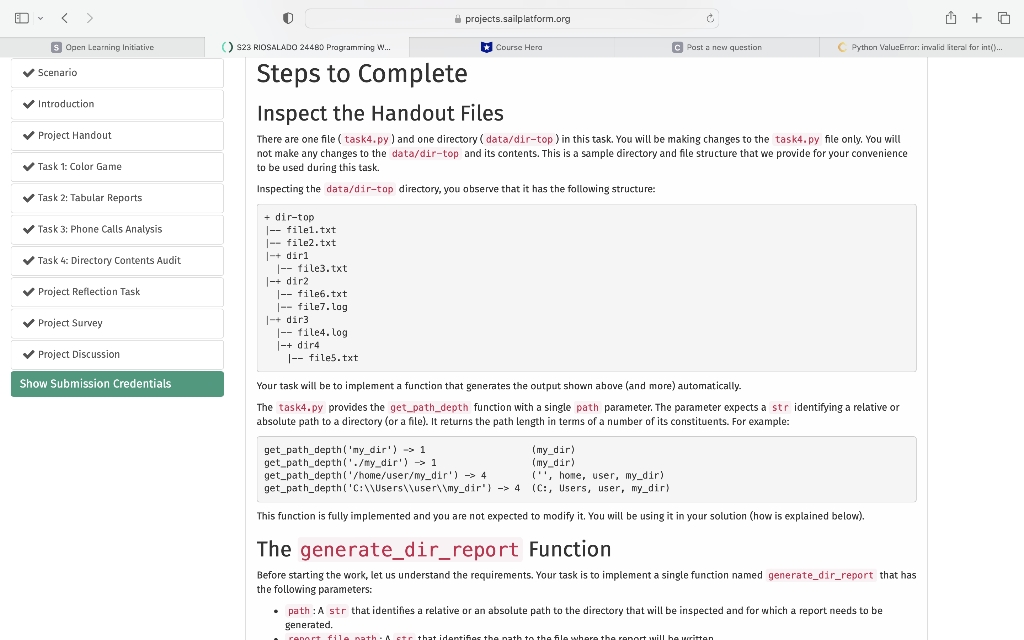
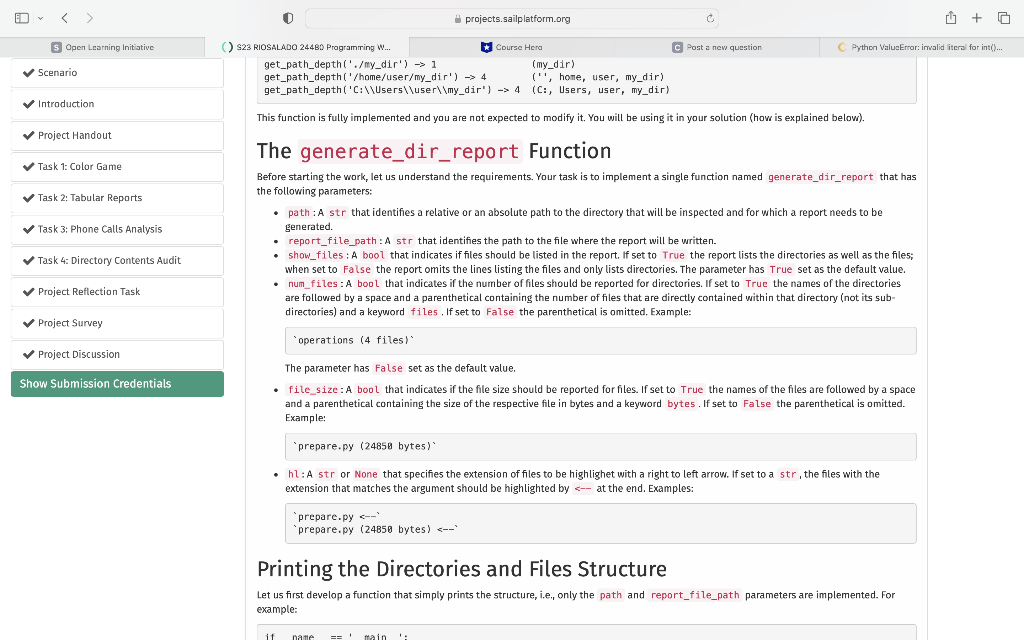
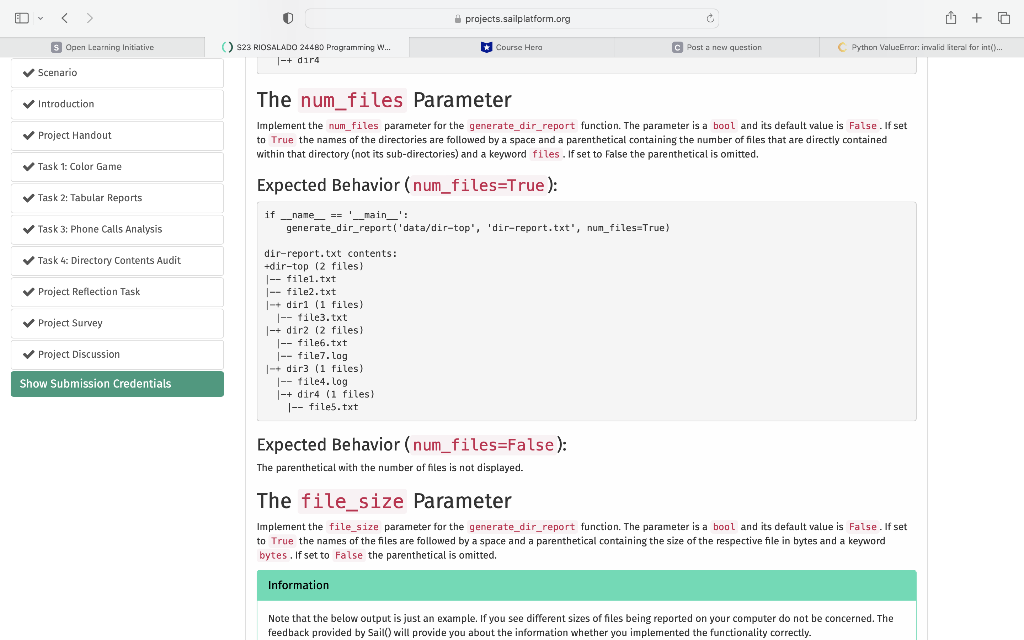
Steps to complete Inspect the Handout Files There are one file (task4,py) and one directory (data/dir-top) in this task. You will be making changes to the task4. py file only. You will not make any changes to the data/dir-top and its contents. This is a sample directory and file structure that we provide for your convenience to be used during this task. Inspecting the data/dir-top directory, you observe that it has the following structure: +dir-top |-- file1.txt |-- file2.txt |-+ dir1 |-- file3.txt |-+ dir2 |-- file6.txt |-- file7.lag |-+ dir3 |-- file4. log |-+ dir4 |-- file5.txt Your task will be to implement a function that generates the output shown above (and more) automatically. The task4.py provides the get_path_depth function with a single path parameter. The parameter expects a st r identifying a relative or absolute path to a directory (or a file). It returns the path length in terms of a number of its constituents. For example: This function is fully implemented and you are not expected to modify it. You will be using it in your solution (how is explained below). The generate_dir_report Function Before starting the work, let us understand the requirements. Your task is to implement a single function named generate_dir_report that has the following parameters: - path : A str that identifies a relative or an absolute path to the directory that will be inspected and for which a report needs to be generated. This function is fully implemented and you are nat expected to modify it. You will be using it in your solution (how is explained below). The generate_dir_report Function Before starting the work, let us understand the requirements. Your task is to implement a single function named generate_dir_report that has the following parameters: - path : A str that identifies a relative or an absolute path to the directory that will be inspected and for which a report needs to be Benerated. - report_file_path : A str that identifies the path to the file where the report will be written. - show_files: A bool that indicates if files should be listed in the report. If set to True the report lists the directories as well as the files; when set to False the report omits the lines listing the files and only lists directories. The parameter has True set as the default value. - num_files: A bool that indicates if the number of files should be reported for directories. If set to True the names of the directories are followed by a space and a parenthetical containing the number of files that are directly contained within that directory (not its subdirectories) and a keyword files. If set to False the parenthetical is omitted. Example: "operations (4 files)" The parameter has False set as the default value. - file_size: A bool that indicates if the file size should be reported forfiles. If set to True the names of the files are followed by a space and a parenthetical containing the size of the respective file in bytes and a keyword bytes. If set to False the parenthetical is omitted. Example: "prepare.py (24850 bytes)" - hl: A str or None that specifies the extension of files to be highlighet with a right to left arrow. If set to a str, the files with the extension that matches the argument should be highlighted by
Step by Step Solution
There are 3 Steps involved in it

Get step-by-step solutions from verified subject matter experts
 Study Help