







Question: // Implement your own stack, CharStack, using Linked list. // You shall not use the default Linked List class from Java. // Element in CharStack
// Implement your own stack, CharStack, using Linked list.
// You shall not use the default Linked List class from Java.
// Element in CharStack is CharNode which contain a char.
public class CharStack {
protected CharNode top;
public CharStack() {
top = null;
}
// Initialize a new CharStack with a char.
// It means the stack will contain an element, a CharNode which carries the input char.
public CharStack(char c) {
// 1. Filling your code here
// 1. End of code
}
// Initialize a new CharStack with a existing CharStack. It's copying the input CharStack and create a new one.
// Hint:
// Do not modify the input CharStack
public CharStack(CharStack cs) {
// 2. Filling your code here
// 2. End of code
}
// Create a CharStack. The stack shall contain all the charactors in input string.
// Hint
// The last char in string shall be at the top of the stack.
public CharStack(String str) {
// 3. Filling your code here
// 3. End of code
}
// push a char to the top of the stack
public void push(char x) {
// 4. Filling your code here
// 4. End of code
}
// pop the top char from the stack
// Hint
// For you convenience, you are not required to handle exception when poping a empty stack.
// It means when a stack is empty, do nothing.
public void pop() {
// 5. Filling your code here
// 5. End of code
}
// return the char of the top element
public char top() {
// 6. Filling your code here
// 6. End of code
}
// return true if the stack is empty, otherwise, return false;
public boolean isEmpty() {
// 7. Filling your code here
// 7. End of code
}
// return the number of elements in the stack
public int size(){
// 8. Filling your code here
// 8. End of code
}
// transfer the stack to a string and return it.
// E.g. From bottom to the top, if the chars in stack are 'a', 'e', 'c', '!'. The return shall be "aec!"
public String toString() {
// 9. Filling your code here
// 9. End of code
}
}
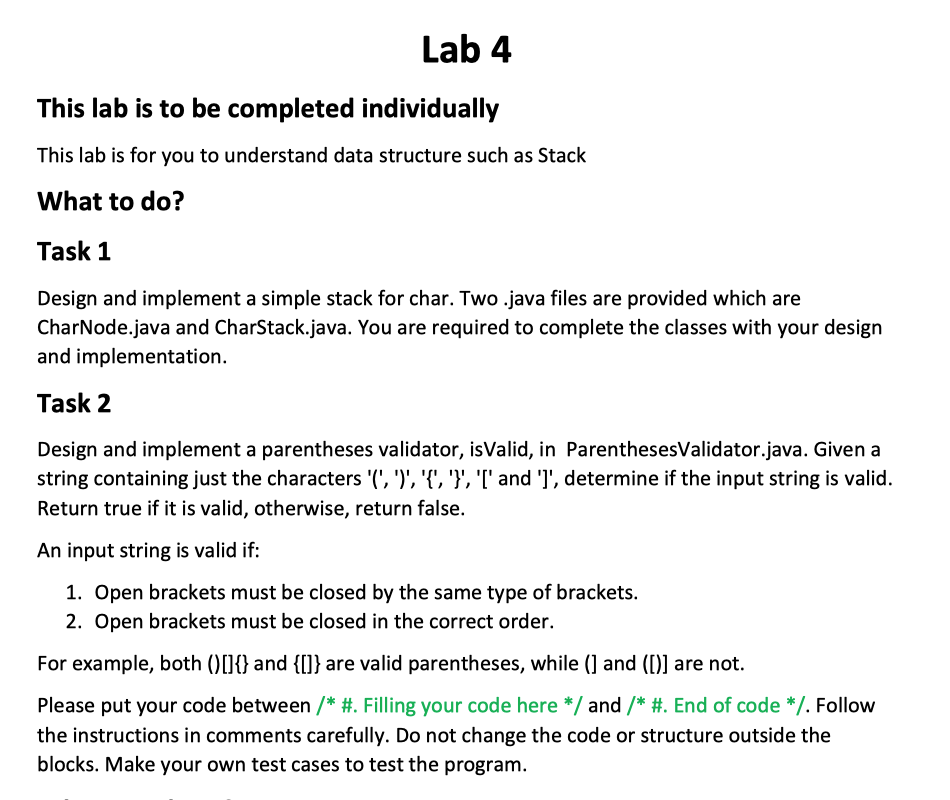
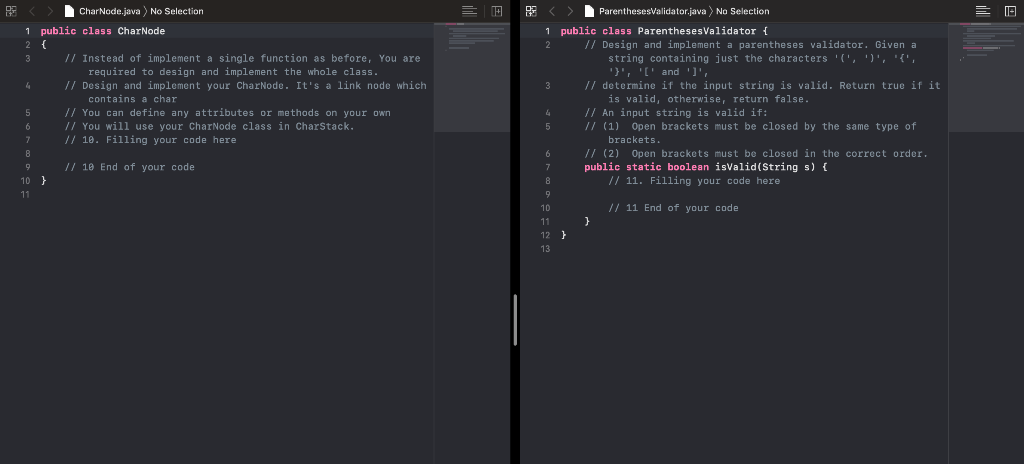
Lab 4 This lab is to be completed individually This lab is for you to understand data structure such as Stack What to do? Task 1 Design and implement a simple stack for char. Two.java files are provided which are CharNode.java and CharStack.java. You are required to complete the classes with your design and implementation. Task 2 Design and implement a parentheses validator, isValid, in ParenthesesValidator.java. Given a string containing just the characters '(',')', '{', '}', 'l' and 'l', determine if the input string is valid. Return true if it is valid, otherwise, return false. An input string is valid if: 1. Open brackets must be closed by the same type of brackets. 2. Open brackets must be closed in the correct order. For example, both ([]{} and {[]} are valid parentheses, while () and ([)] are not. Please put your code between /* #. Filling your code here */ and /* #. End of code */. Follow the instructions in comments carefully. Do not change the code or structure outside the blocks. Make your own test cases to test the program. E E CharNode.java) No Selection 1 public class CharNode 2 { // Instead of implement a single function as before, You are required to design and implement the whole class. // Design and implement your CharNode. It's a link node which contains a char // You can define any attributes or methods on your own // You will use your CharNode class in CharStack. // 10. Filling your code here ParenthesesValidator.java) No Selection 1 public class ParenthesesValidator { 2 // Design and implement a parentheses validator. Given a string containing just the characters 'l', ')', '{'. "}', '[' and 'l', // determine if the input string is valid. Return true if it is valid, otherwise, return false. // An input string is valid if: // (1) Open brackets must be closed by the same type of brackets. // (2) Open brackets must be closed in the correct order. public static boolean isValid(Strings) { // 11. Filling your code here // 10 End of your code 10 } // 11 End of your code
Step by Step Solution
There are 3 Steps involved in it

Get step-by-step solutions from verified subject matter experts
 Study Help