







Question: import java.awt.Container; import java.awt.Dimension; import java.awt.Graphics; import java.awt.image.BufferedImage; import java.io.File; import java.io.IOException; import javax.imageio.ImageIO; import javax.swing.JFrame; import javax.swing.JPanel; public class DrawImage extends JFrame { private
import java.awt.Container; import java.awt.Dimension; import java.awt.Graphics; import java.awt.image.BufferedImage; import java.io.File; import java.io.IOException; import javax.imageio.ImageIO; import javax.swing.JFrame; import javax.swing.JPanel;
public class DrawImage extends JFrame { private JPanel panel = new JPanel(); private BufferedImage image = ImageIO.read(new File("me.jpg")); public DrawImage() throws IOException { panel.setPreferredSize(new Dimension(400, 600)); Container pane = getContentPane(); pack(); setVisible(true); setDefaultCloseOperation(JFrame.EXIT_ON_CLOSE); } public void paint(Graphics canvas) { Graphics g = panel.getGraphics(); Dimension dimPanel = panel.getSize(); g.clearRect(0, 0, dimPanel.width, dimPanel.height); g.drawImage(image, 0, 0, dimPanel.width, dimPanel.height, null); } public static void main(String [] args)throws IOException { DrawImage meFile = new DrawImage(); } }
Help please the code above is supose to display a jpg image using boarderImage object but its not working. The instructions are below.
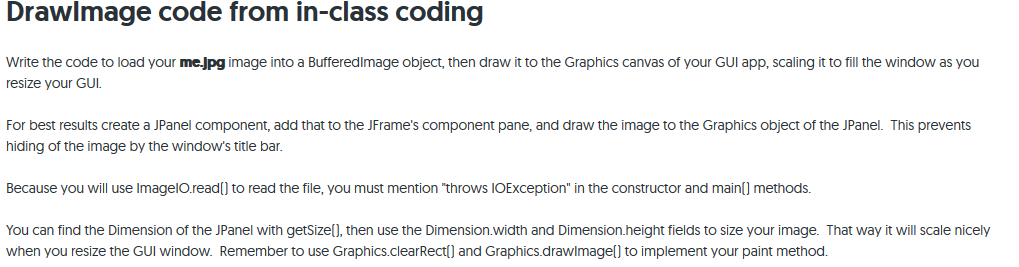
Drawlmage code from in-class coding Write the code to load your me-jpg image into a Bufferedlmage object, then draw it to the Graphics canvas of your GUI app, scaling it to fill the window as you resize your GUI. For best results create a JPanel component, add that to the JFrame's component pane, and draw the image to the Graphics object of the JPanel. This prevents hiding of the image by the window's title bar Because you will use ImagelO.readl) to read the file, you must mention "throws IOException" in the constructor and mainf) methods. You can find the Dimension of the JPanel with getSize[], then use the Dimension.width and Dimension.height fields to size your image. That way it will scale nicely when you resize the GUI window. Remember to use Graphics.clearRect and Graphics.drawimagel) to implement your paint methood
Step by Step Solution
There are 3 Steps involved in it

Get step-by-step solutions from verified subject matter experts
 Study Help