import java.io.PrintWriter; import java.util.Scanner;
//TODO: document this class public class PA2c { /** * Error to output if can't open any files */ public static final String ERR_FILE = "Error opening file(s)"; /** * Error to output if files open but matrices * are of incompatible dimensions for multiplication */ public static final String ERR_DIMS = "Bad matrix dimensions"; private static void _outputMatrix(PrintWriter out, int[][] m, boolean includeDimensions) { for (int r=0; r }
Here's the code provided please help.
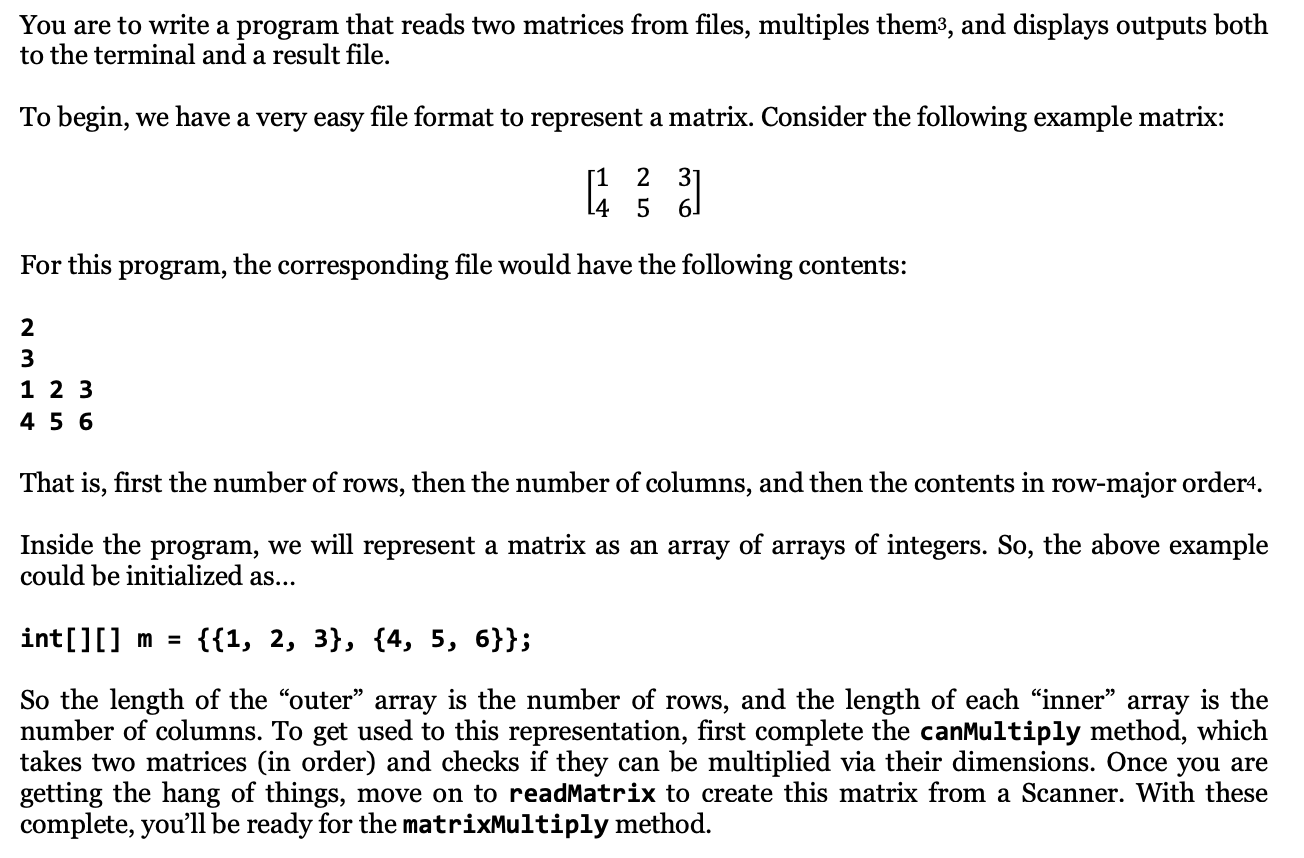
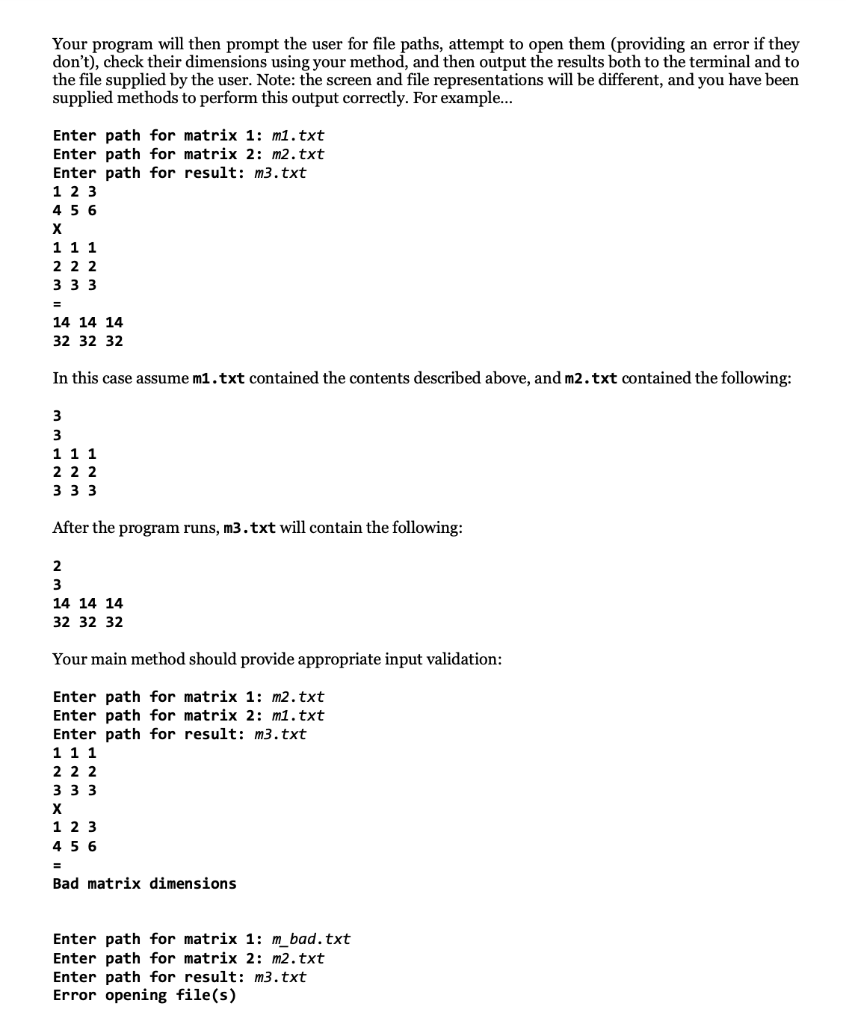
You are to write a program that reads two matrices from files, multiples them, and displays outputs both to the terminal and a result file. To begin, we have a very easy file format to represent a matrix. Consider the following example matrix: u 3 For this program, the corresponding file would have the following contents: 3 1 2 4 5 3 6 That is, first the number of rows, then the number of columns, and then the contents in row-major order4. Inside the program, we will represent a matrix as an array of arrays of integers. So, the above example could be initialized as... int[][] m = {{1, 2, 3}, {4, 5, 6}}; So the length of the "outer" array is the number of rows, and the length of each inner array is the number of columns. To get used to this representation, first complete the canMultiply method, which takes two matrices (in order) and checks if they can be multiplied via their dimensions. Once you are getting the hang of things, move on to readMatrix to create this matrix from a Scanner. With these complete, you'll be ready for the matrixMultiply method. Your program will then prompt the user for file paths, attempt to open them (providing an error if they don't), check their dimensions using your method, and then output the results both to the terminal and to the file supplied by the user. Note: the screen and file representations will be different, and you have been supplied methods to perform this output correctly. For example... Enter path for matrix 1: m1.txt Enter path for matrix 2: m2.txt Enter path for result: m3.txt 1 2 3 1 1 22 3 3 3 14 14 14 32 32 32 In this case assume m1.txt contained the contents described above, and m2.txt contained the following: 1 1 1 2 2 2 3 3 3 After the program runs, m3.txt will contain the following: 14 14 14 32 32 32 Your main method should provide appropriate input validation: Enter path for matrix 1: m2.txt Enter path for matrix 2: m1.txt Enter path for result: m3.txt 1 1 1 2 2 2 3 3 3 X 1 2 3 4 5 6 Bad matrix dimensions Enter path for matrix 1: m_bad.txt Enter path for matrix 2: m2.txt Enter path for result: m3.txt Error opening file(s)




