







Question: import java.util.ArrayList;public class ArrayListTestProgram { public static void main(String args[]) { int total = 0; ArrayList numbers; System.out.println(The ArrayList looks like this: + numbers);
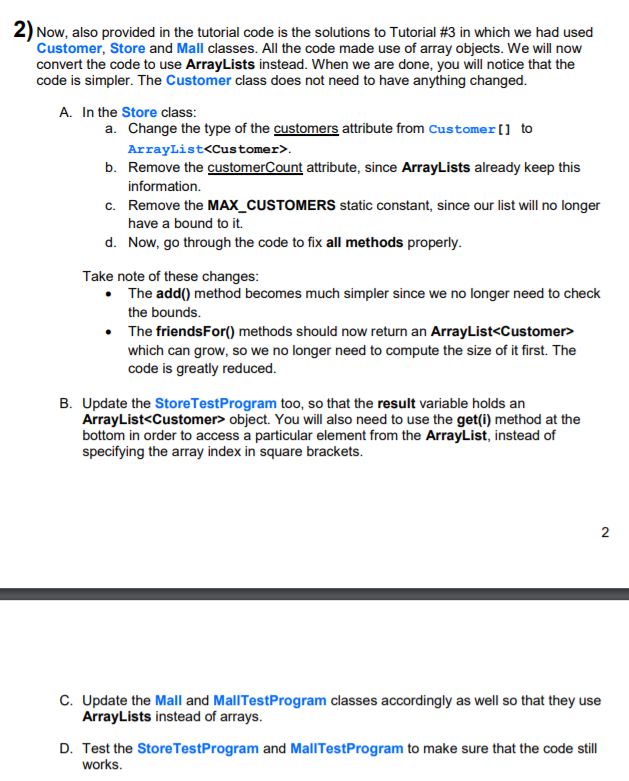
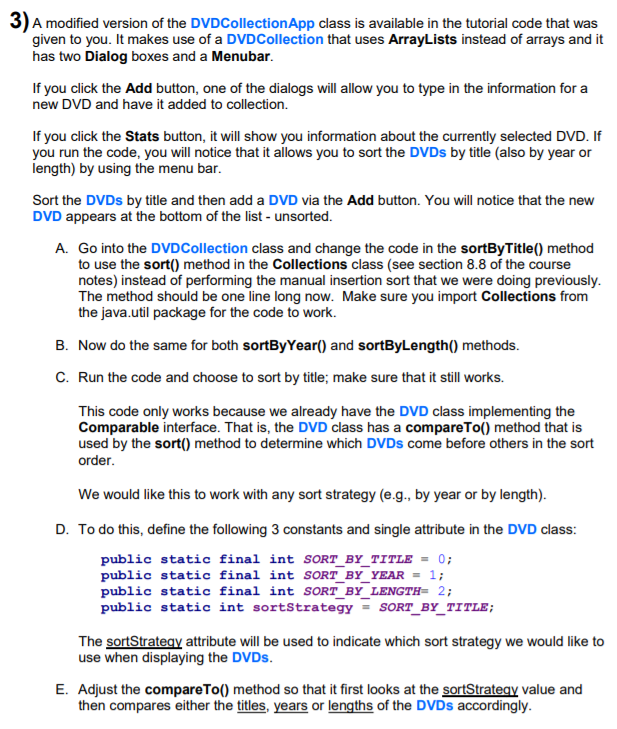
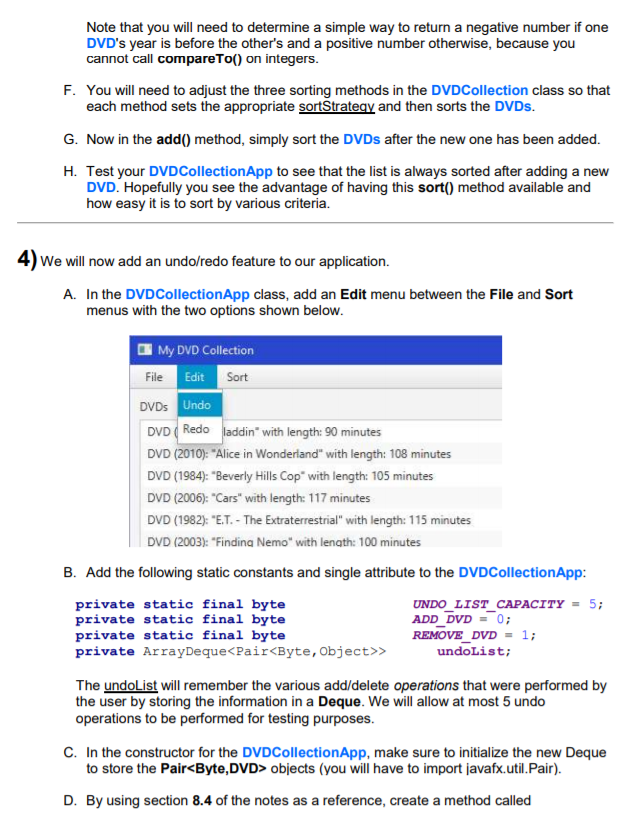
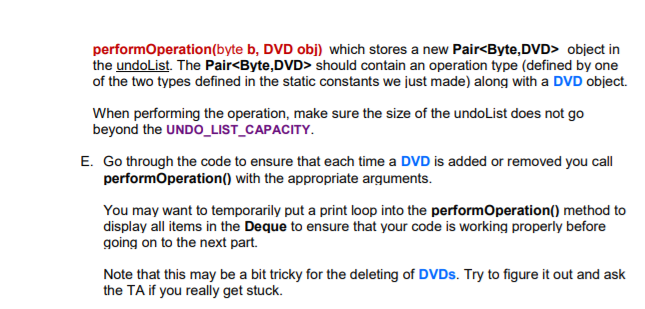
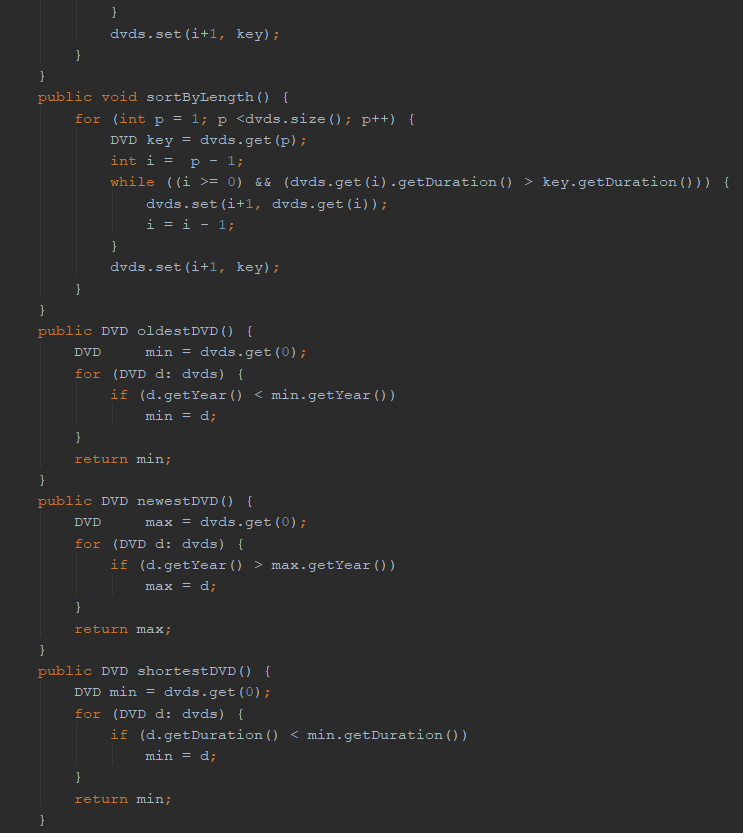
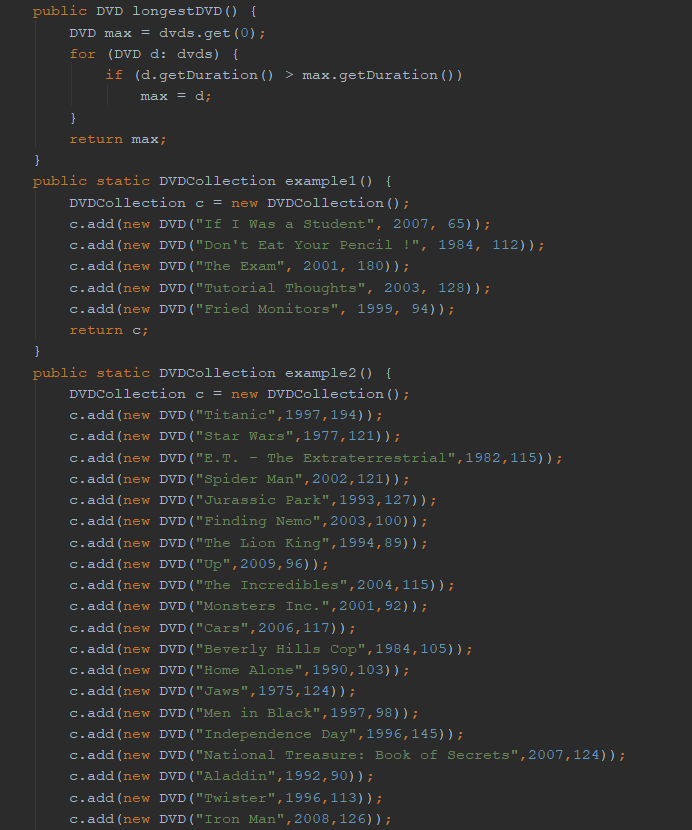
import java.util.ArrayList;public class ArrayListTestProgram { public static void main(String args[]) { int total = 0; ArrayList numbers; System.out.println("The ArrayList looks like this: " + numbers); System.out.println("It has " + numbers.size() + " elements in it"); System.out.println("The 5th element in it is: " + numbers.get(4)); }}public class Customer { private String name; private int age; private float money; private int id; public Customer(String n, int a, float m) { name = n; age = a; money = m; id = -1; } public void setID(int newID){ id = newID; } public String toString() { return "Customer " + name + ": a " + age + " year old with $" + money; } public String getName() { return name; } public int getAge(){return age;} public boolean hasMoreMoneyThan(Customer c) { return money > c.money; }}public class DVD implements Comparable { private String title; private int year; private int duration; public DVD () { this ("",0,0); } public DVD (String newTitle, int y, int minutes) { title = newTitle; year = y; duration = minutes; } public int compareTo(Object obj) { if (obj instanceof DVD) { DVD aDVD = (DVD)obj; return title.compareTo(aDVD.title); } return 0; } public String getTitle() { return title; } public int getDuration() { return duration; } public int getYear() { return year; } public void setTitle(String t) { title = t; } public void setDuration(int d) { duration = d; } public void setYear(int y) { year = y; } public String toString() { return ("DVD (" + year + "): "" + title + "" with length: " + duration + " minutes"); }}public class Mall { public static final int MAX_STORES = 100; private String name; private Store[] stores; private int storeCount; public Mall(String n) { name = n; stores = new Store[MAX_STORES]; storeCount = 0; } public void addStore(Store s) { if (storeCount public class MallTestProgram { public static void main(String args[]) { Mall trainyards = new Mall("Trainyards"); Store walmart, dollarama, michaels, farmBoy; trainyards.addStore(walmart = new Store("Walmart")); trainyards.addStore(dollarama = new Store("Dollarama")); trainyards.addStore(michaels = new Store("Michaels")); trainyards.addStore(farmBoy = new Store("Farm Boy")); Customer c1, c2, c3, c4, c5, c6, c7, c8, c9, c10, c11, c12, c13, c14; Customer c15, c16, c17, c18, c19, c20, c21, c22, c23, c24, c25, c26; c1 = new Customer("Amie", 14, 100); c2 = new Customer("Brad", 15, 0); c3 = new Customer("Cory", 10, 100); c4 = new Customer("Dave", 5, 48); c5 = new Customer("Earl", 21, 500); c6 = new Customer("Flem", 18, 1); c7 = new Customer("Gary", 8, 20); c8 = new Customer("Hugh", 65, 30); c9 = new Customer("Iggy", 43, 74); c10 = new Customer("Joan", 55, 32); c11 = new Customer("Kyle", 16, 88); c12 = new Customer("Lore", 12, 1000); c13 = new Customer("Mary", 17, 6); c14 = new Customer("Nick", 13, 2); c15 = new Customer("Omar", 18, 24); c16 = new Customer("Patt", 24, 45); c17 = new Customer("Quin", 42, 355); c18 = new Customer("Ruth", 45, 119); c19 = new Customer("Snow", 74, 20); c20 = new Customer("Tamy", 88, 25); c21 = new Customer("Ulsa", 2, 75); c22 = new Customer("Vern", 9, 90); c23 = new Customer("Will", 11, 220); c24 = new Customer("Xeon", 17, 453); c25 = new Customer("Ying", 19, 76); c26 = new Customer("Zack", 22, 35); walmart.addCustomer(c1); walmart.addCustomer(c3); walmart.addCustomer(c4); walmart.addCustomer(c5); walmart.addCustomer(c8); walmart.addCustomer(c12); walmart.addCustomer(c13); walmart.addCustomer(c14); walmart.addCustomer(c17); walmart.addCustomer(c19); walmart.addCustomer(c25); dollarama.addCustomer(c2); dollarama.addCustomer(c3); dollarama.addCustomer(c5); dollarama.addCustomer(c6); dollarama.addCustomer(c13); dollarama.addCustomer(c16); dollarama.addCustomer(c18); dollarama.addCustomer(c19); dollarama.addCustomer(c20); michaels.addCustomer(c1); michaels.addCustomer(c2); michaels.addCustomer(c7); michaels.addCustomer(c9); michaels.addCustomer(c15); michaels.addCustomer(c18); michaels.addCustomer(c22); michaels.addCustomer(c23); michaels.addCustomer(c24); michaels.addCustomer(c26); farmBoy.addCustomer(c1); farmBoy.addCustomer(c2); farmBoy.addCustomer(c5); farmBoy.addCustomer(c10); farmBoy.addCustomer(c11); farmBoy.addCustomer(c19); farmBoy.addCustomer(c21); farmBoy.addCustomer(c24); farmBoy.addCustomer(c25); System.out.println("Did Amie and Xeon shop at the same store: " + trainyards.shoppedAtSameStore(c1, c24)); System.out.println("Did Brad and Nick shop at the same store: " + trainyards.shoppedAtSameStore(c2, c14)); System.out.println("The number of unique customers in the mall is: " + trainyards.getUniqueCustomerCount ()); }}import javafx.geometry.Insets;import javafx.scene.control.*;import javafx.scene.layout.GridPane;import javafx.stage.Stage;public class StatsDialog extends Dialog { public StatsDialog(Stage owner, DVDCollection c) { setTitle("DVD Statistics"); ButtonType okButtonType = new ButtonType("OK", ButtonBar.ButtonData.OK_DONE); getDialogPane().getButtonTypes().addAll(okButtonType); GridPane grid = new GridPane(); grid.setHgap(10); grid.setVgap(10); grid.setPadding(new Insets(10, 10, 10, 10)); Label l1 = new Label("Total:"); Label l2 = new Label("Oldest:"); Label l3 = new Label("Newest:"); Label l4 = new Label("Shortest Duration:"); Label l5 = new Label("Longest Duration:"); Label l6 = new Label(""+c.getDvds().size()); Label l7 = new Label(""+c.oldestDVD()); Label l8 = new Label(""+c.newestDVD()); Label l9 = new Label(""+c.shortestDVD()); Label l10 = new Label(""+c.longestDVD()); l1.setStyle("-fx-font: 12 arial; -fx-text-fill: NAVY;"); l2.setStyle("-fx-font: 12 arial; -fx-text-fill: NAVY;"); l3.setStyle("-fx-font: 12 arial; -fx-text-fill: NAVY;"); l4.setStyle("-fx-font: 12 arial; -fx-text-fill: NAVY;"); l5.setStyle("-fx-font: 12 arial; -fx-text-fill: NAVY;"); grid.add(l1, 0, 0); grid.add(l2, 0, 1); grid.add(l3, 0, 2); grid.add(l4, 0, 3); grid.add(l5, 0, 4); grid.add(l6, 1, 0); grid.add(l7, 1, 1); grid.add(l8, 1, 2); grid.add(l9, 1, 3); grid.add(l10, 1, 4); getDialogPane().setContent(grid); }}public class Store { public static final int MAX_CUSTOMERS = 500; private static int LATEST_ID = 100000; private String name; private Customer[] customers; private int customerCount; public Store(String n) { name = n; customers = new Customer[MAX_CUSTOMERS]; customerCount = 0; } public Customer[] getCustomers() { return customers; } public int getCustomerCount() { return customerCount; } public void addCustomer(Customer c) { if (customerCount public class StoreTestProgram { public static void main(String args[]) { Customer[] result; Store walmart; walmart = new Store("Walmart off Innes"); walmart.addCustomer(new Customer("Amie", 14, 100)); walmart.addCustomer(new Customer("Brad", 15, 0)); walmart.addCustomer(new Customer("Cory", 10, 100)); walmart.addCustomer(new Customer("Dave", 5, 48)); walmart.addCustomer(new Customer("Earl", 21, 500)); walmart.addCustomer(new Customer("Flem", 18, 1)); walmart.addCustomer(new Customer("Gary", 8, 20)); walmart.addCustomer(new Customer("Hugh", 65, 30)); walmart.addCustomer(new Customer("Iggy", 43, 74)); walmart.addCustomer(new Customer("Joan", 55, 32)); walmart.addCustomer(new Customer("Kyle", 16, 88)); walmart.addCustomer(new Customer("Smaug", 12, 1000)); walmart.addCustomer(new Customer("Mary", 17, 6)); walmart.addCustomer(new Customer("Nick", 13, 2)); walmart.addCustomer(new Customer("Omar", 18, 24)); walmart.addCustomer(new Customer("Patt", 24, 45)); walmart.addCustomer(new Customer("Quin", 42, 355)); walmart.addCustomer(new Customer("Ruth", 45, 119)); walmart.addCustomer(new Customer("Snow", 74, 20)); walmart.addCustomer(new Customer("Tamy", 81, 25)); walmart.addCustomer(new Customer("Ulsa", 2, 75)); walmart.addCustomer(new Customer("Vern", 9, 90)); walmart.addCustomer(new Customer("Will", 9, 220)); walmart.addCustomer(new Customer("Xeon", 17, 453)); walmart.addCustomer(new Customer("Ying", 19, 76)); walmart.addCustomer(new Customer("Zack", 22, 35)); System.out.println("Here are the customers:"); walmart.listCustomers();System.out.println("Average age of customers: " + walmart.averageCustomerAge());System.out.println("Richest customer is: " + walmart.richestCustomer());System.out.println("Friends for 18 year old Omar:");result = walmart.friendsFor(walmart.getCustomers()[14]);for (Customer c: result) System.out.println(c);System.out.println("Friends for 14 year old Amie:");result = walmart.friendsFor(walmart.getCustomers()[0]);for (Customer c: result) System.out.println(c); }}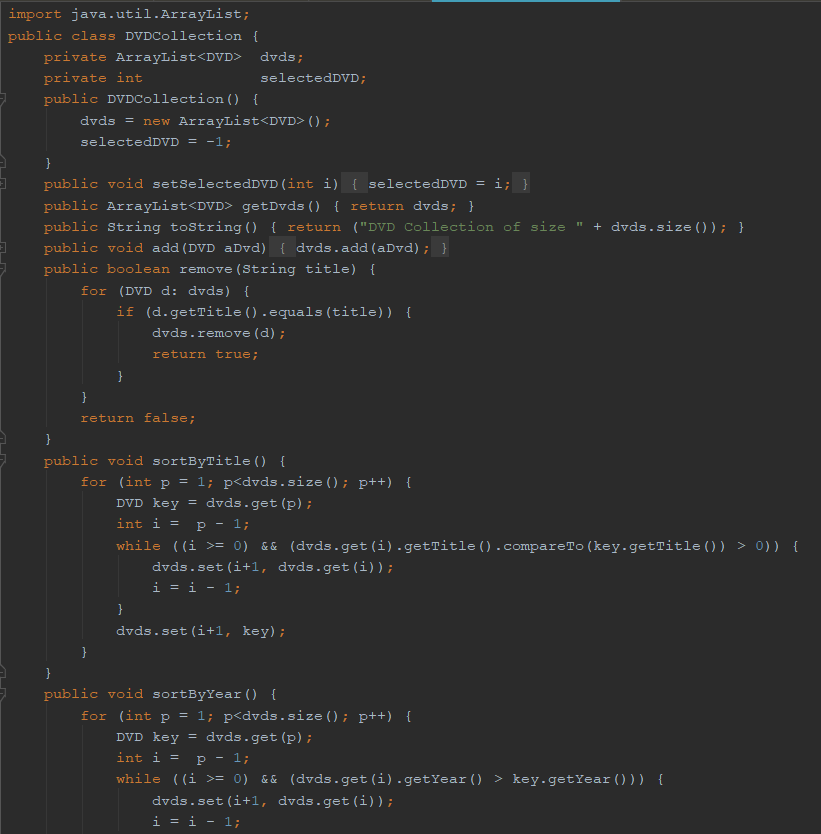
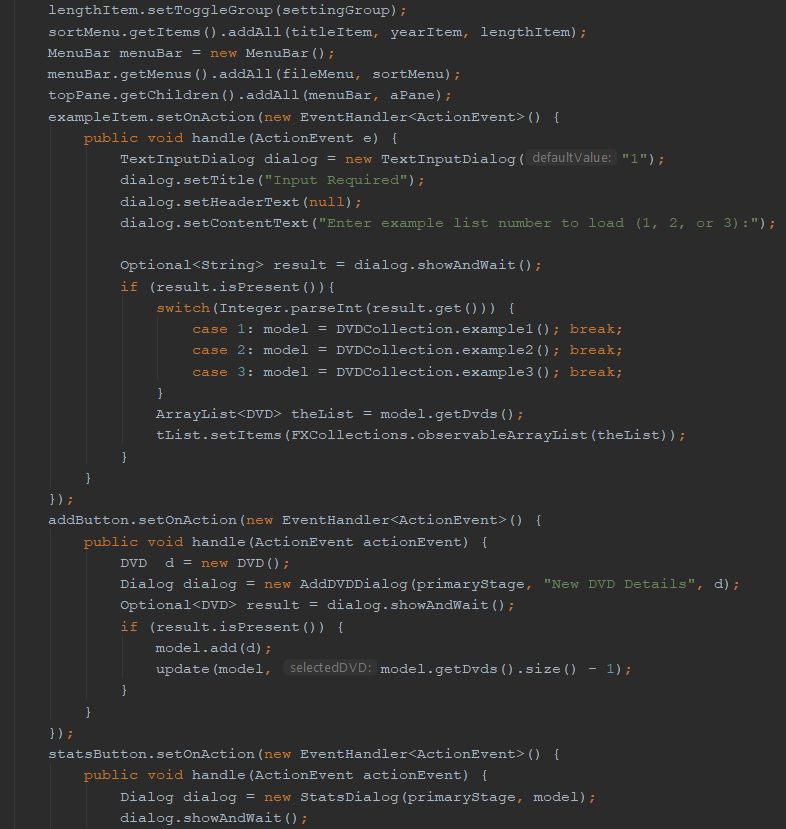
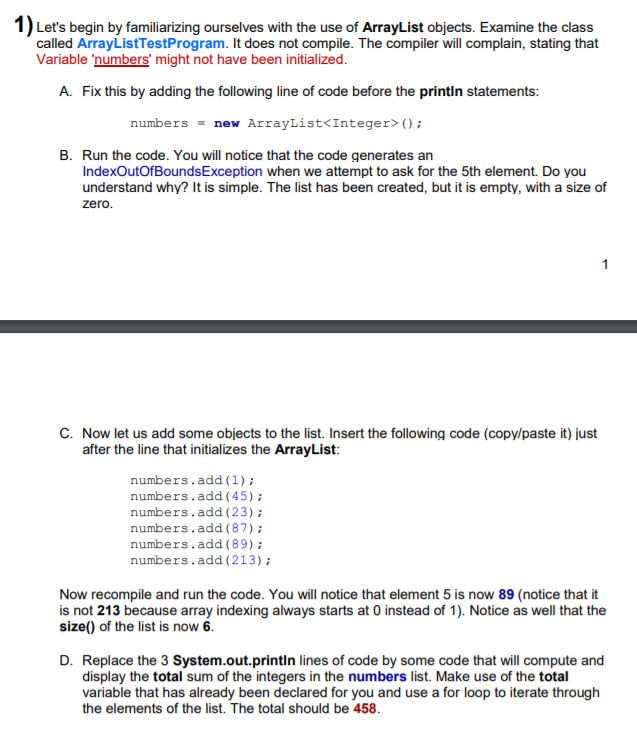
1) Let's begin by familiarizing ourselves with the use of ArrayList objects. Examine the class called ArrayListTestProgram. It does not compile. The compiler will complain, stating that Variable 'numbers' might not have been initialized. A. Fix this by adding the following line of code before the printin statements: numbers =new ArrayList (); B. Run the code. You will notice that the code generates an IndexOutOfBoundsException when we attempt to ask for the 5th element. Do you understand why? It is simple. The list has been created, but it is empty, with a size of zero. C. Now let us add some objects to the list. Insert the following code (copy/paste it) just after the line that initializes the ArrayList: numbers.add (1); numbers.add(45); numbers.add(23); numbers.add(87); numbers.add(89); numbers.add (213); 1 Now recompile and run the code. You will notice that element 5 is now 89 (notice that it is not 213 because array indexing always starts at 0 instead of 1). Notice as well that the size() of the list is now 6. D. Replace the 3 System.out.println lines of code by some code that will compute and display the total sum of the integers in the numbers list. Make use of the total variable that has already been declared for you and use a for loop to iterate through the elements of the list. The total should be 458.
Step by Step Solution
3.50 Rating (160 Votes )
There are 3 Steps involved in it
Here are the answers for Question 1 and its sub parts impo... View full answer

Get step-by-step solutions from verified subject matter experts
 Study Help