







Question: import java.util.Scanner; class Car { public void start () { System.out.println(The Car Has Started ); } } public class MyClass { public static void main(String
import java.util.Scanner; class Car { public void start () { System.out.println("The Car Has Started "); } } public class MyClass { public static void main(String args[]) { System.out.println("A06 - Written by Matt "); String consoleInput = null; Scanner console = new Scanner(System.in); Car myCar = new Car(); System.out.print("Please enter a color (or 'x' to end): "); consoleInput = console.nextLine(); System.out.println(" You entered " + consoleInput + " "); myCar.start(); System.out.print("Goodbye!"); } }
1) Include an output statement at the beginning of the program with the assignment number and your name: A06 Written by Matt
2) The constructor must pass a single argument to initialize the color.
3) When the constructor is called, set the cars initial color to Green
. 4) Include a loop to change the color until an x is entered.
5) Include a condition to test for the x and when found use a break to exit the loop.
6) Print goodbye upon exiting the program.
test case red, blue and x
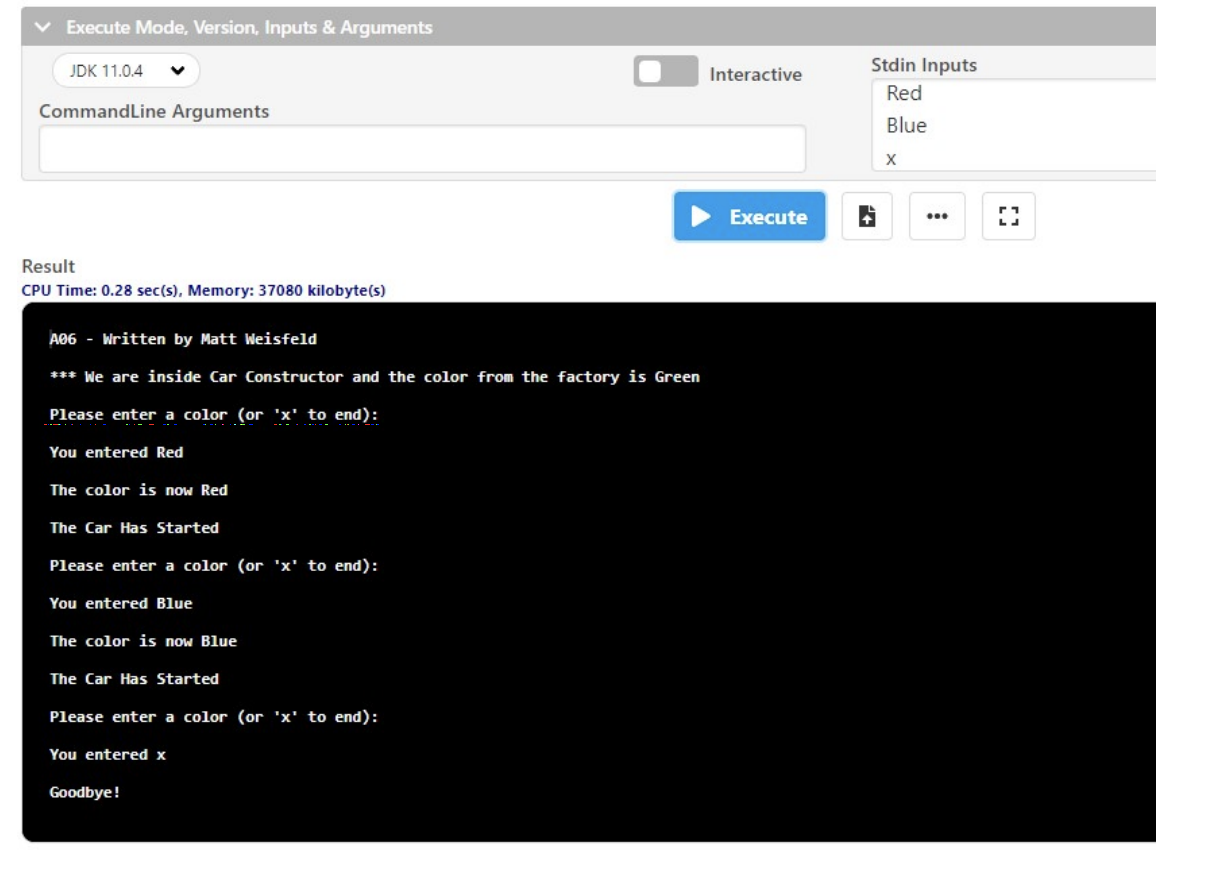
Execute Mode, Version, Inputs & Arguments JDK 11.0.4 Interactive Stdin Inputs Red CommandLine Arguments Blue Execute 2 Result CPU Time: 0.28 sec(s), Memory: 37080 kilobyte(s) A06 - Written by Matt Weisfeld *** We are inside Car Constructor and the color from the factory is Green Please enter a color (or 'x' to end): You entered Red The color is now Red The Car Has Started Please enter a color (or 'x' to end): You entered Blue The color is now Blue The Car Has Started Please enter a color (or 'x' to end): You entered x Goodbye
Step by Step Solution
There are 3 Steps involved in it

Get step-by-step solutions from verified subject matter experts
 Study Help