







Question: import java.util.Scanner; public class DrawHalfPine { public static void main(String[] args) { Scanner scnr = new Scanner(System.in); int pineTrunkWidth = 0; int pineBranchWidth = 0;
![import java.util.Scanner; public class DrawHalfPine { public static void main(String[] args)](https://dsd5zvtm8ll6.cloudfront.net/si.experts.images/questions/2024/09/66f952f87f3d4_73666f952f8203ff.jpg)
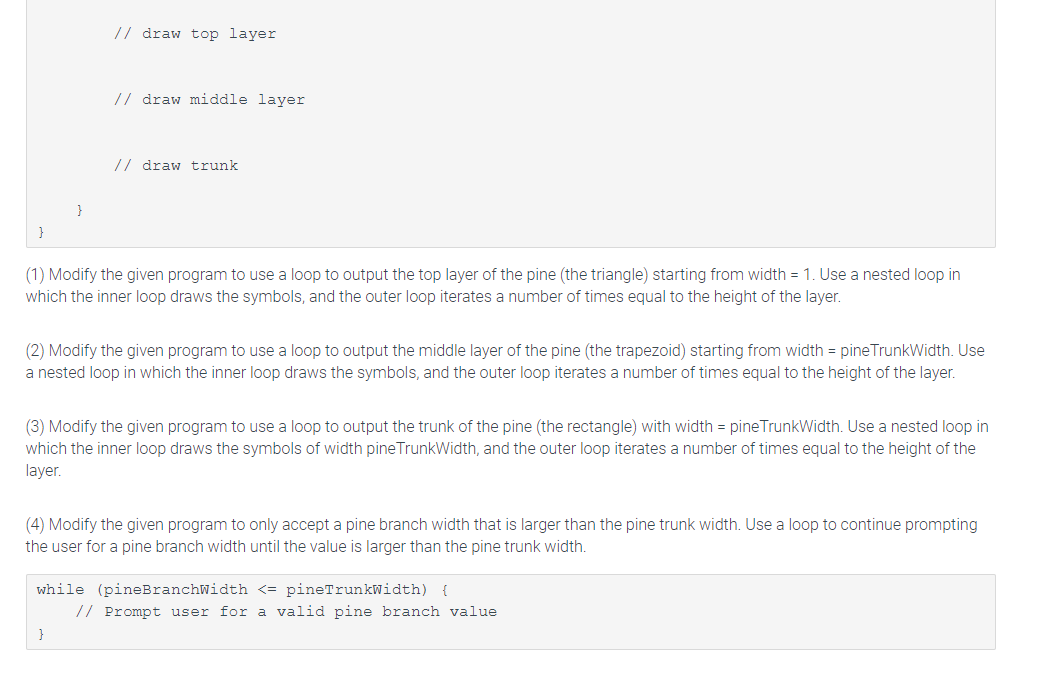
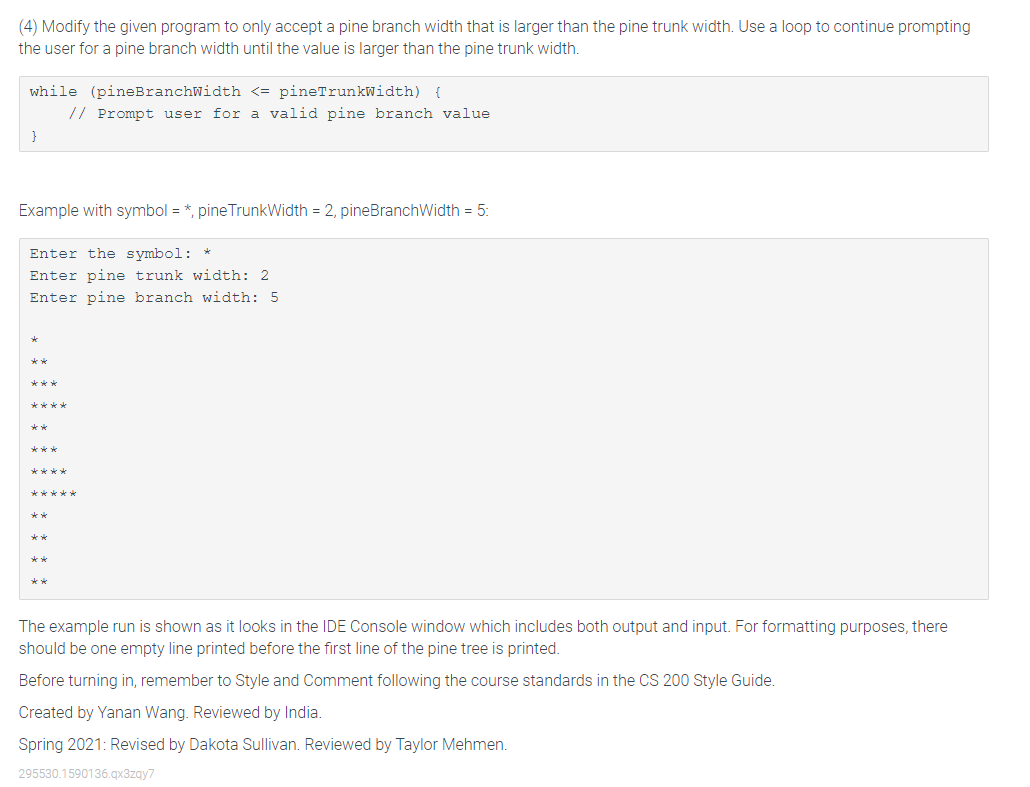
import java.util.Scanner; public class DrawHalfPine { public static void main(String[] args) { Scanner scnr = new Scanner(System.in); int pineTrunkWidth = 0; int pineBranchWidth = 0; String symbol; System.out.print("Enter the symbol: "); symbol = scnr.next(); System.out.print("Enter pine trunk width: "); pineTrunkWidth = scnr.nextInt(); System.out.print("Enter pine branch width: "); pineBranchWidth = scnr.nextInt(); System.out.println(); // draw top layer // draw middle layer // draw trunk } } 6.19 ***zyLab: Drawing a half pine Write this program using a professional IDE. Comment and style the code according to the CS 200 Style Guide. Submit the source code files (java) below. Make sure your source files are encoded in UTF-8. Some strange compiler errors are due to the text encoding not being correct. This program outputs a half pine tree composed of a right triangle, a trapezoid, and a rectangle. The widths of the trunk and branch are specified by the user input. The height of each layer is the same, which is (pineBranchWidth - pine TrunkWidth + 1). Modify the following code for each of the tasks listed below (Copy it to your IDE or download the template and put it to your project): import java.util.Scanner; public class DrawHalfPine { public static void main(String[] args) { Scanner scnr = new Scanner(System.in); int pineTrunkwidth = 0; int pineBranchWidth = 0; String symbol; System.out.print("Enter the symbol: "); symbol = scnr.next(); System.out.print("Enter pine trunk width: "); pineTrunkWidth = scnr.nextInt(); System.out.print("Enter pine branch width: "); pineBranchWidth = scnr.nextInt(); System.out.println(); // draw top layer // draw top layer // draw middle layer // draw trunk } (1) Modify the given program to use a loop to output the top layer of the pine (the triangle) starting from width = 1. Use a nested loop in which the inner loop draws the symbols, and the outer loop iterates a number of times equal to the height of the layer. (2) Modify the given program to use a loop to output the middle layer of the pine (the trapezoid) starting from width = pine TrunkWidth. Use a nested loop in which the inner loop draws the symbols, and the outer loop iterates a number of times equal to the height of the layer. (3) Modify the given program to use a loop to output the trunk of the pine (the rectangle) with width = pine TrunkWidth. Use a nested loop in which the inner loop draws the symbols of width pine TrunkWidth, and the outer loop iterates a number of times equal to the height of the layer. (4) Modify the given program to only accept a pine branch width that is larger than the pine trunk width. Use a loop to continue prompting the user for a pine branch width until the value is larger than the pine trunk width. while (pineBranchWidth
Step by Step Solution
There are 3 Steps involved in it

Get step-by-step solutions from verified subject matter experts
 Study Help