







Question: import java.util.Scanner; public class Lab9 { public static void main(String[] args) { // ========== Declaring variables ========== // An integer for the array size. //
![import java.util.Scanner; public class Lab9 { public static void main(String[] args)](https://dsd5zvtm8ll6.cloudfront.net/si.experts.images/questions/2024/09/66f3e38d40e0b_53266f3e38ca6e2b.jpg)
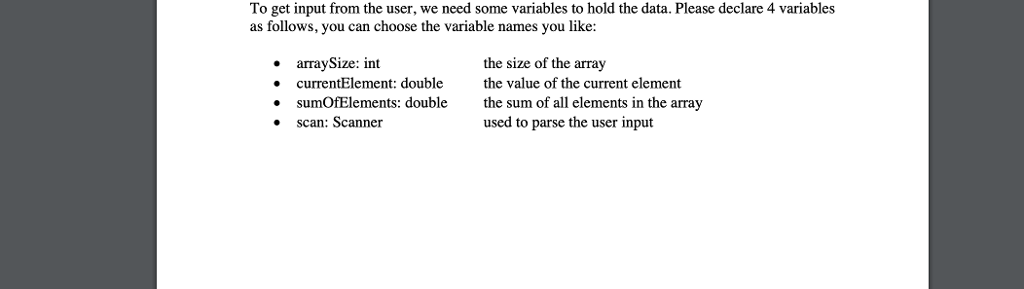
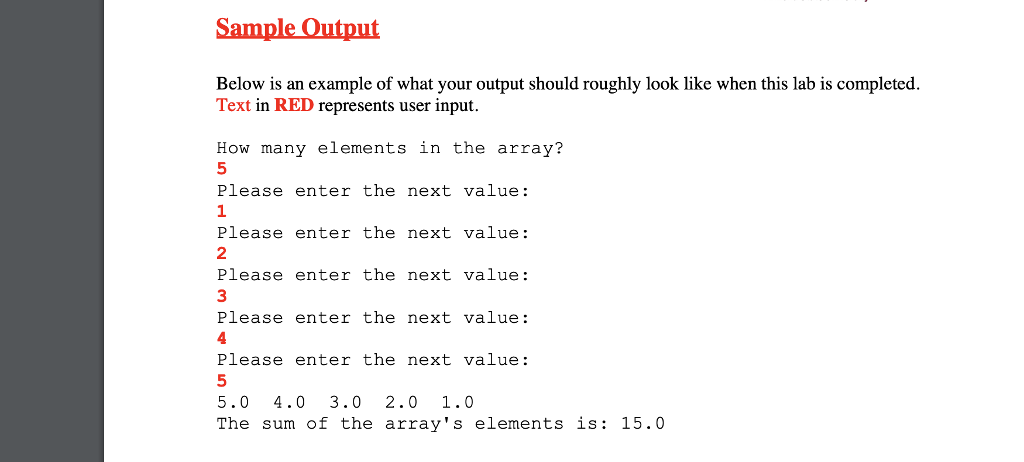
import java.util.Scanner; public class Lab9 { public static void main(String[] args) { // ========== Declaring variables ========== // An integer for the array size. // --> // A double for the current element. // --> // A double for the sum of elements. // --> // A scanner object for requesting input from System.in. // --> // ========== Request Array size from user ========== // Print this message "How many elements in the array?" // --> // Request an integer from the user using the Scanner object // and store the inputted value in the integer declared above. // --> // ========== Declare the array ========== // Declare a new array of size equal to the size requested // --> // For reference, the following is an EXAMPLE declaration of an // integer array of a fixed size. DO NOT USE THIS ARRAY. // int[] integerArray = new int[25]; // ========== Fill in the array ========== // for(int i = 0; i ; i++) { // Display the message: "Please enter the next value." // --> // Request the next element (double) from the user using // the Scanner object. // --> // Store this element at the ith position of the array // --> // } // ========== Display and sum the array's elements ========== // Construct a for loop that runs backwards through the array, // starting at the last element and ending at the first. // for (/* Loop logic */) { // Inside this for loop, print the ith element of the array // and a tab, with NO newline characters. // --> // If this element is the 8th one on its line, print a // newline character to advance to the next line. // Also inside this for loop, add the value of the ith // element to the current value of the double for the sum // of elements. // --> //} // ========== Display the sum ========== // Print the following message to the user, preceded by a // newline character. // "The sum of the array's elements is: " // --> } // Close the main function. } // Close the Lab9 class. Lab Topics The basics of Array object Use the following Coding Guidelines When declaring a variable, you usually want to initialize it. Remember you cannot initialize a number with a string. Remember variable names are case sensitive Use tabs or spaces to indent code within blocks (code surrounded by braces). Use white space to make . your program more readable. Use comments after the ending brace of classes, methods, and blocks to identify to which block it belongs Problem Description For this lab, you will 1. 2. 3. 4. create a basic Array of numbers fill in the elements of that array by prompting the user for inputs, display the elements of the array to the user, and then calculate and display the sum of those array elements
Step by Step Solution
There are 3 Steps involved in it

Get step-by-step solutions from verified subject matter experts
 Study Help