







Question: import java.util.Scanner; /** * This class will demonstrate problems with division operations in Java. * * @author Nancy Harris, adapted by Michael Norton * @version
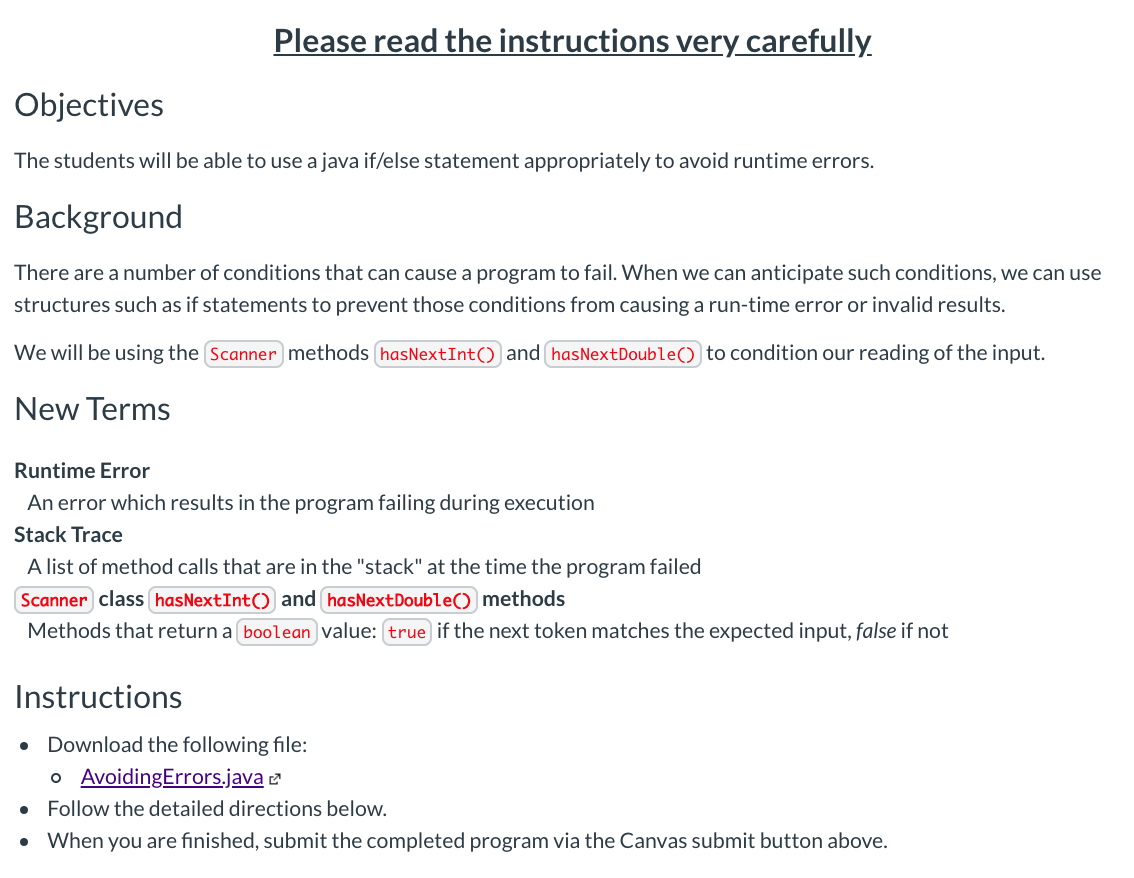
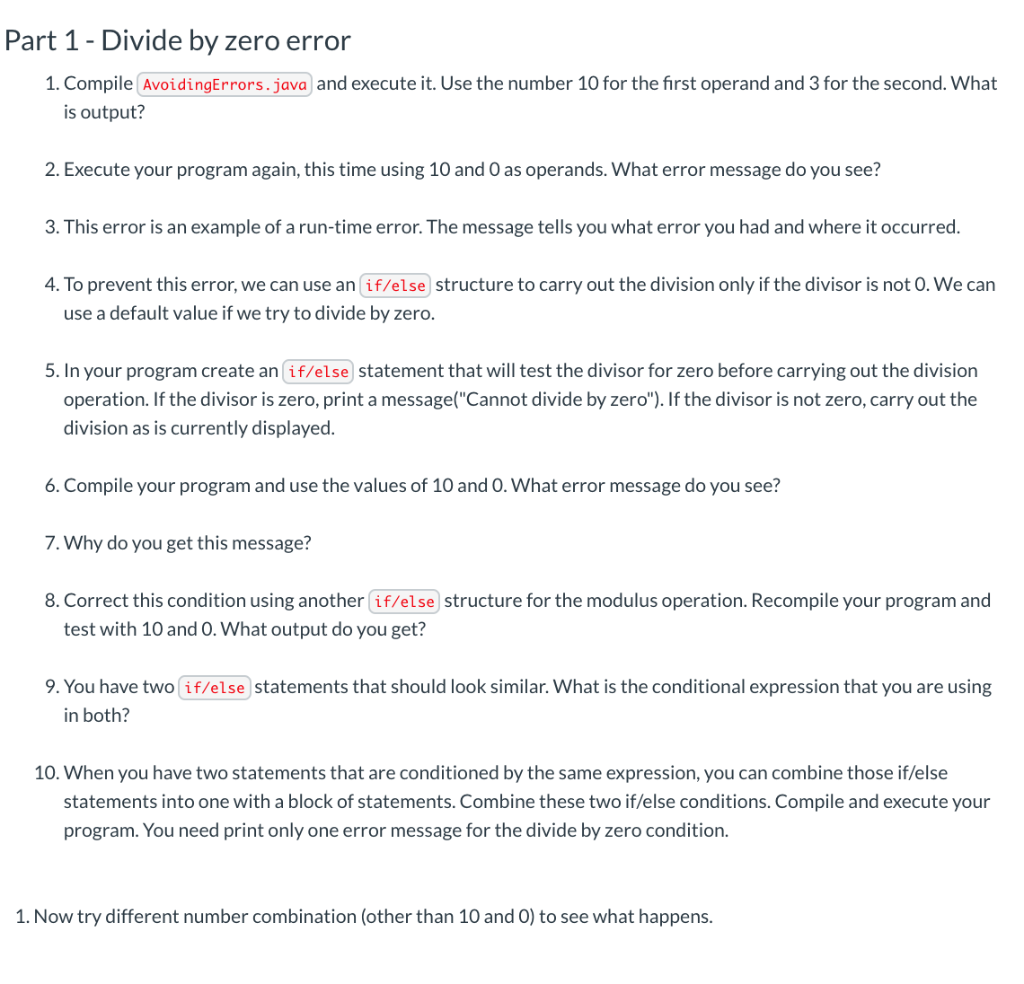
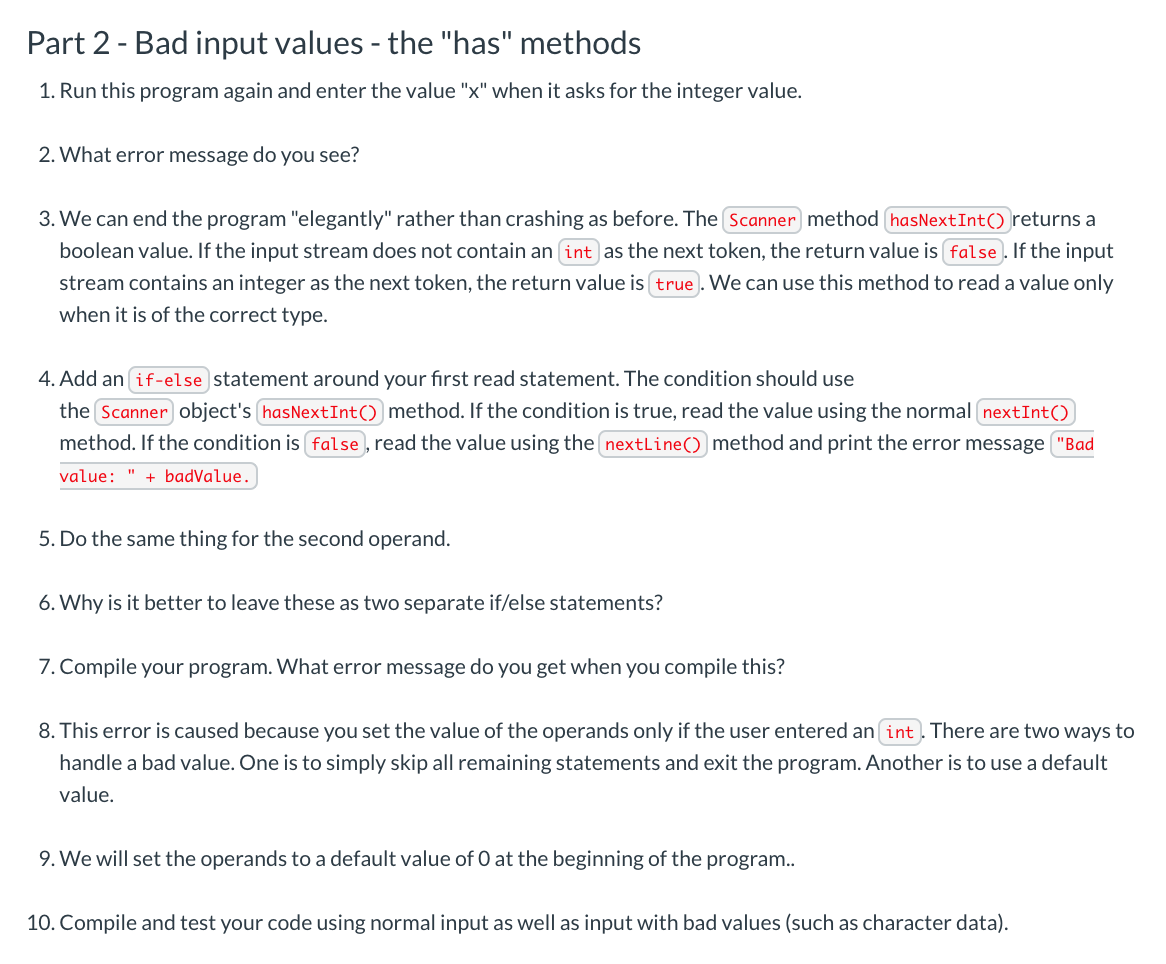
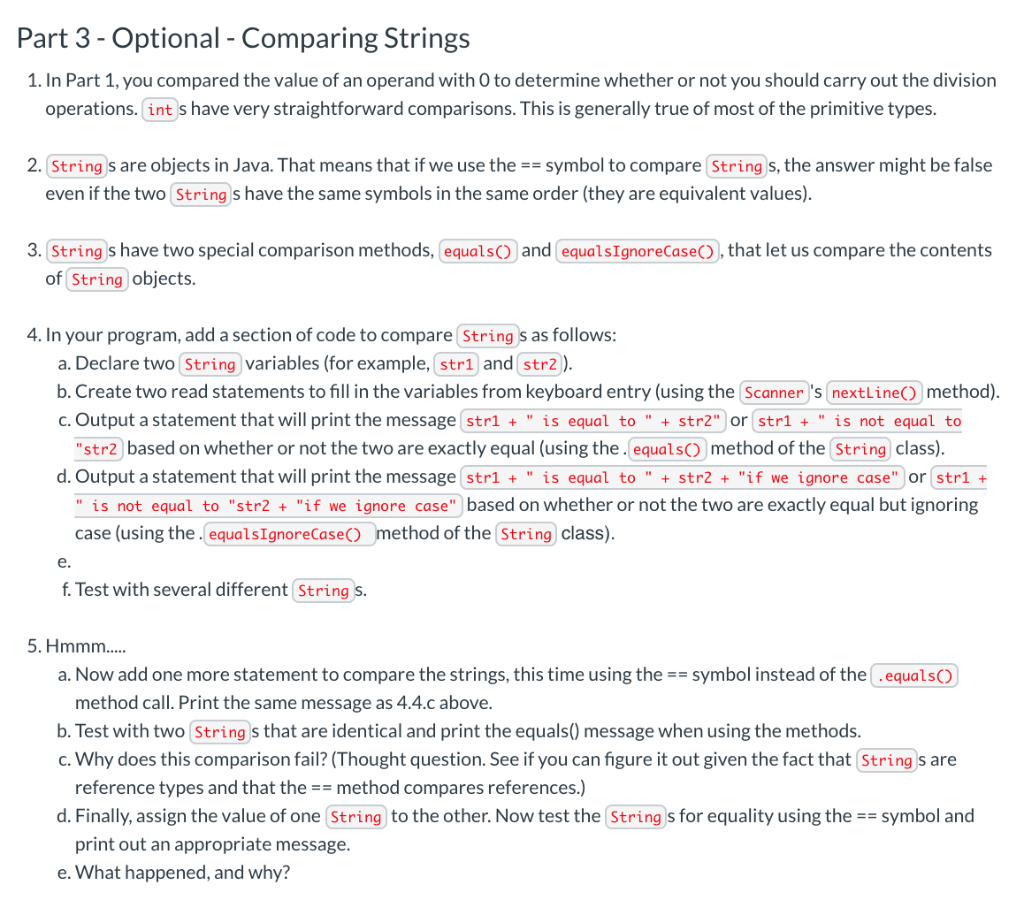
import java.util.Scanner; /** * This class will demonstrate problems with division operations in Java. * * @author Nancy Harris, adapted by Michael Norton * @version V2 - 10/08/2014 */ public class AvoidingErrors { /** * Prompts for two values and performs various operations on those operands. * * @param an array of Strings (unused) */ public static void main( String args[] ) { int operand1 = 0; int operand2 = 0; int result; Scanner keyboard; keyboard = new Scanner( System.in ); // get input from user System.out.print( "Enter an integer: " ); operand1 = keyboard.nextInt(); System.out.print( "Enter another integer: " ); operand2 = keyboard.nextInt(); // print output System.out.print( " " ); result = operand1 + operand2; System.out.println( operand1 + " + " + operand2 + " = " + result ); result = operand1 - operand2; System.out.println( operand1 + " - " + operand2 + " = " + result ); result = operand1 * operand2; System.out.println( operand1 + " * " + operand2 + " = " + result ); result = operand1 / operand2; System.out.println( operand1 + " / " + operand2 + " = " + result ); result = operand1 % operand2; System.out.println( operand1 + " % " + operand2 + " = " + result ); } }Please read the instructions very carefully. Objectives The students will be able to use a java if/else statement appropriately to avoid runtime errors. Background There are a number of conditions that can cause a program to fail. When we can anticipate such conditions, we can use structures such as if statements to prevent those conditions from causing a run-time error or invalid results. We will be using the Scanner methods hasNextInt() and hasNextDouble() to condition our reading of the input. New Terms Runtime Error An error which results in the program failing during execution Stack Trace A list of method calls that are in the "stack" at the time the program failed Scanner class hasNextInt() and hasNextDouble() methods Methods that return a boolean value: true if the next token matches the expected input, false if not Instructions Download the following file: o AvoidingErrors.java e Follow the detailed directions below. When you are finished, submit the completed program via the Canvas submit button above. Part 1 - Divide by zero error 1. Compile AvoidingErrors.java and execute it. Use the number 10 for the first operand and 3 for the second. What is output? 2. Execute your program again, this time using 10 and 0 as operands. What error message do you see? 3. This error is an example of a run-time error. The message tells you what error you had and where it occurred. 4. To prevent this error, we can use an if/else structure to carry out the division only if the divisor is not O. We can use a default value if we try to divide by zero. 5. In your program create an if/else statement that will test the divisor for zero before carrying out the division operation. If the divisor is zero, print a message("Cannot divide by zero"). If the divisor is not zero, carry out the division as is currently displayed. 6. Compile your program and use the values of 10 and 0. What error message do you see? 7. Why do you get this message? 8. Correct this condition using another if/else structure for the modulus operation. Recompile your program and test with 10 and 0. What output do you get? 9. You have two if/else statements that should look similar. What is the conditional expression that you are using in both? 10. When you have two statements that are conditioned by the same expression, you can combine those if/else statements into one with a block of statements. Combine these two if/else conditions. Compile and execute your program. You need print only one error message for the divide by zero condition. 1. Now try different number combination (other than 10 and 0) to see what happens. Part 2 - Bad input values - the "has" methods 1. Run this program again and enter the value "x" when it asks for the integer value. 2. What error message do you see? 3. We can end the program "elegantly" rather than crashing as before. The Scanner method hasNextInt() returns a boolean value. If the input stream does not contain an int as the next token, the return value is false. If the input stream contains an integer as the next token, the return value is true. We can use this method to read a value only when it is of the correct type. 4. Add an if-else statement around your first read statement. The condition should use the Scanner object's hasNextInt() method. If the condition is true, read the value using the normal nextInt() method. If the condition is false, read the value using the nextLine() method and print the error message "Bad value: " + badValue. 5. Do the same thing for the second operand. 6. Why is it better to leave these as two separate if/else statements? 7. Compile your program. What error message do you get when you compile this? 8. This error is caused because you set the value of the operands only if the user entered an int. There are two ways to handle a bad value. One is to simply skip all remaining statements and exit the program. Another is to use a default value. 9. We will set the operands to a default value of 0 at the beginning of the program.. 10. Compile and test your code using normal input as well as input with bad values (such as character data). Part 3 - Optional - Comparing Strings 1. In Part 1, you compared the value of an operand with 0 to determine whether or not you should carry out the division operations. int s have very straightforward comparisons. This is generally true of most of the primitive types. 2. String s are objects in Java. That means that if we use the == symbol to compare String s, the answer might be false even if the two String s have the same symbols in the same order (they are equivalent values). and equals IgnoreCase(), that let us compare the contents 3. Strings have two special comparison methods, equals of String objects. 4. In your program, add a section of code to compare String s as follows: a. Declare two String variables (for example, strl and str2). b. Create two read statements to fill in the variables from keyboard entry (using the Scanner 's nextLine() method). c. Output a statement that will print the message strl + " is equal to " + str2" or strl + " is not equal to "str2 based on whether or not the two are exactly equal (using the equals() method of the String class). d. Output a statement that will print the message strl + " is equal to " + str2 + "if we ignore case" or strl + " is not equal to "str2 + "if we ignore case" based on whether or not the two are exactly equal but ignoring case (using the equals IgnoreCase() method of the String class). f. Test with several different String s. 5. Hmmm.... a. Now add one more statement to compare the strings, this time using the == symbol instead of the .equals() method call. Print the same message as 4.4.c above. b. Test with two String s that are identical and print the equals() message when using the methods. c. Why does this comparison fail? (Thought question. See if you can figure it out given the fact that String s are reference types and that the == method compares references.) d. Finally, assign the value of one String to the other. Now test the String s for equality using the == symbol and print out an appropriate message. e. What happened, and why? Please read the instructions very carefully. Objectives The students will be able to use a java if/else statement appropriately to avoid runtime errors. Background There are a number of conditions that can cause a program to fail. When we can anticipate such conditions, we can use structures such as if statements to prevent those conditions from causing a run-time error or invalid results. We will be using the Scanner methods hasNextInt() and hasNextDouble() to condition our reading of the input. New Terms Runtime Error An error which results in the program failing during execution Stack Trace A list of method calls that are in the "stack" at the time the program failed Scanner class hasNextInt() and hasNextDouble() methods Methods that return a boolean value: true if the next token matches the expected input, false if not Instructions Download the following file: o AvoidingErrors.java e Follow the detailed directions below. When you are finished, submit the completed program via the Canvas submit button above. Part 1 - Divide by zero error 1. Compile AvoidingErrors.java and execute it. Use the number 10 for the first operand and 3 for the second. What is output? 2. Execute your program again, this time using 10 and 0 as operands. What error message do you see? 3. This error is an example of a run-time error. The message tells you what error you had and where it occurred. 4. To prevent this error, we can use an if/else structure to carry out the division only if the divisor is not O. We can use a default value if we try to divide by zero. 5. In your program create an if/else statement that will test the divisor for zero before carrying out the division operation. If the divisor is zero, print a message("Cannot divide by zero"). If the divisor is not zero, carry out the division as is currently displayed. 6. Compile your program and use the values of 10 and 0. What error message do you see? 7. Why do you get this message? 8. Correct this condition using another if/else structure for the modulus operation. Recompile your program and test with 10 and 0. What output do you get? 9. You have two if/else statements that should look similar. What is the conditional expression that you are using in both? 10. When you have two statements that are conditioned by the same expression, you can combine those if/else statements into one with a block of statements. Combine these two if/else conditions. Compile and execute your program. You need print only one error message for the divide by zero condition. 1. Now try different number combination (other than 10 and 0) to see what happens. Part 2 - Bad input values - the "has" methods 1. Run this program again and enter the value "x" when it asks for the integer value. 2. What error message do you see? 3. We can end the program "elegantly" rather than crashing as before. The Scanner method hasNextInt() returns a boolean value. If the input stream does not contain an int as the next token, the return value is false. If the input stream contains an integer as the next token, the return value is true. We can use this method to read a value only when it is of the correct type. 4. Add an if-else statement around your first read statement. The condition should use the Scanner object's hasNextInt() method. If the condition is true, read the value using the normal nextInt() method. If the condition is false, read the value using the nextLine() method and print the error message "Bad value: " + badValue. 5. Do the same thing for the second operand. 6. Why is it better to leave these as two separate if/else statements? 7. Compile your program. What error message do you get when you compile this? 8. This error is caused because you set the value of the operands only if the user entered an int. There are two ways to handle a bad value. One is to simply skip all remaining statements and exit the program. Another is to use a default value. 9. We will set the operands to a default value of 0 at the beginning of the program.. 10. Compile and test your code using normal input as well as input with bad values (such as character data). Part 3 - Optional - Comparing Strings 1. In Part 1, you compared the value of an operand with 0 to determine whether or not you should carry out the division operations. int s have very straightforward comparisons. This is generally true of most of the primitive types. 2. String s are objects in Java. That means that if we use the == symbol to compare String s, the answer might be false even if the two String s have the same symbols in the same order (they are equivalent values). and equals IgnoreCase(), that let us compare the contents 3. Strings have two special comparison methods, equals of String objects. 4. In your program, add a section of code to compare String s as follows: a. Declare two String variables (for example, strl and str2). b. Create two read statements to fill in the variables from keyboard entry (using the Scanner 's nextLine() method). c. Output a statement that will print the message strl + " is equal to " + str2" or strl + " is not equal to "str2 based on whether or not the two are exactly equal (using the equals() method of the String class). d. Output a statement that will print the message strl + " is equal to " + str2 + "if we ignore case" or strl + " is not equal to "str2 + "if we ignore case" based on whether or not the two are exactly equal but ignoring case (using the equals IgnoreCase() method of the String class). f. Test with several different String s. 5. Hmmm.... a. Now add one more statement to compare the strings, this time using the == symbol instead of the .equals() method call. Print the same message as 4.4.c above. b. Test with two String s that are identical and print the equals() message when using the methods. c. Why does this comparison fail? (Thought question. See if you can figure it out given the fact that String s are reference types and that the == method compares references.) d. Finally, assign the value of one String to the other. Now test the String s for equality using the == symbol and print out an appropriate message. e. What happened, and why
Step by Step Solution
There are 3 Steps involved in it

Get step-by-step solutions from verified subject matter experts
 Study Help