







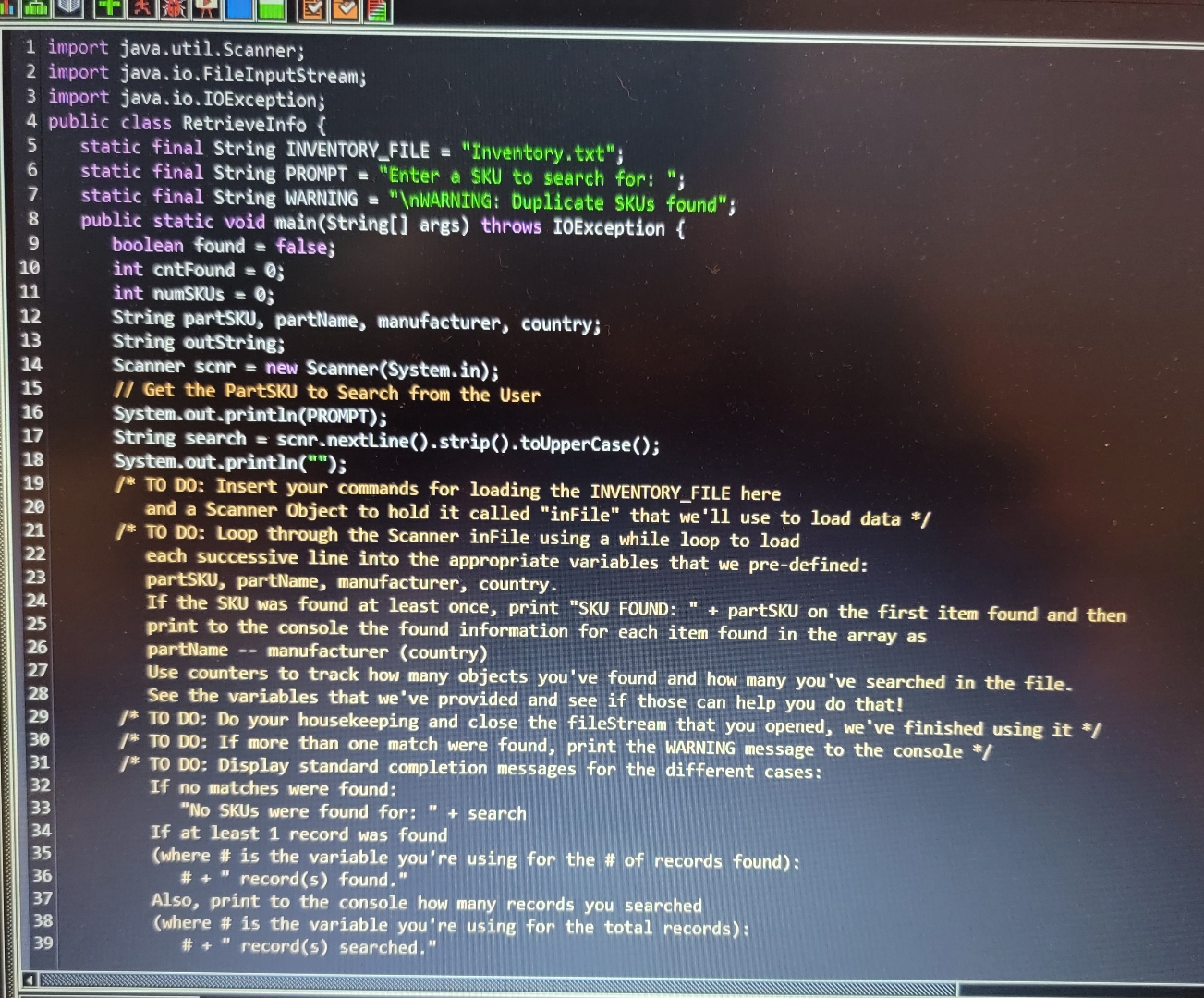
Question: import java.util.Scanner;import java.io . FileInputStream; import java.io . IOException; 4 public class RetrieveInfo { static final String INVENTORY _ FILE = Inventory.txt ; static
import java.util.Scanner;import java.ioFileInputStream;
import java.ioIOException; public class RetrieveInfo
static final String INVENTORYFILE "Inventory.txt;
static final String PROMPT "Enter a SKU to search for: ;
static final String WARNING
WARNING: Duplicate SKUs found";public static void mainString args throws IOException
boolean found false;int cntFound ;
int numSKUs ;
String partSKU, partName, manufacturer, country;
String outString;
Scanner scnr new ScannerSystemin;
Get the PartSKU to Search from the User
System.out.printlnPROMPT;
String search scnrnextLinestriptoUpperCase;
System.out.println;
TO DO: Insert your commands for loading the INVENTORY FILE hereand a Scanner Object to hold it called "inFile" that we'll use to load data
TO DO: Loop through the Scanner inFile using a while loop to loadeach successive line into the appropriate variables that we predefined:
partSKU, partName, manufacturer, country.If the SKU was found at least once, print "SKU FOUND:" partSKU on the first item found and then print to the console the found information for each item found in the array as partName manufacturer country
Use counters to track how many objects you've found and how many you've searched in the file.
See the variables that we've provided and see if those can help you do that!TO DO: Do your housekeeping and close the fileStream that you opened, we've finished using it
TO DO: Display standard completion messages for the different cases:
TO DO: If more than one match were found, print the WARNING message to the console
If no matches were found:
No SKUs were found for:" search
If at least record was found
where # is the variable you're using for the # of records found:
# records found."
Also, print to the console how many records you searched
where # is the variable you're using for the total records:# records searched."
Step by Step Solution
There are 3 Steps involved in it
1 Expert Approved Answer
Step: 1 Unlock

Question Has Been Solved by an Expert!
Get step-by-step solutions from verified subject matter experts
Step: 2 Unlock
Step: 3 Unlock
 Study Help