







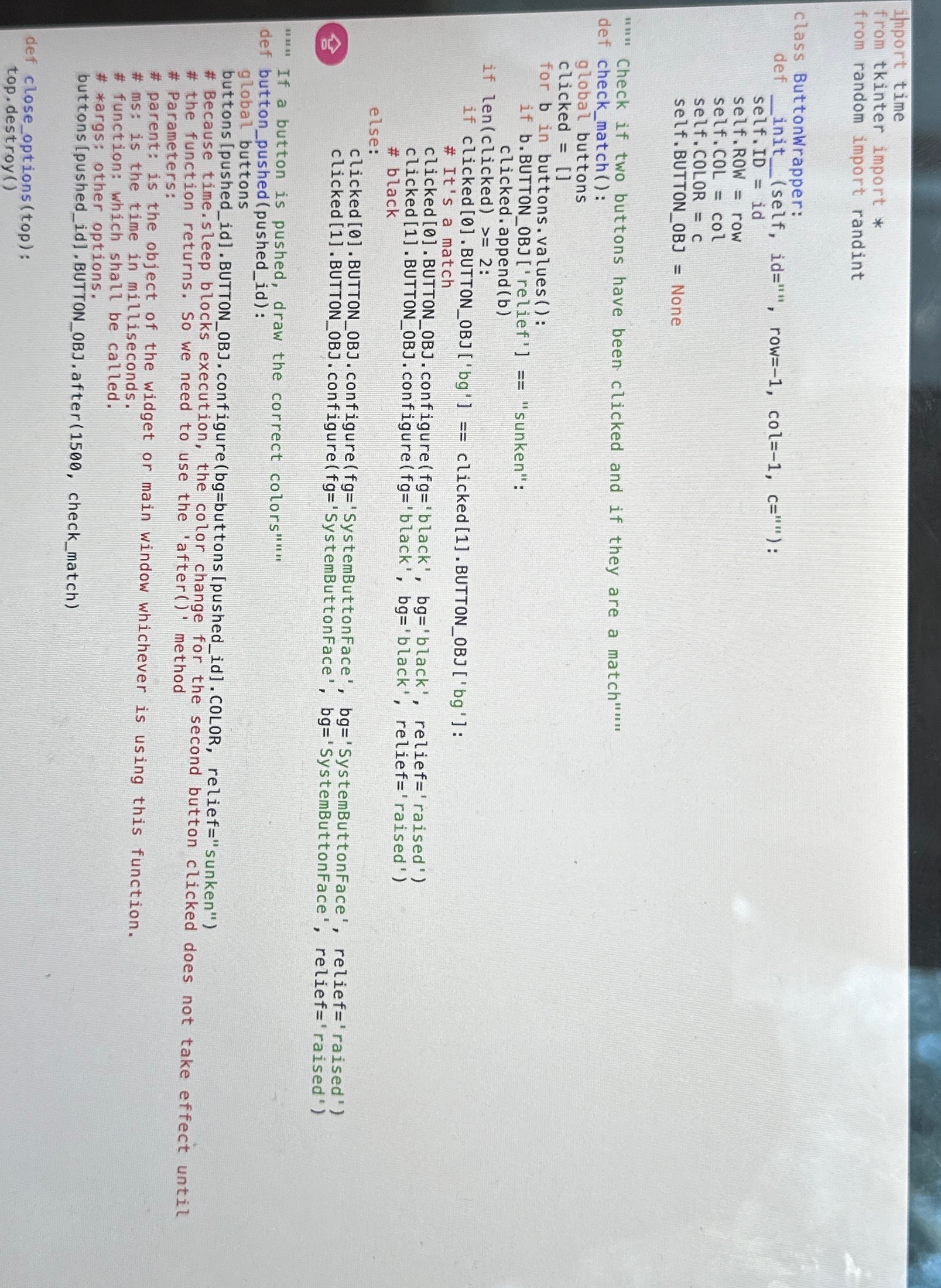
Question: import time from tkinter import * from random import randint class ButtonWrapper: def ( self , id = ' , row = -
import time
from tkinter import
from random import randint
class ButtonWrapper:
def self id row col:
self.ID id
self. ROW row
self. COL COL
self. COLOR
self.BUTTONOBJ None
Check if two buttons have been clicked and if they are a match""."
def checkmatch:
global buttons
clicked
for in buttons. values:
if bBUTTONOBrelief "sunken":
clicked.append b
if lenclicked :
if clicked BUTTONOBJ bg clickedBUTTONOBJ bg :
# It's a match
clicked BUTTONOBJ. configurefg'black', bg'black', relief'raised'
clicked BUTTONOBJ. configurefg'black', bg'black', relief'raised
# black
else:
clicked BUTTONOBJ. configure fg'SystemButtonFace', bg'SystemButtonFace', relief'raised
clicked BUTTONOB configure fg'SystemButtonFace', bg'SystemButtonFace', relief raised'
If a button is pushed, draw the correct colors"
def buttonpushedpushedid:
global buttons
buttons pushedidBUTTONOBJ.configurebgbuttonspushedidCOLOR, relief"sunken"
# Because time.sleep blocks execution, the color change for the second button clicked does not take effect until
# the function returns. So we need to use the 'after method
# Parameters:
# parent: is the object of the widget or main window whichever is using this function.
# ms: is the time in milliseconds.
# function: which shall be called.
# args: other options.
buttons pushedidBUTTONOBJ.after checkmatch
def closeoptionstop:
top.destroyH
Step by Step Solution
There are 3 Steps involved in it
1 Expert Approved Answer
Step: 1 Unlock

Question Has Been Solved by an Expert!
Get step-by-step solutions from verified subject matter experts
Step: 2 Unlock
Step: 3 Unlock
 Study Help