







Question: Important Note 2 before you run Model 4: When performing multiple regression analysis in EXCEL, you must have the necessary X variables in contiguous columns
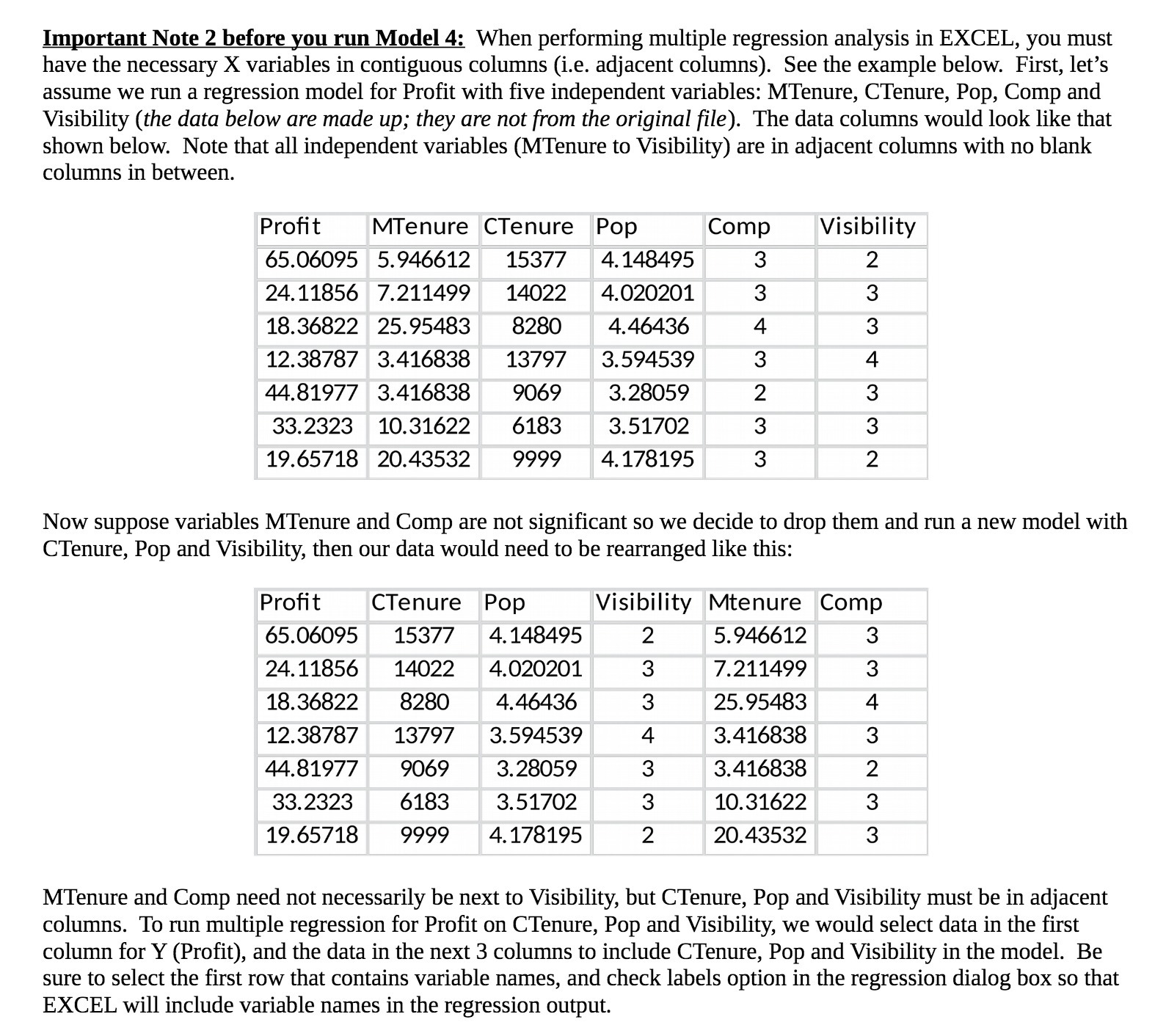
Important Note 2 before you run Model 4: When performing multiple regression analysis in EXCEL, you must have the necessary X variables in contiguous columns (i.e. adjacent columns). See the example below. First, let's assume we run a regression model for Profit with five independent variables: MTenure, CTenure, Pop, Comp and Visibility (the data below are made up; they are not from the original file). The data columns would look like that shown below. Note that all independent variables (MTenure to Visibility) are in adjacent columns with no blank columns in between. Prot MTenure CTenure Pop Comp Visibility 65.076095 5.946612 15377 4.148495 3 2 24.11856 7.211499 14022 4.020201 3 3 18.36822 25.95483 8280 4.46436 4 3 12.38787 3.416838 13797 3.594539 3 4 44.81977 3.416838 9069 3.28059 2 3 33.2323 10.31622 6183 3.51702 3 3 19.65718 20.43532 9999 4.178195 3 2 Now suppose variables MTenure and Comp are not significant so we decide to drop them and run a new model with CTenure, Pop and Vlsibility, then our data would need to be rearranged like this: Pro t 65.06095 24.11856 18.36822 12.38787 44.81977 33.2323 19.65718 14022 8280 13797 9069 6183 9999 CTenure Pop 15377 4.148495 4.020201 4. 46436 3.594539 3. 28059 3. 5 1702 4. 178195 2 NCOQJ-P-ww 5. 94-6612 7. 21 1499 25. 95483 3.416838 ' 3.416838 10. 31622 20.43532 Visibility Mtenure Comp MWNm-FWOJ MTenure and Comp need not necessarily be next to Vlsibility, but CTenure, Pop and Visibility must be in adjacent columns. To run multiple regression for Profit on CTenure, Pop and Visibility, we would select data in the first column for Y (Profit), and the data in the next 3 columns to include CTenure, Pop and Visibility in the model. Be sure to select the first row that contains variable names, and check labels option in the regression dialog box so that EXCEL will include variable names in the regression output
Step by Step Solution
There are 3 Steps involved in it

Get step-by-step solutions from verified subject matter experts
 Study Help