Question: IMPORTANT: please type code to_string() in header, cpp will only have main() function This is all to the question!!! if more info needed, let me

IMPORTANT: please type code to_string() in header, cpp will only have main() function
IMPORTANT: please type code to_string() in header, cpp will only have main()

function This is all to the question!!! if more info needed, letme know again Writing to_string U sing the to_string() examples from the
This is all to the question!!! if more info needed, let me know again

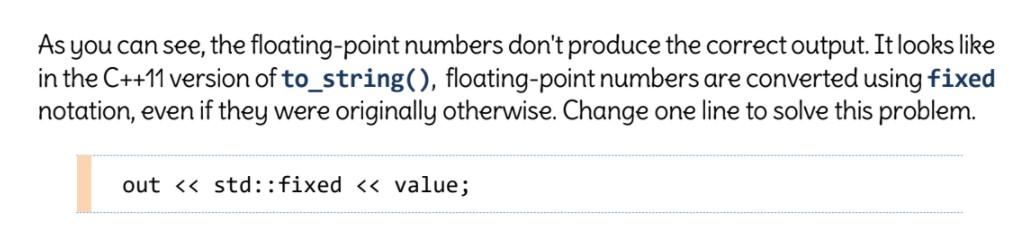
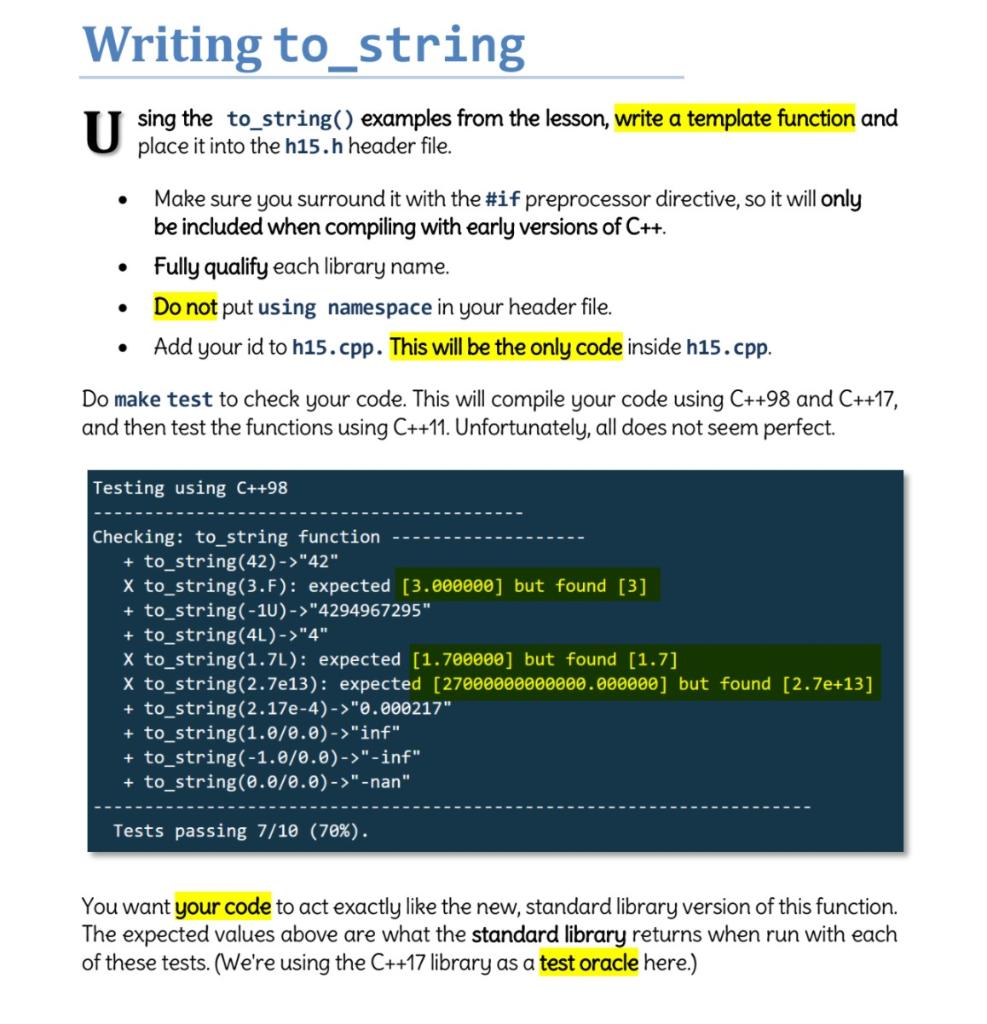
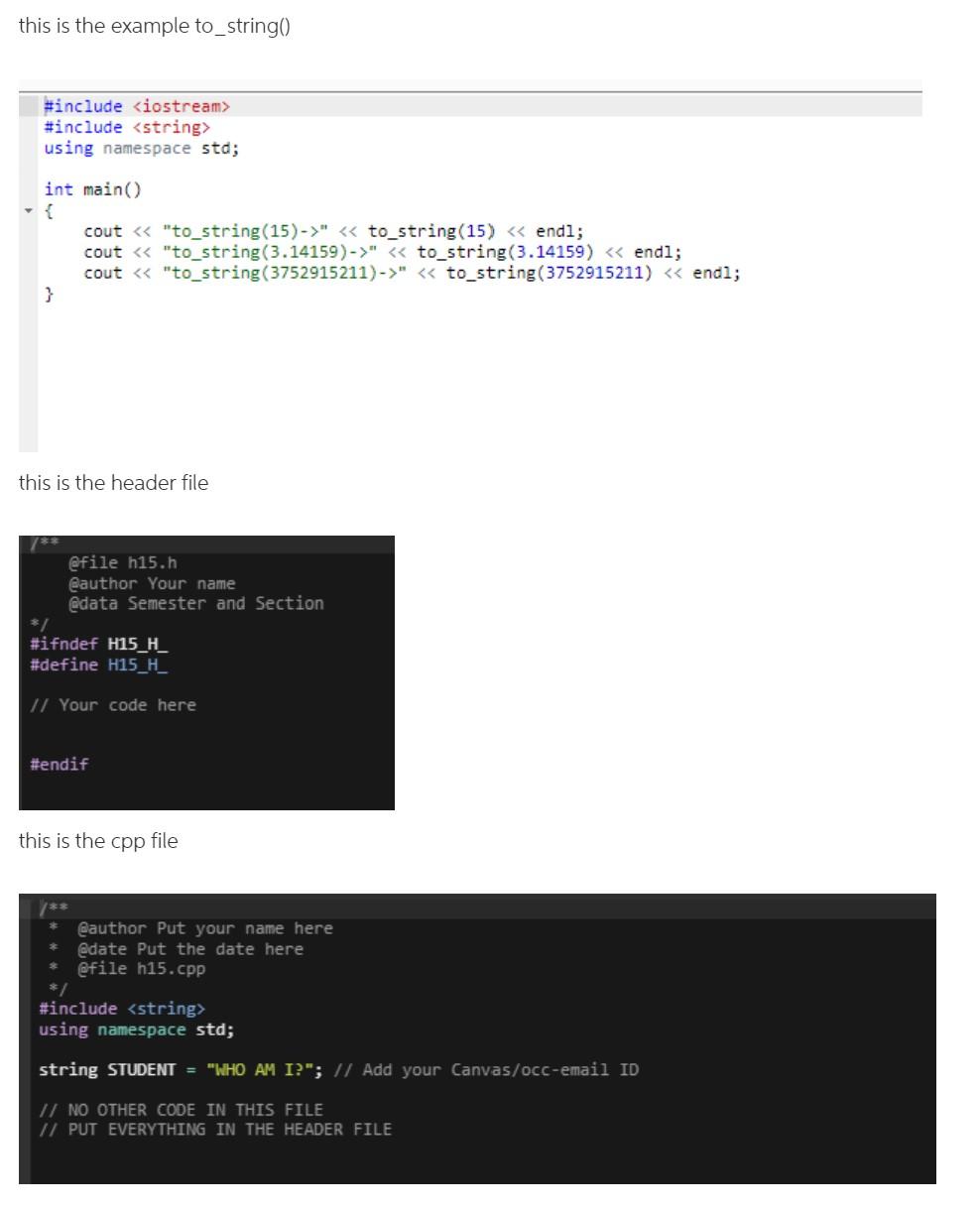
Writing to_string U sing the to_string() examples from the lesson, write a template function and place it into the h15.h header file. . Make sure you surround it with the #if preprocessor directive, so it will only be included when compiling with early versions of C++. Fully qualify each library name. Do not put using namespace in your header file. Add your id to h15.cpp. This will be the only code inside h15.cpp. . Do make test to check your code. This will compile your code using C++98 and C++17, and then test the functions using C++11. Unfortunately, all does not seem perfect. Testing using C++98 Checking: to_string function + to_string(42)->"42" X to_string(3.F): expected [3.000000) but found [3] + to_string(-10) -> "4294967295" + to_string(4L)->"4" X to_string(1.7L): expected [1.700000] but found [1.7] X to_string(2.7e13): expected [27000000000000.000000] but found [2.7e+13] + to_string(2.17e-4)-> "0.000217" + to_string(1.0/0.0)->"inf" + to_string(-1.0/0.0)->"-inf" + to_string(0.0/0.0)->"-nan" Tests passing 7/10 (70%). You want your code to act exactly like the new, standard library version of this function. The expected values above are what the standard library returns when run with each of these tests. (We're using the C++17 library as a test oracle here.) this is the example to_string() #include #include using namespace std; int main() cout " " to_string(3.14159) " using namespace std; string STUDENT = "WHO AM I?"; // Add your Canvas/occ-email ID // NO OTHER CODE IN THIS FILE // PUT EVERYTHING IN THE HEADER FILE As you can see, the floating-point numbers don't produce the correct output. It looks like in the C++11 version of to_string(), floating-point numbers are converted using fixed notation, even if they were originally otherwise. Change one line to solve this problem. out "42" X to_string(3.F): expected [3.000000) but found [3] + to_string(-10) -> "4294967295" + to_string(4L)->"4" X to_string(1.7L): expected [1.700000] but found [1.7] X to_string(2.7e13): expected [27000000000000.000000] but found [2.7e+13] + to_string(2.17e-4)-> "0.000217" + to_string(1.0/0.0)->"inf" + to_string(-1.0/0.0)->"-inf" + to_string(0.0/0.0)->"-nan" Tests passing 7/10 (70%). You want your code to act exactly like the new, standard library version of this function. The expected values above are what the standard library returns when run with each of these tests. (We're using the C++17 library as a test oracle here.) this is the example to_string() #include #include using namespace std; int main() cout " " to_string(3.14159) " using namespace std; string STUDENT = "WHO AM I?"; // Add your Canvas/occ-email ID // NO OTHER CODE IN THIS FILE // PUT EVERYTHING IN THE HEADER FILE As you can see, the floating-point numbers don't produce the correct output. It looks like in the C++11 version of to_string(), floating-point numbers are converted using fixed notation, even if they were originally otherwise. Change one line to solve this problem. out

Step by Step Solution

There are 3 Steps involved in it

1 Expert Approved Answer
Step: 1 Unlock blur-text-image
Question Has Been Solved by an Expert!

Get step-by-step solutions from verified subject matter experts

Step: 2 Unlock
Step: 3 Unlock

Students Have Also Explored These Related Accounting Questions!