







Question: in C# also may u pls explain input.text and how to include it in my code. thank u Lab8B: For this part of the lab,
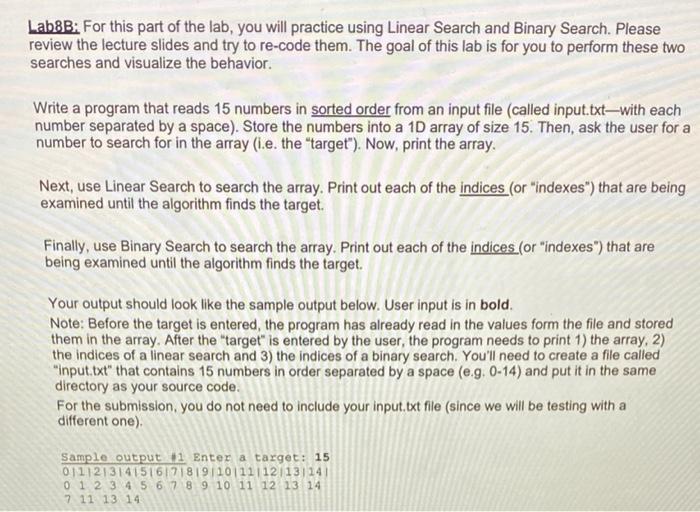
Lab8B: For this part of the lab, you will practice using Linear Search and Binary Search. Please review the lecture slides and try to re-code them. The goal of this lab is for you to perform these two searches and visualize the behavior. Write a program that reads 15 numbers in sorted order from an input file (called input.txtwith each number separated by a space). Store the numbers into a 10 array of size 15. Then, ask the user for a number to search for in the array (i.e. the target"). Now, print the array. Next, use Linear Search to search the array, Print out each of the indices (or "indexes") that are being examined until the algorithm finds the target. Finally, use Binary Search to search the array, Print out each of the indices (or "indexes") that are being examined until the algorithm finds the target. Your output should look like the sample output below. User input is in bold. Note: Before the target is entered, the program has already read in the values form the file and stored them in the array. After the "target" is entered by the user, the program needs to print 1) the array, 2) the indices of a linear search and 3) the indices of a binary search. You'll need to create a file called "input.txt" that contains 15 numbers in order separated by a space (e.g. 0-14) and put it in the same directory as your source code. For the submission, you do not need to include your input. ixt file (since we will be testing with a different one) Sample output 1 Enter a target: 15 01112131415161718191101111121131141 0 1 2 3 4 5 6 7 8 9 10 11 12 13 14 7 11 13 14
Step by Step Solution
There are 3 Steps involved in it

Get step-by-step solutions from verified subject matter experts
 Study Help