







Question: In C code ( UNIX C CODE), please Contacts (C) You will be building a linked list. Make sure to keep track of both the
In C code ( UNIX C CODE), please
Contacts (C)
You will be building a linked list. Make sure to keep track of both the head and tail nodes.
(1) Create three files to submit.
Contacts.h - Struct definition, including the data members and related function declarations
Contacts.c - Related function definitions
main.c - main() function
(2) Build the ContactNode struct per the following specifications:
Data members
char contactName[50]
char contactPhoneNum[50]
struct ContactNode* nextNodePtr
Related functions
CreateContactNode() (2 pt)
InsertContactAfter() (2 pts)
Insert a new node after node
GetNextContact() (1 pt)
Return location pointed by nextNodePtr
PrintContactNode()
Ex. of PrintContactNode() output:
Name: Roxanne Hughes Phone number: 443-555-2864
(3) In main(), prompt the user for three contacts and output the user's input. Create three ContactNodes and use the nodes to build a linked list. (2 pts) Ex:
Person 1 Enter name: Roxanne Hughes Enter phone number: 443-555-2864 You entered: Roxanne Hughes, 443-555-2864 Person 2 Enter name: Juan Alberto Jr. Enter phone number: 410-555-9385 You entered: Juan Alberto Jr., 410-555-9385 Person 3 Enter name: Rachel Phillips Enter phone number: 310-555-6610 You entered: Rachel Phillips, 310-555-6610
(4) Output the linked list. (2 pts) Ex:
CONTACT LIST Name: Roxanne Hughes Phone number: 443-555-2864 Name: Juan Alberto Jr. Phone number: 410-555-9385 Name: Rachel Phillips Phone number: 310-555-6610
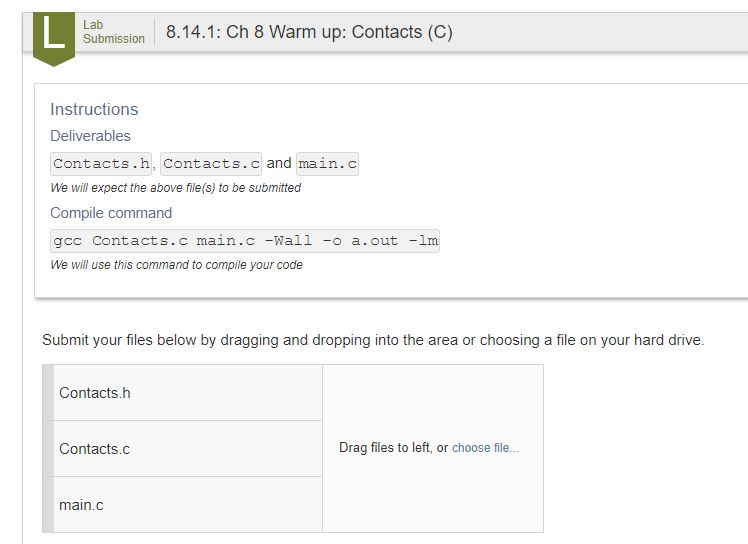
Submission 8.14.1: Ch 8 Warm up: Contacts (C) Instructions Deliverables Contacts.h, Contacts. c and main. We will expect the above file(s) to be submitted Compile command gcc Contacts. c main.c -Wall -o a.out -lm We will use this command to compile your code Submit your files below by dragging and dropping into the area or choosing a file on your hard drive Contacts.h Contacts.c Drag files to left, or choose il.. main.c
Step by Step Solution
There are 3 Steps involved in it

Get step-by-step solutions from verified subject matter experts
 Study Help