







Question: In C++ for BookCollection class: add a function called: void add(Book* b) It should: 1. place, in ascending (increasing) order by id number 2. Must
In C++ for BookCollection class:
add a function called:
void add(Book* b)
It should:
1. place, in ascending (increasing) order by id number
2. Must shift the elements in the array towards the back of the array to make room for the new element in its correct place; do not add to the end of the array and sort; do not use any sorting function or sorting algorithm
3.Should not cause segmentation fault errors.
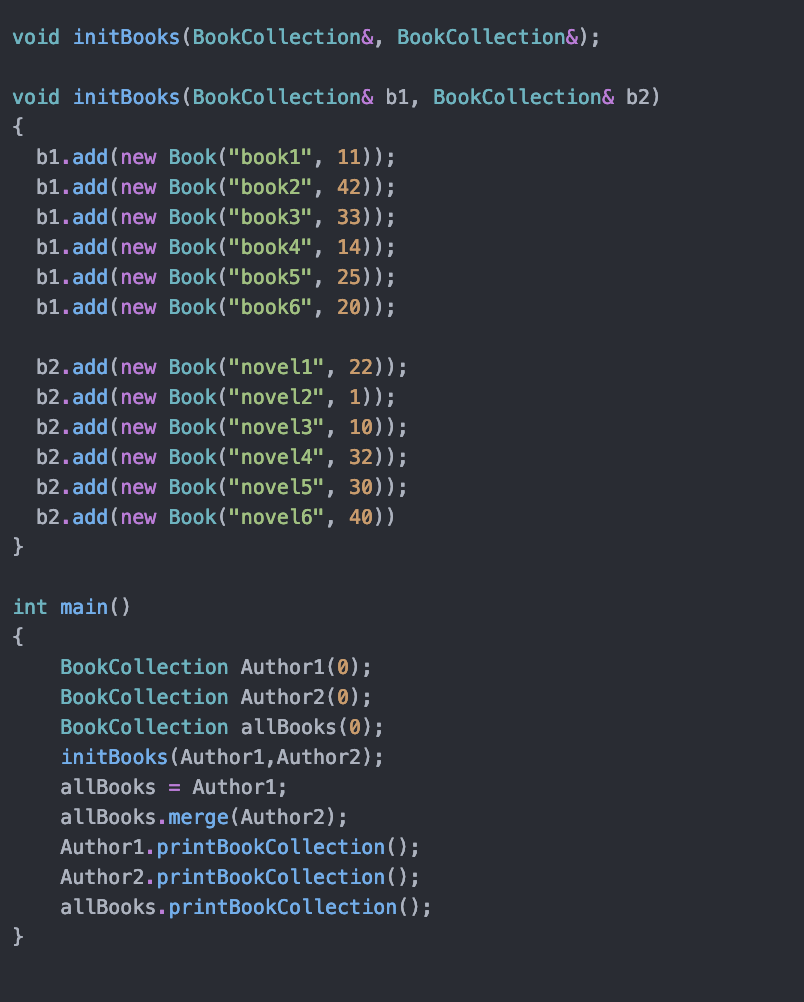
main.cc (shows how add is called):
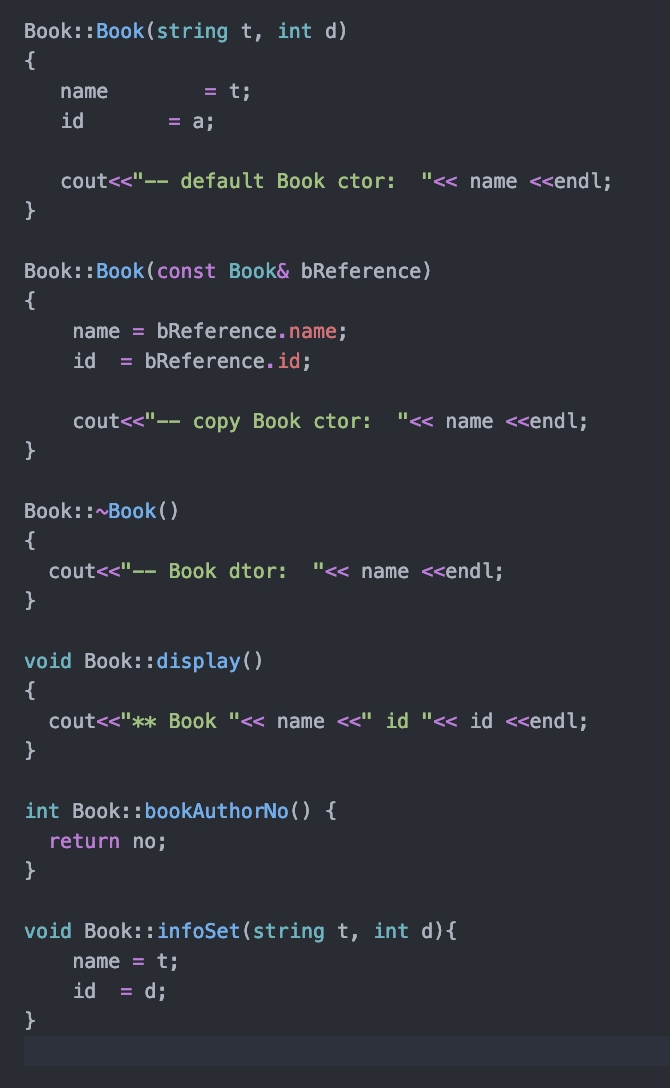
Book.cc
BookCollection.cc
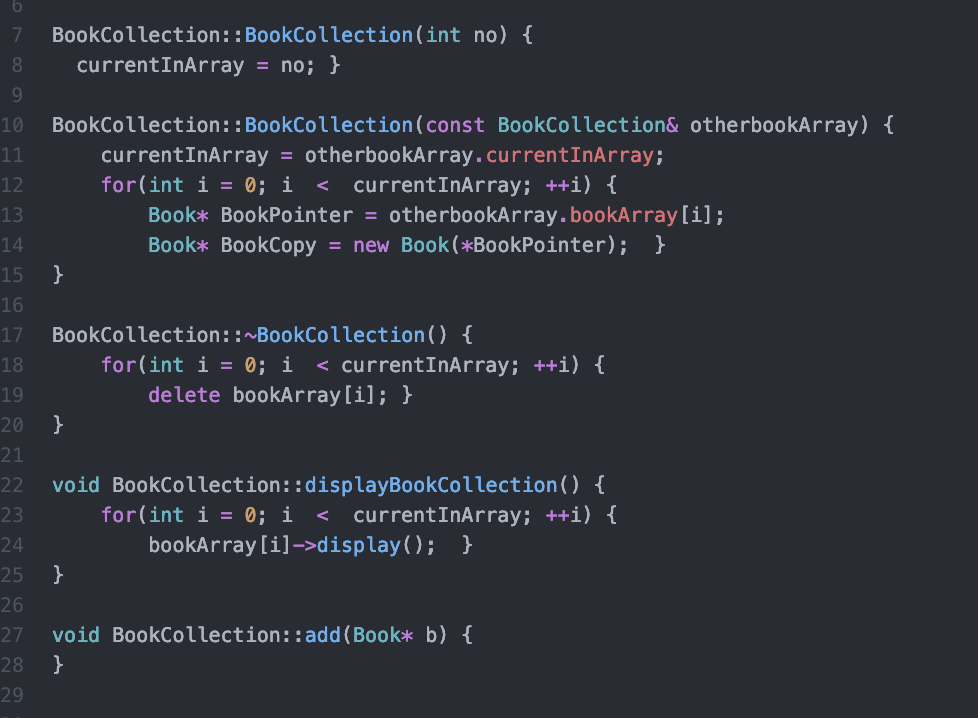
void initBooks (BookCollection&, BookCollection&); void initBooks (BookCollection& b1, BookCollection& b2), b1.add(new Book ("book1", 11)); bl.add(new Book ("book2", 42)); b1.add(new Book ("book3", 33)); bl.add(new Book ("book4", 14)); b1.add(new Book ("book5", 25)); b1.add(new Book ("book6", 20)); 'b2.add(new Book ("novell", 22)); b2.add(new Book ("novel2", 1)); b2.add(new Book ("novel3", 10)); b2.add(new Book ("novel4", 32)); b2.add(new Book ("novel5", 30)); b2.add(new Book ("nove 16", 40)) int main() BookCollection Author1(0); BookCollection Author2(0); BookCollection allBooks(0); initBooks (Author1, Author2); allBooks = Author1; allBooks.merge(Author2); Author1.printBookCollection(); Author2.printBookCollection(); allBooks.printBookCollection(); Book::Book(string t, int d), name id = t; = a; coutdisplay(); } } void BookCollection:: add(Book* b) { } 29 void initBooks (BookCollection&, BookCollection&); void initBooks (BookCollection& b1, BookCollection& b2), b1.add(new Book ("book1", 11)); bl.add(new Book ("book2", 42)); b1.add(new Book ("book3", 33)); bl.add(new Book ("book4", 14)); b1.add(new Book ("book5", 25)); b1.add(new Book ("book6", 20)); 'b2.add(new Book ("novell", 22)); b2.add(new Book ("novel2", 1)); b2.add(new Book ("novel3", 10)); b2.add(new Book ("novel4", 32)); b2.add(new Book ("novel5", 30)); b2.add(new Book ("nove 16", 40)) int main() BookCollection Author1(0); BookCollection Author2(0); BookCollection allBooks(0); initBooks (Author1, Author2); allBooks = Author1; allBooks.merge(Author2); Author1.printBookCollection(); Author2.printBookCollection(); allBooks.printBookCollection(); Book::Book(string t, int d), name id = t; = a; coutdisplay(); } } void BookCollection:: add(Book* b) { } 29
Step by Step Solution
There are 3 Steps involved in it

Get step-by-step solutions from verified subject matter experts
 Study Help