







Question: In C++ Lab #8 Requirements-working with the String Class Using the String Class, design and develop a password validation program that requests a password from
In C++
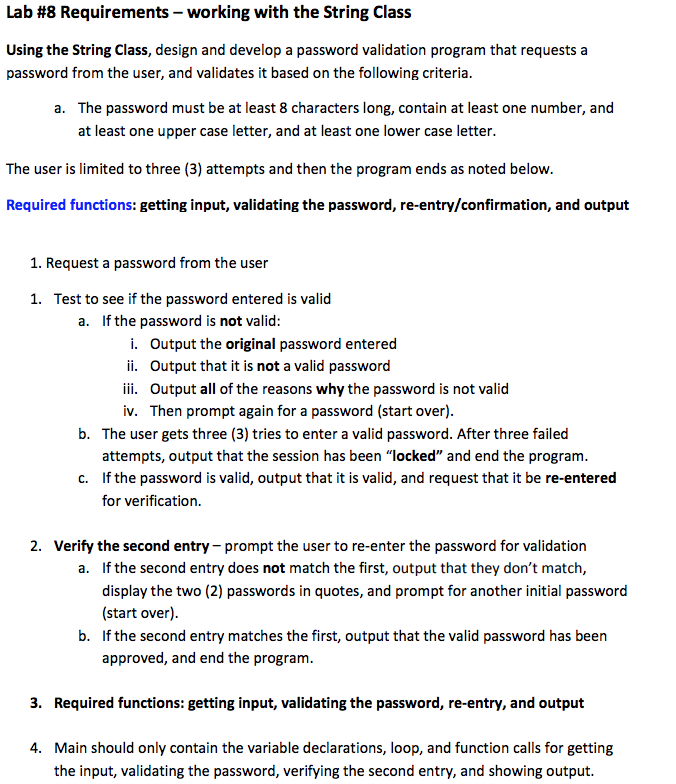
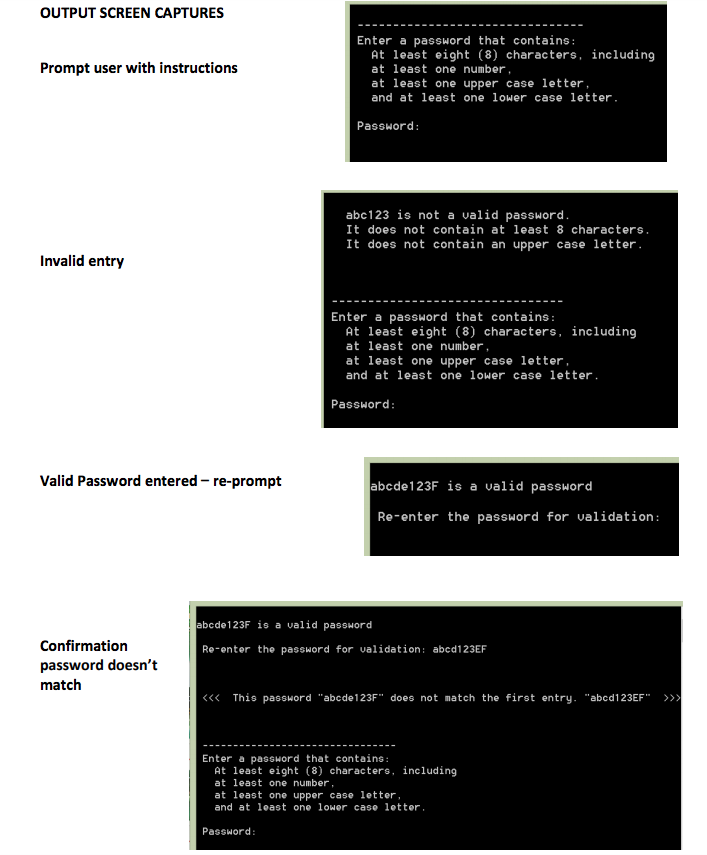
Lab #8 Requirements-working with the String Class Using the String Class, design and develop a password validation program that requests a password from the user, and validates it based on the following criteria. The password must be at least 8 characters long, contain at least one number, and at least one upper case letter, and at least one lower case letter a. The user is limited to three (3) attempts and then the program ends as noted below. Required functions: getting input, validating the password, re-entry/confirmation, and output 1. Request a password from the user Test to see if the password entered is valid If the password is not valid: 1. a. i. Output the original password entered ii. Output that it is not a valid password iii. Output all of the reasons why the password is not valid iv. Then prompt again for a password (start over) b. The user gets three (3) tries to enter a valid password. After three failed attempts, output that the session has been "locked" and end the program. If the password is valid, output that it is valid, and request that it be re-entered for verification. c. 2. Verify the second entry prompt the user to re-enter the password for validation a. If the second entry does not match the first, output that they don't match, display the two (2) passwords in quotes, and prompt for another initial password (start over) If the second entry matches the first, output that the valid password has been approved, and end the program. b. 3. Required functions: getting input, validating the password, re-entry, and output Main should only contain the variable declarations, loop, and function calls for getting the input, validating the password, verifying the second entry, and showing output. 4
Step by Step Solution
There are 3 Steps involved in it

Get step-by-step solutions from verified subject matter experts
 Study Help