Question: In C: Your program allows the user 5 chances to guess a number between 1 and 30 (both inclusive) that is computer-generated. The user is

In C:
In C: Your program allows the user 5 chances to guess anumber between 1 and 30 (both inclusive) that is computer-generated. The user

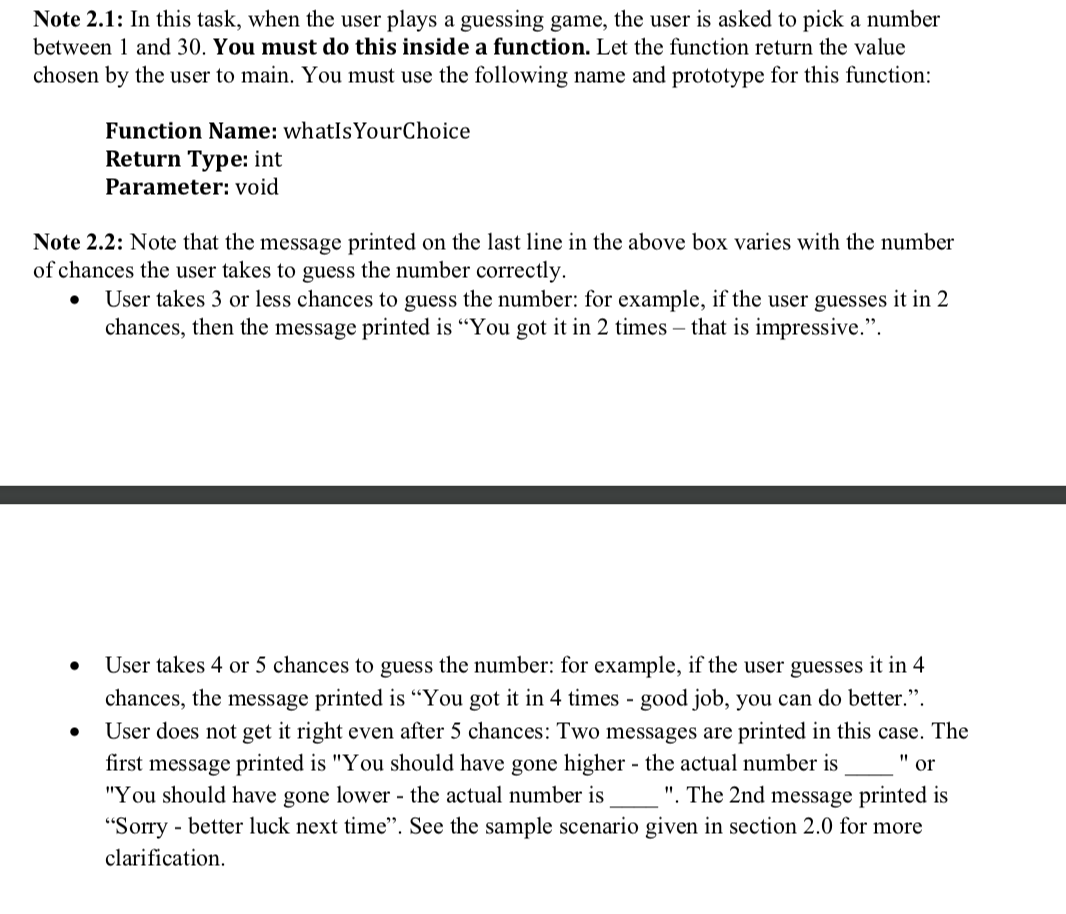
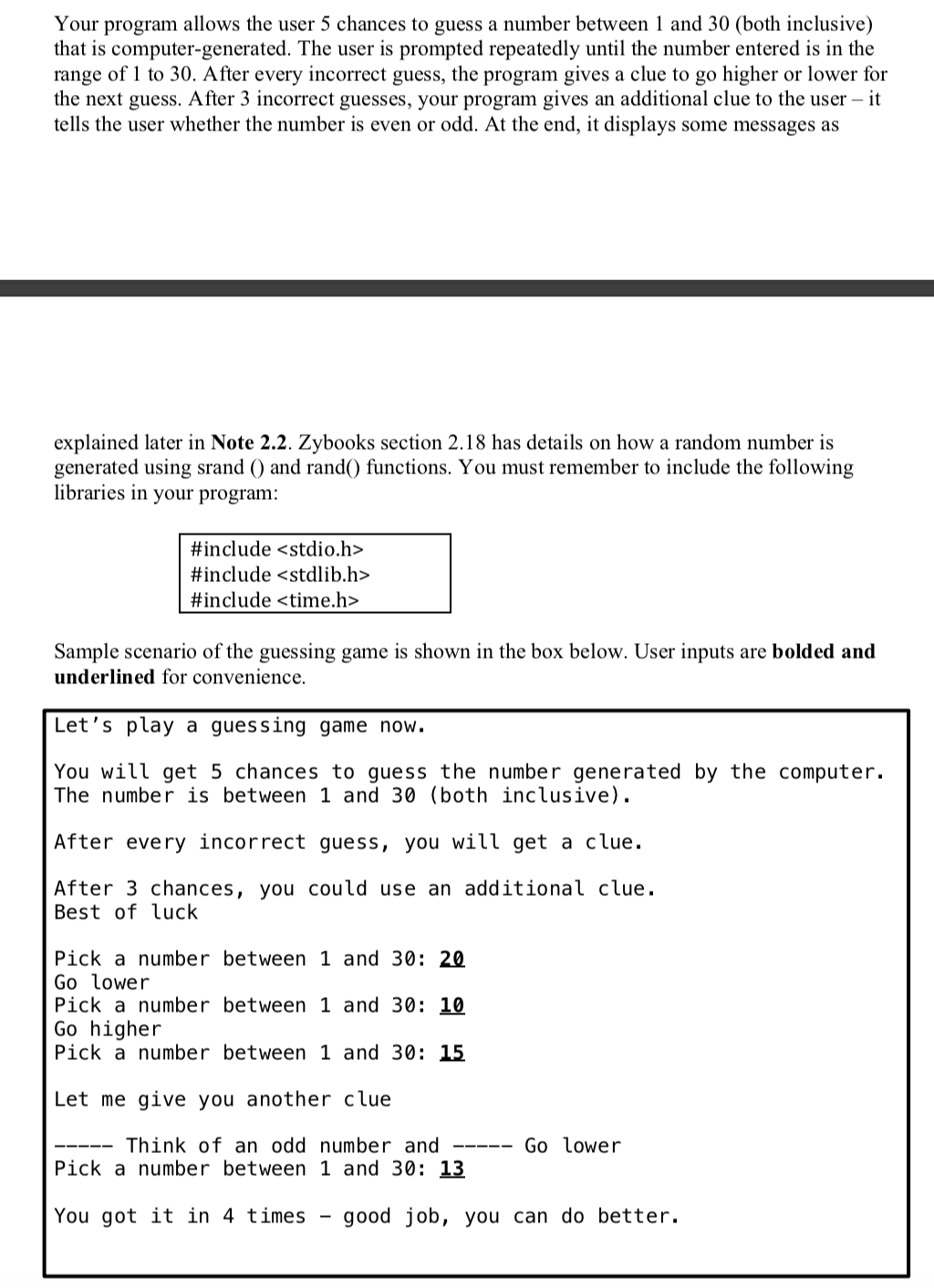
Your program allows the user 5 chances to guess a number between 1 and 30 (both inclusive) that is computer-generated. The user is prompted repeatedly until the number entered is in the range of 1 to 30. After every incorrect guess, the program gives a clue to go higher or lower for the next guess. After 3 incorrect guesses, your program gives an additional clue to the user - it tells the user whether the number is even or odd. At the end, it displays some messages as explained later in Note 2.2. Zybooks section 2.18 has details on how a random number is generated using srand() and rand() functions. You must remember to include the following libraries in your program: #include #include #include Sample scenario of the guessing game is shown in the box below. User inputs are bolded and underlined for convenience. Let's play a guessing game now. You will get 5 chances to guess the number generated by the computer. The number is between 1 and 30 (both inclusive). After every incorrect guess, you will get a clue. After 3 chances, you could use an additional clue. Best of luck Pick a number between 1 and 30: 20 Go lower Pick a number between 1 and 30: 10 Go higher Pick a number between 1 and 30: 15 Let me give you another clue ----- Think of an odd number and ----- Go lower Pick a number between 1 and 30: 13 You got it in 4 times - good job, you can do better. Note 2.1: In this task, when the user plays a guessing game, the user is asked to pick a number between 1 and 30. You must do this inside a function. Let the function return the value chosen by the user to main. You must use the following name and prototype for this function: Function Name: whatIs YourChoice Return Type: int Parameter: void Note 2.2: Note that the message printed on the last line in the above box varies with the number of chances the user takes to guess the number correctly. User takes 3 or less chances to guess the number: for example, if the user guesses it in 2 chances, then the message printed is "You got it in 2 times - that is impressive.. User takes 4 or 5 chances to guess the number: for example, if the user guesses it in 4 chances, the message printed is "You got it in 4 times - good job, you can do better.. User does not get it right even after 5 chances: Two messages are printed in this case. The first message printed is "You should have gone higher - the actual number is "or "You should have gone lower - the actual number is ". The 2nd message printed is "Sorry - better luck next time". See the sample scenario given in section 2.0 for more clarification

Step by Step Solution

There are 3 Steps involved in it

1 Expert Approved Answer
Step: 1 Unlock blur-text-image
Question Has Been Solved by an Expert!

Get step-by-step solutions from verified subject matter experts

Step: 2 Unlock
Step: 3 Unlock

Students Have Also Explored These Related Databases Questions!