







Question: In cell BS in the Bonnet sheet, create a validation rule with these specifications. Whole number less than or equal to $350. . Input message
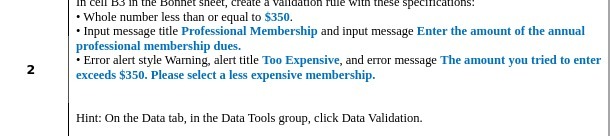
In cell BS in the Bonnet sheet, create a validation rule with these specifications. Whole number less than or equal to $350. . Input message title Professional Membership and input message Enter the amount of the annual professional membership dues. 2 . Error alert style Warning, alert title Too Expensive, and error message The amount you tried to enter exceeds $350. Please select a less expensive membership. Hint: On the Data tab, in the Data Tools group, click Data Validation
Step by Step Solution
There are 3 Steps involved in it
1 Expert Approved Answer
Step: 1 Unlock

Question Has Been Solved by an Expert!
Get step-by-step solutions from verified subject matter experts
Step: 2 Unlock
Step: 3 Unlock
 Study Help