







Question: In Eclipse: create a new JUnitTest Case (File --> New --> JUnit TestCase) Name it E1 Tester Copy/paste the content of E1Tester.java in the new

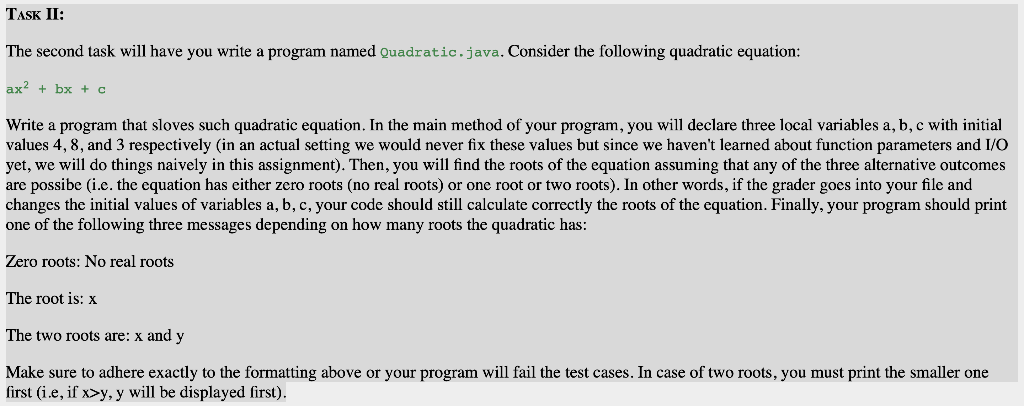
In Eclipse: create a new JUnitTest Case (File --> New --> JUnit TestCase) Name it E1 Tester Copy/paste the content of E1Tester.java in the new file Save the file Right click on the ElTester.java on the Package explorer Chose Run As -->JUnit Test TASK II: The second task will have you write a program named Quadratic.java. Consider the following quadratic equation: ax2 + bx + c Write a program that sloves such quadratic equation. In the main method of your program, you will declare three local variables a, b, c with initial values 4, 8, and 3 respectively in an actual setting we would never fix these values but since we haven't learned about function parameters and I/O yet, we will do things naively in this assignment). Then, you will find the roots of the equation assuming that any of the three alternative outcomes are possibe (i.e. the equation has either zero roots (no real roots) or one root or two roots). In other words, if the grader goes into your file and changes the initial values of variables a, b, c, your code should still calculate correctly the roots of the equation. Finally, your program should print one of the following three messages depending on how many roots the quadratic has: Zero roots: No real roots The root is: x The two roots are: x and y Make sure to adhere exactly to the formatting above or your program will fail the test cases. In case of two roots, you must print the smaller one first (i.e, if x>y, y will be displayed first)
Step by Step Solution
There are 3 Steps involved in it

Get step-by-step solutions from verified subject matter experts
 Study Help