







Question: In HTML / JS , how do you stop multiple guesses of the same letter? Stop / disable the guesses button, and have a dialog
In HTML JS how do you stop multiple guesses of the same letter? Stopdisable the guesses button, and have a dialog popup for losing and winning it Should be in the updatePage ;
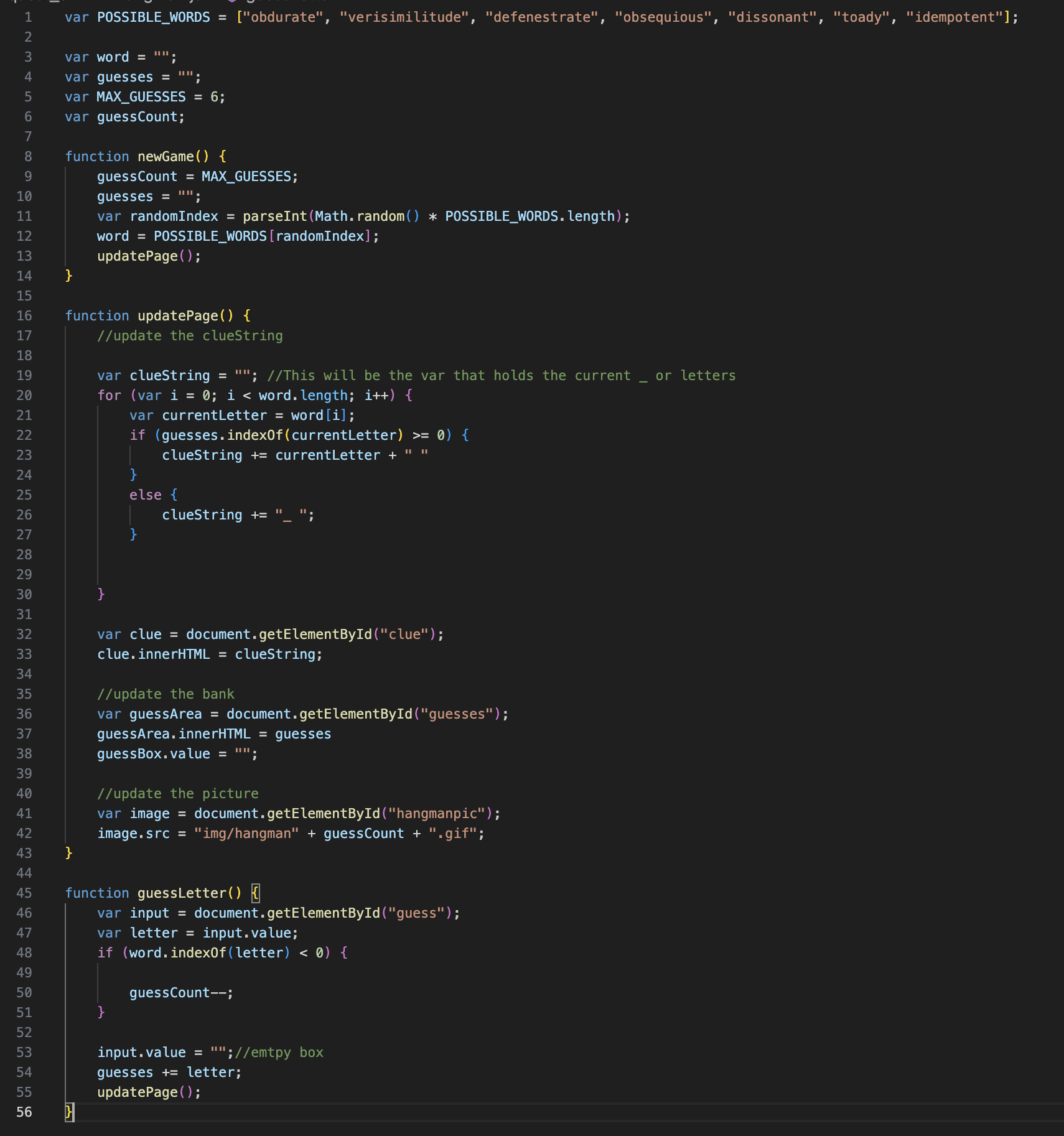
var POSSIBLEWORDS obdurate "verisimilitude", "defenestrate", "obsequious", "dissonant", "toady", "idempotent";
var word ;
var guesses ;
var MAXGUESSES ;
var guessCount;
function newGame
guessCount MAXGUESSES;
guesses ;
var randomIndex parseIntMathrandom POSSIBLEWORDS.length;
word POSSIBLEWORDSrandomIndex;
updatePage;
function updatePage
update the clueString
var clueString ; This will be the var that holds the current or letters
for var i ; i word.length; i
var currentLetter wordi;
if guessesindexOfcurrentLetter
clueString currentLetter
else
clueString ;
var clue document.getElementByIdclue;
clue.innerHTML clueString;
update the bank
var guessArea document.getElementByIdguesses;
guessArea.innerHTML guesses
guessBox.value ;
update the picture
var image document.getElementByIdhangmanpic;
image.src "imghangman guessCount gif";
function guessLetter
var input document.getElementByIdguess;
var letter input.value;
if wordindexOfletter
guessCount;
input.value ;emtpy box
guesses letter;
updatePage;
Step by Step Solution
There are 3 Steps involved in it
1 Expert Approved Answer
Step: 1 Unlock

Question Has Been Solved by an Expert!
Get step-by-step solutions from verified subject matter experts
Step: 2 Unlock
Step: 3 Unlock
 Study Help