







Question: In Java, create a very basic but functional Tic-Tac-Toe game. The first move must draw an X, the next must draw an O, and so
In Java, create a very basic but functional Tic-Tac-Toe game. The first move must draw an X, the next must draw an O, and so on. You must not be able to overwrite a position that is already filled on the board. You do not need to check for game completion, the game simply ends when the board is full. Provided is a documented example which should be used as the starting point. See the comments for implementation hints and details. When a button is pressed down, the X or O should be drawn in the appropriate position, but it must not be committed until the mouse is finally released. That is, a player should be able to drag the mouse inside of the grid and the X or O should follow their cursor.
Class TicTacToe:
import java.awt.*; import java.awt.event.*;
import javax.swing.*; public class TicTacToe extends JFrame { //Things you need: //Some way to keep track of the turn //Some way to keep track of the board state //Possibly other things depending on your implementation //Use these to determine which board position the mouse is in private int xTable[] = {46, 79, 113}; // xTable[i] gives the displacement for row number i private int yTable[] = {113, 146, 180}; // yTable[j] gives the displacement for column number j
public TicTacToe(){ super("Tictactoe Board"); setSize(300, 300); setDefaultCloseOperation(JFrame.EXIT_ON_CLOSE);
//Add handlers here //MUST use an anonymous class setVisible(true); }
public void paint(Graphics g){ int red = 255, green = 0, blue = 0; Font my_font; my_font = new Font( "Serif", Font.BOLD, 18 ); super.paint(g); // Note use of super!! g.setColor(new Color(red, green, blue)); g.drawLine(40, 140, 140, 140); g.drawLine(40, 173, 140, 173); g.drawLine(73, 107, 73, 207); g.drawLine(107, 107, 107, 207); g.setColor(new Color(0, 0, 0)); g.fillRect(20, 87, 140, 5); g.fillRect(20, 87, 5, 140); g.fillRect(20, 222, 140, 5); g.fillRect(155, 87, 5, 140); g.setColor(Color.blue); g.setFont(my_font); g.drawString("My Tic Tac Toe Board", 20, 280); displayMoves(g); //currently does nothing.. you need to fill this in }
private void displayMoves(Graphics g){ //fill this in... this is where you display the current board state }
//Call this from displayMoves to draw an X //You will need the row and column position of the mouse (zero-indexed) private void drawX(Graphics g, int rowNo, int columnNo){
g.drawLine(xTable[columnNo], yTable[rowNo], xTable[columnNo] + 10, yTable[rowNo] + 20); g.drawLine(xTable[columnNo], yTable[rowNo] + 20, xTable[columnNo] + 10, yTable[rowNo]); }
//Call this from displayMoves to draw an O //You will need the row and column position of the mouse (zero-indexed) private void drawCircle(Graphics g, int rowNo, int columnNo){ g.drawOval(xTable[columnNo], yTable[rowNo], 20, 20); }
public static void main(String args[]){ new TicTacToe(); } }
Sample result:
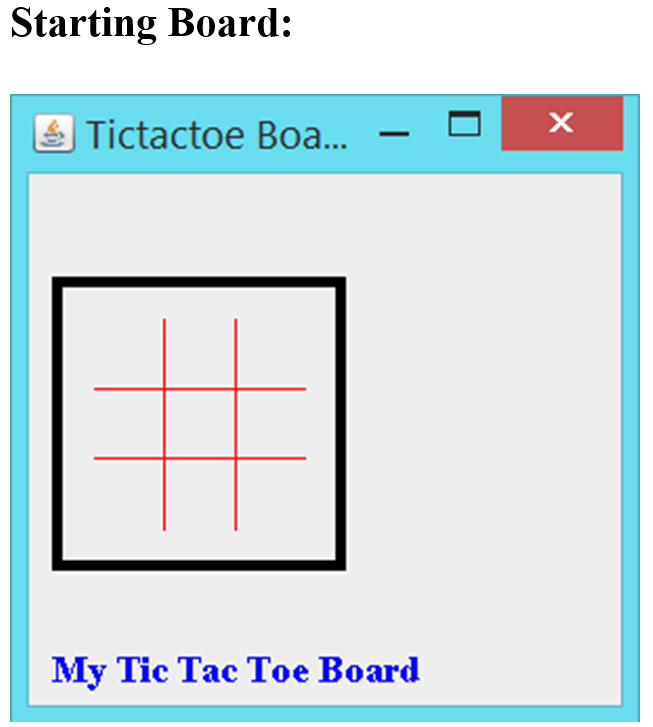
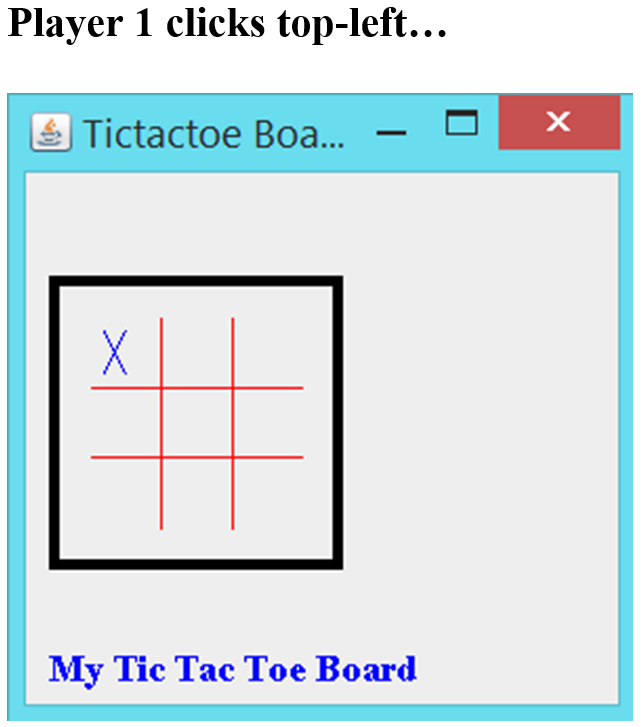
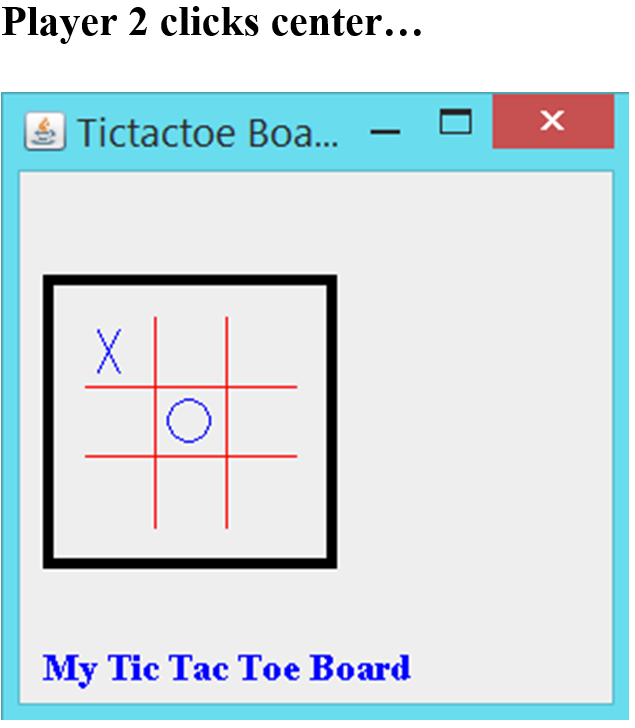
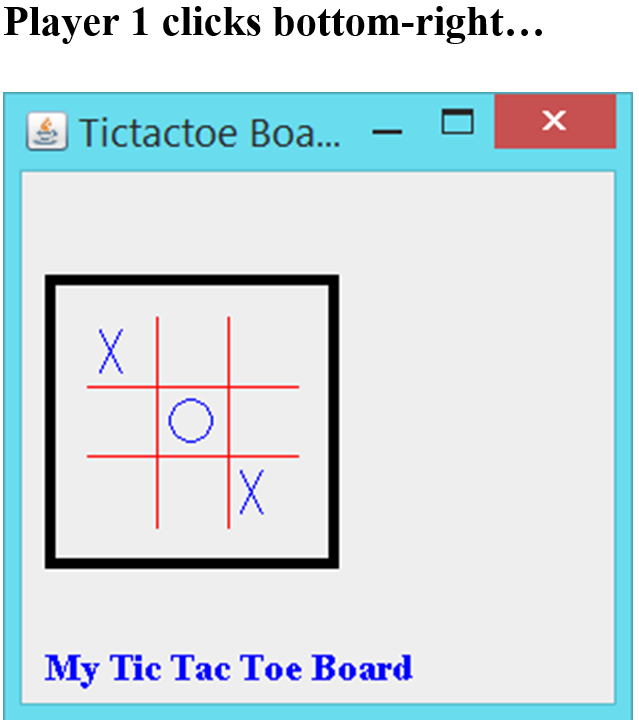
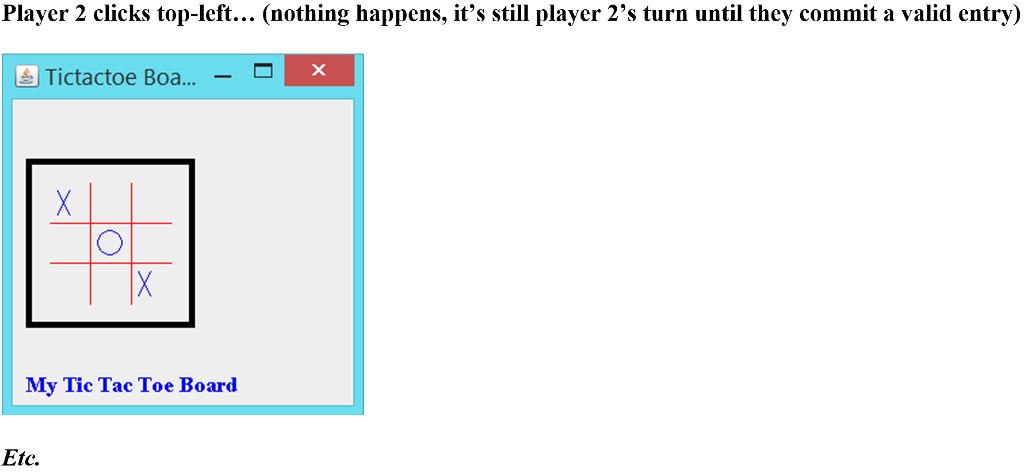
Starting Board: Tictactoe Boa.... -D My Tic Tac Toe Board
Step by Step Solution
There are 3 Steps involved in it

Get step-by-step solutions from verified subject matter experts
 Study Help