







Question: (IN JAVA): How are you able to print multiple numbers/ words on a single line of code?? I want to code a program that will
(IN JAVA): How are you able to print multiple numbers/ words on a single line of code??
I want to code a program that will look exactly like the "sample screen output" image I've provided below, so how I started was I coded this so far:
----------------------------------------------
import java.util.Scanner;
public class Main {
public static void main(String[] args) { Scanner scan = new Scanner(System.in);
System.out.println("Enter two whole numbers separated by one or more spaces:"); int num = scan.nextInt(); System.out.println(num); } }
----------------------------------------------
I'm now realizing the scanner is not picking up on the second number I entered, only the 1st one! I am not sure why! Someone help me, please
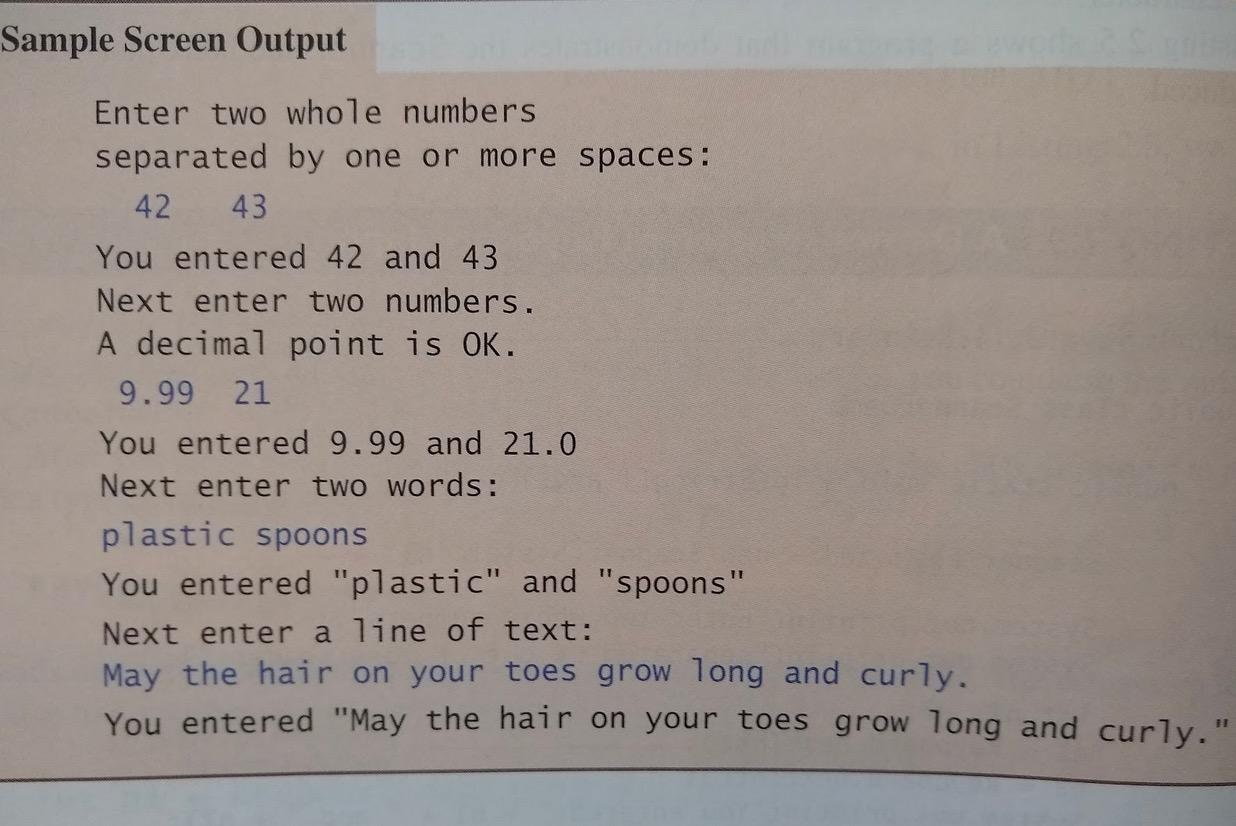
Sample Screen Output Enter two whole numbers separated by one or more spaces: 42 43 You entered 42 and 43 Next enter two numbers. A decimal point is OK. 9.99 21 You entered 9.99 and 21.0 Next enter two words: plastic spoons You entered "plastic" and "spoons" Next enter a line of text: May the hair on your toes grow long and curly. You entered "May the hair on your toes grow long and curly
Step by Step Solution
There are 3 Steps involved in it

Get step-by-step solutions from verified subject matter experts
 Study Help