







Question: In java please Concept Summary: 1. Graphics Java/C# 2. Colors 3. Drawing Lines Objective: In this assignment you'll be drawing all the possible red, green,
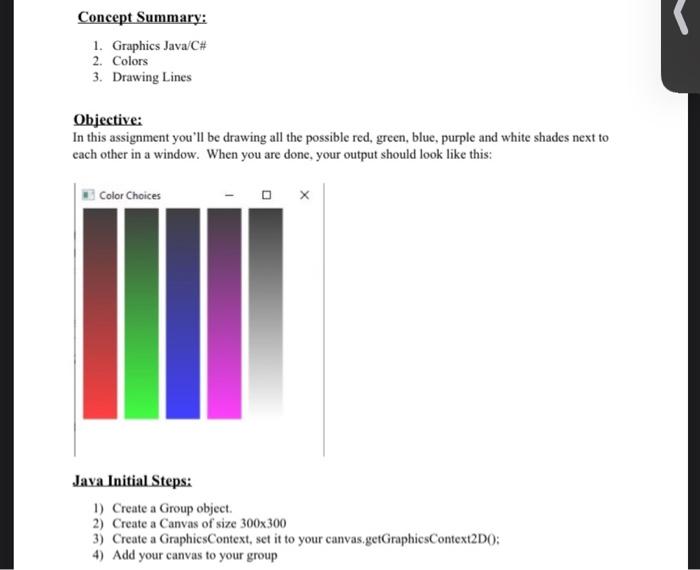
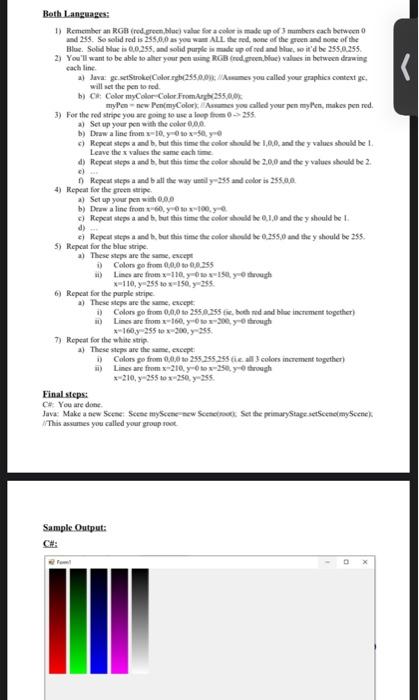
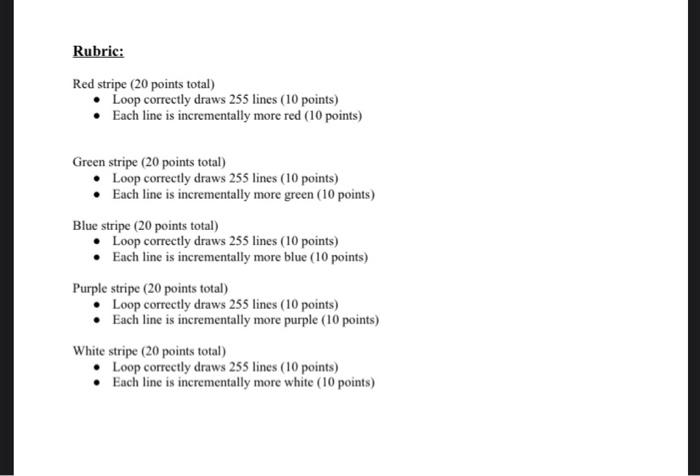
Concept Summary: 1. Graphics Java/C# 2. Colors 3. Drawing Lines Objective: In this assignment you'll be drawing all the possible red, green, blue, purple and white shades next to each other in a window. When you are done, your output should look like this: Color Choices - Jaya Initial Steps: 1) Create a Group object 2) Create a Canvas of size 300x300 3) Create a GraphicsContext, set it to your canvas.getGraphicsContext2DO: 4) Add your canvas to your group Both Languages: I) Remember an RGB (red green bloevale for a color is made up of mumbers cach between 0 and 235. Se solid red is 255.00 as you want ALL thered one of the green and none of the Blue Solid blue 0.0.255. and solid purple in den of red and we, it'd be 255.0.255 2) You'll want to be able to alter your pen RGB (red green.blue) values in between drawing cach lang a) Java geetStroke Color.rgb(255.0.0 Ames you called your graphics contexte will set the pen tored by of Color Color Color From 255.0.0% myle-new Pen(myColore you called your pen myten, makes pen red. 3) For the red stripe you are going to use a loop 255. a) Set up your pen with the color 0.00 b) Draw a line from 10.yox.yo Repeat steps and b. but this time the colorsheid be 100, and the y values should be 1 Leave the values the same each time d) Repeat steps a and b, but this time the color de 2.0.0 and they values should ke 2 c) Repeat steps a and b all the way umil 985 and color is 255.0.0. 4) Repeat the green a) Set up your pen with 0.00 b) Dwa line from 60.000 Repeat steps and b, but this time the color bould be 0.10 and they should be 1 ei Repeat steps a and b. but this time the color should be 25.0 and they should be 255. 5) Repeat for the blue strip a) These steps are the same except Color pe from 0.00 0.0.355 Lines are from x110, 0, y trough 110 y 255103150, y255 Repeat for the purple stripe a) These steps are the same, except 1) Colors pe from 0.0.0.0 2550 255 ere, both red and blue increment together) Lines are from x 160.000 y trough **1609255 to 200, 235 7) Repeat for the white strip a) These steps are the same except Calots pe from 0:00 to 255.255.255 tie all3 colors intement together 1) Lines are fromx-210, yer-25 y-through *-210,255 10 x-250, 255 Final steps: C# You are done Java: Make a new scene Scene myScene-new Scencinet Set the primary Stage setscenomyScene This assumes you called your group root Sample Output: CH Rubric: Red stripe (20 points total) Loop correctly draws 255 lines (10 points) Each line is incrementally more red (10 points) Green stripe (20 points total) Loop correctly draws 255 lines (10 points) Each line is incrementally more green (10 points) Blue stripe (20 points total) Loop correctly draws 255 lines (10 points) Each line is incrementally more blue (10 points) Purple stripe (20 points total) Loop correctly draws 255 lines (10 points) Each line is incrementally more purple (10 points) White stripe (20 points total) Loop correctly draws 255 lines (10 points) Each line is incrementally more white (10 points)
Step by Step Solution
There are 3 Steps involved in it

Get step-by-step solutions from verified subject matter experts
 Study Help