







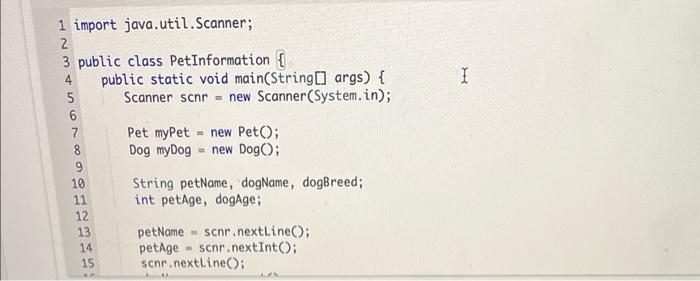
Question: in java please import java. util. Scanner; public class PetInformation { public static void main(String[] args) { Scanner scnr = new Scanner(System.in); Pet myPet =
![public static void main(String[] args) \{ Scanner scnr = new Scanner(System.in); Pet](https://dsd5zvtm8ll6.cloudfront.net/si.experts.images/questions/2024/09/66f2ecc1669fc_35266f2ecc0f2e1e.jpg)
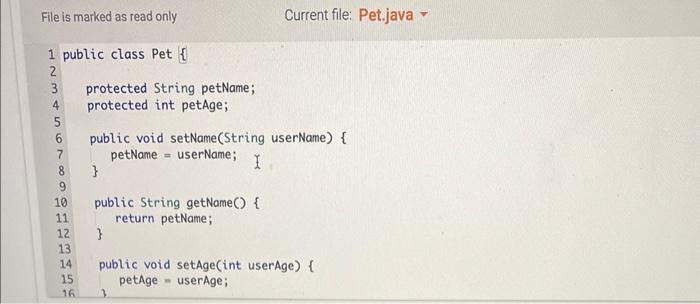
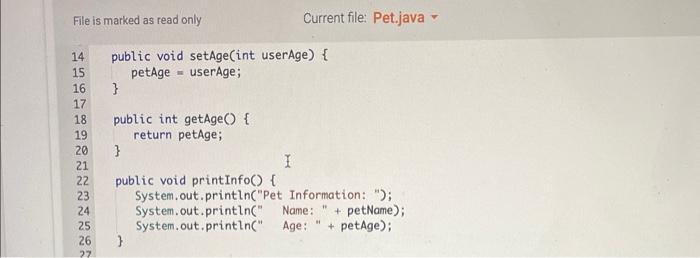
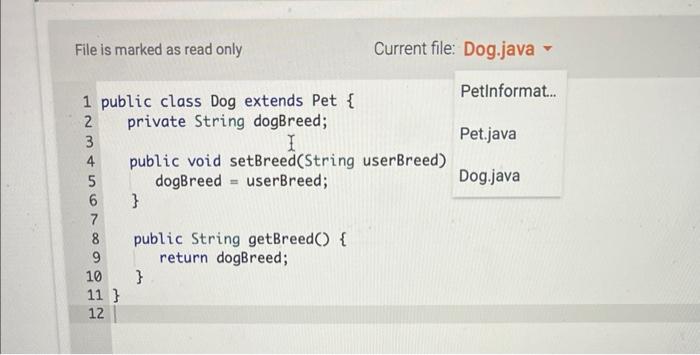
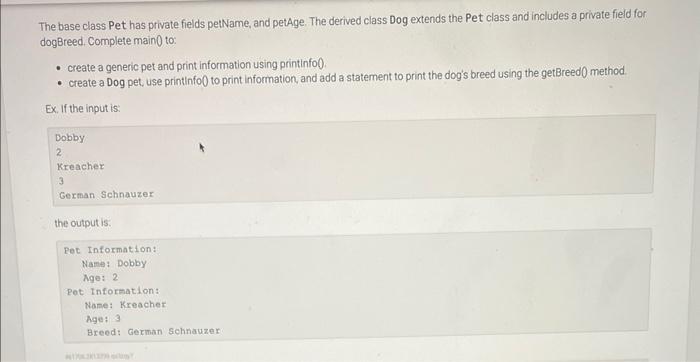
import java. util. Scanner; public class PetInformation \{ public static void main(String[] args) \{ Scanner scnr = new Scanner(System.in); Pet myPet = new Pet () ; Dog myDog = new Dog(); String petName, dogName, dogBreed; int petAge, dogAge; petName = scnr. , nextLine( ) petAge = scnr. nextInt(); scnr, nextline(); petAge = scnr.nextInt(); scnr. nextLine(); dogName = scnr.next(); dogAge = scnr.nextInt(); scnr. nextLine(); dogBreed = scnr. nextLine(); I/ TODO: (reate generic pet (using petName, petAge) and then call printInfo I/ TODO: (reate dog pet (using dogName, dogAge, dogBreed) and then call printInfo I/ TODO: Use getBreed(), to output the breed of the dog \} File is marked as read only Current file: Pet.java - File is marked as read only Current file: Pet.java File is marked as read only The base class Pet has private fields petName, and petAge. The derived class Dog extends the Pet class and includes a private field for dogBreed. Complete main0 to: - create a generic pet and print information using printinfo0. - create a Dog pet, use printinfo0 to print information, and add a statement to print the dog's breed using the getBreed 0 method. Ex. If the input is: Dobby 2 Kreacher 3 German Schnauzer the output is. Pet Information: Name: Dobby Age: 2 Rot Information: Nane: Kreacher Age: 3 Breed: German Schnauzer
Step by Step Solution
There are 3 Steps involved in it

Get step-by-step solutions from verified subject matter experts
 Study Help