







Question: in java please In this assignment you'll write a program that encrypts the alphabetic letters in a file using the Vigenre cipher. Your program will
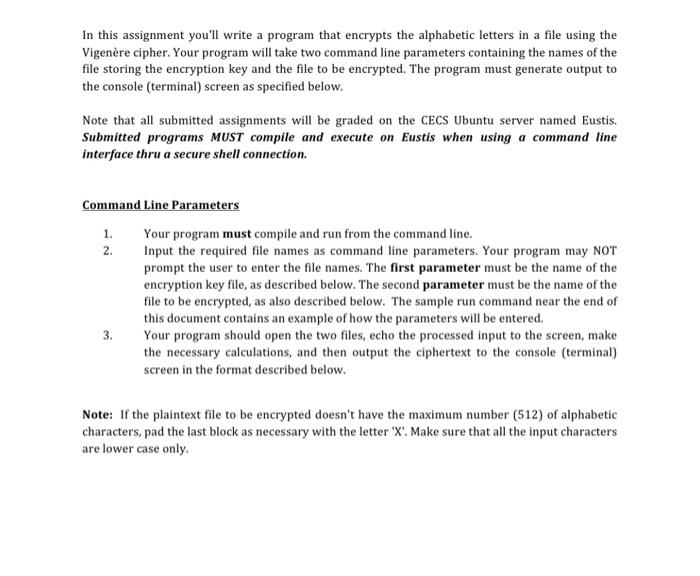
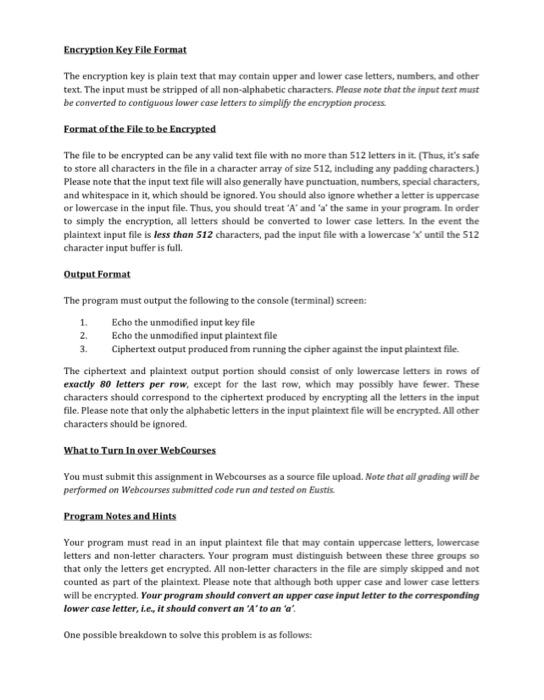
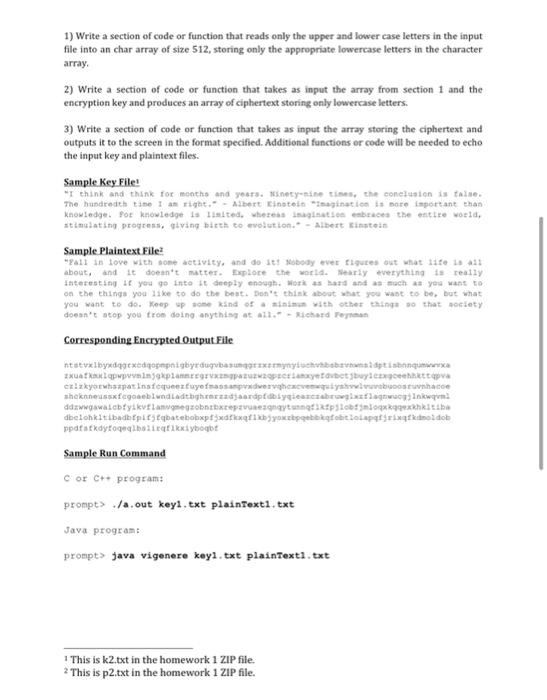
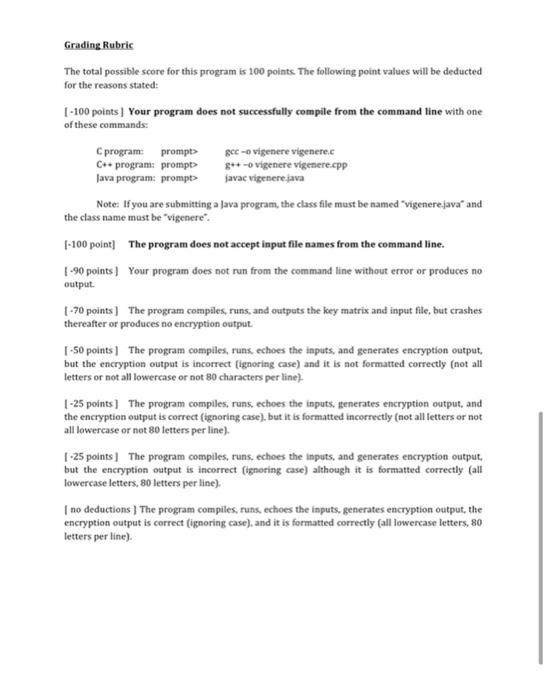
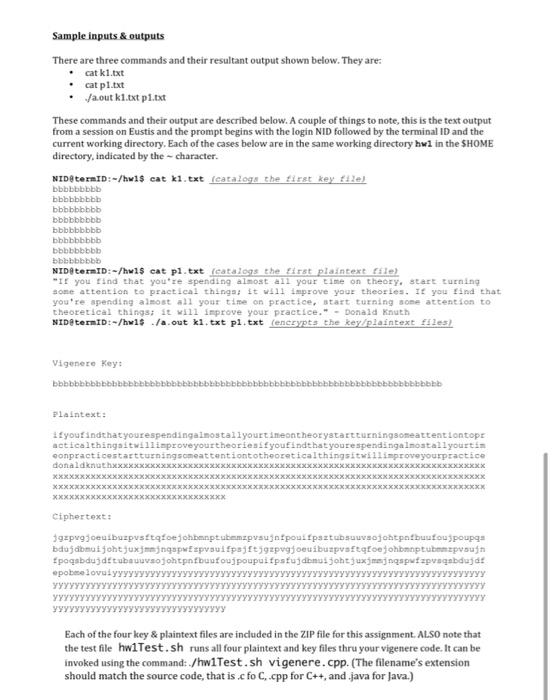
In this assignment you'll write a program that encrypts the alphabetic letters in a file using the Vigenre cipher. Your program will take two command line parameters containing the names of the file storing the encryption key and the file to be encrypted. The program must generate output to the console (terminal) screen as specified below. Note that all submitted assignments will be graded on the CECS Ubuntu server named Eustis. Submitted programs MUST compile and execute on Eustis when using a command line interface thru a secure shell connection. 1. Command Line Parameters Your program must compile and run from the command line. 2. Input the required file names as command line parameters. Your program may NOT prompt the user to enter the file names. The first parameter must be the name of the encryption key file, as described below. The second parameter must be the name of the file to be encrypted, as also described below. The sample run command near the end of this document contains an example of how the parameters will be entered. 3. Your program should open the two files, echo the processed input to the screen, make the necessary calculations, and then output the ciphertext to the console (terminal) screen in the format described below. Note: If the plaintext file to be encrypted doesn't have the maximum number (512) of alphabetic characters, pad the last block as necessary with the letter 'X'. Make sure that all the input characters are lower case only Encryption Key File Format The encryption key is plain text that may contain upper and lower case letters, numbers and other text. The input must be stripped of all non-alphabetic characters. Please note that the input text must be converted to contiguous lower case letters to simplify the encryption process Format of the File to be Encrypted The file to be encrypted can be any valid text file with no more than 512 letters in it (Thus, it's safe to store all characters in the file in a character array of size 512, including any padding characters.) Please note that the input text file will also generally have punctuation numbers, special characters, and whitespace in it, which should be ignored. You should also ignore whether a letter is uppercase or lowercase in the input file. Thus, you should treat 'A' and at the same in your program. In order to simply the encryption, all letters should be converted to lower case letters. In the event the plaintext input file is less than 512 characters, pad the input file with a lowercase until the 512 character input buffer is full. Output Format The program must output the following to the console (terminal) screen: 1. Echo the unmodified input key file 2 Echo the unmodified input plaintext file Ciphertext output produced from running the cipher against the input plaintext file. The ciphertext and plaintext output portion should consist of only lowercase letters in rows of exactly 80 letters per row, except for the last row, which may possibly have fewer. These characters should correspond to the ciphertext produced by encrypting all the letters in the input file. Please note that only the alphabetic letters in the input plaintext file will be encrypted. All other characters should be ignored. What to Turn In over WebCourses You must submit this assignment in Webcourses as a source file upload. Note that all grading will be performed on Webcourses submitted code run and tested on Eustis Program Notes and Hints Your program must read in an input plaintext file that may contain uppercase letters, lowercase letters and non-letter characters. Your program must distinguish between these three groups so that only the letters get encrypted. All non-letter characters in the file are simply skipped and not counted as part of the plaintext. Please note that although both upper case and lower case letters will be encrypted. Your program should convert an upper case input letter to the corresponding lower case letter, ie, it should convert an 'A' to an at One possible breakdown to solve this problem is as follows: 3. 1) Write a section of code or function that reads only the upper and lower case letters in the input file into an char array of size 512, storing only the appropriate lowercase letters in the character array, , 2) Write a section of code or function that takes as input the array from section 1 and the encryption key and produces an array of ciphertext storing only lowercase letters. 3) Write a section of code or function that takes as input the array storing the ciphertext and outputs it to the screen in the format specified. Additional functions or code will be needed to echo the input key and plaintext files. Sample Key File! "I think and think for months and years.nety-nineties, the conclusion is teise The hundredth time I an right. - Albert Einstein "Imagination is more important than knowledge. For knowledge is listed. Whereas its braces the entire world, stimulating progress, saving birth to evolution - Albert Einstein Sample Plaintext File "all in love with some activity, and do sobody ever figure out what it is 13 about, and it doesn't matter. Explore the world. Nearly everything is really Interesting 1 you go into it deeply enough. Work as hard and as much as you want to on the things you like to do the best. Don't think about what you want to be, but what you want to do. Keep up some kind of sinun with other things that society doesn't stop you from doing anything at all. Richard Teman Corresponding Encrypted Output File ntstvxlby degenedigopepigbedugbauxarmynytubes distinguere 2xuakalappnine planer opteryeartbuying exizkoris par Infequeeztuyemassa perheeventystunate shekness fagoebiundladthghinaadaardpt dyqanesbrinkwa ddawawalabiyakut langezontepurezaytunnetikplog kexkhkitiba dbelohalt badplegatetop do you theksoto paskolob ppatakdytogeneityboqbt Sample Run Command Cor C++ program: prompt> out keyi.ext plaintext1.txt Java program: prompt> Java vigenere keyi.txt plaintext1.txt 1 This is k2.txt in the homework 1 ZIP file. 2 This is p2.txt in the homework 1 ZIP file. Grading Rubric The total possible score for this program is 100 points. The following point values will be deducted for the reasons stated: 1 - 100 points) Your program does not successfully compite from the command line with one of these commands: Cprogram: prompt> gec -o vigenere vigenere.c C++ program prompt g++ -o vigenere vigenere.cpp Java program: prompt> javac vigenere.java Note: If you are submitting a Java program, the class file must be named "vigenere java and the class name must be vigenere. [-100 point] The program does not accept input file names from the command line. 1-90 points) Your program does not run from the command line without error or produces no output -70 points) The program compiles, runs, and outputs the key matrix and input file, but crashes thereafter or produces no encryption output [-50 points ] The program compiles, runs, echoes the inputs, and generates encryption output but the encryption output is incorrect (ignoring case) and it is not formatted correctly (not all letters or not all lowercase or not 80 characters per line). 1-25 points ] The program compiles, runs echoes the inputs, generates encryption output, and the encryption output is correct [ignoring case), but it is formatted incorrectly (not all letters or not all lowercase or not 80 letters per line). 1-25 points) The program compiles, runs, echoes the inputs, and generates encryption output but the encryption output is incorrect (ignoring case) although it is formatted correctly (all lowercase letters, 80 letters per line) I no deductions) The program compiles, runs, echoes the inputs, generates encryption output, the encryption output is correct ignoring case), and it is formatted correctly (all lowercase letters, 80 letters per line) Sample inputs & outputs There are three commands and their resultant output shown below. They are: cat k1.txt cat pl.txt Ja.out k1.txt p1.txt These commands and their output are described below. A couple of things to note, this is the text output from a session on Eustis and the prompt begins with the login NID followed by the terminal ID and the current working directory. Each of the cases below are in the same working directory hwl in the SHOME directory, indicated by the character. NIDADEINID:-/hwis cat kl.txt (catalogs the first key tile) bbbbbbbbb bbbbbbbbb bbbbbbbbb bbbbbbbbb bbbbbbbbbb bbbbbbbbb bbbbbbbbb bbbbbbbbb NID terID:-/hw 1$ cat pl.txt (catalogs the first plaintext le "If you find that you're spending almost all your time on theory, start turning some attention to practical things; it will improve your theories. If you find that you're spending almost all your time on practice, start turning some attention to theoretical things; it will improve your practice. - Donald Knuth NID termiD:-/hw 1$ /a.out ki.txt pl.txt (encrypts the key/plaintext files) Vigenere Key: bbbbbbbbbbbbbbbbbbbbb bbbbbb bbbbbbbbbbbbbb Plaintext: you findthat yourespendingalmostallyourtimentheorystartturningsomeattentiontop actical thingsitwillimproveyourtheories youfindthat youre spendingalmostall yourtin conpracticestartturningsmattentiontotheoreticalthingsitwillimproveyourpractice donaldknathxxxxxxx XXXXXXXXXXXXXXXXXXXXXXXXXXXXXXXXXXXXXXXXXXXXXXXXXXXXXXX XXXXXXXXXXXXXXXXX XXXXXXXXXXXXXXXXXXXXXXXXXXXXXXXXXXXXXXXXXXXXXXXXXXXXXXXXXXXX XXXXXXXXXXXXXXXX XXXXXXXXXXXXXXXXXXXXXXXXXXXXXXXXXXXXXXXXXXXXXXXXXXXXXXXXXXX XXXXXXXXXXXXXXXX XXXXXXXXXXXX Ciphertext: 392pvggeuibuzpustafoejohbmptabezpvsugnipouifpuztubusojohtpfbuufou spoupa bdujabmusjoht juxjmjngopepvsuifpjftjoepvgjoeuibuspustqoejohbmptubezpvsugn pogadujdtubu veojohtpfbus fous poupuifpatudomusjohjuxjmanj nqspufzpusgabdajt pobelovaly. YYYYYYYYYYYYYYYYYYY YYYYYYYYYYYYYYY YYYYYYYYYYYYYYYYY YYYYYYY YYYYYYYYYY YYYYYYYYYYYYY YYYYYYYYYY . Each of the four key & plaintext files are included in the ZIP file for this assignment. ALSO note that the test file hwlTest.sh runs all four plaintext and key files thru your vigenere code. It can be invoked using the command: ./hwiTest.sh vi genere.cpp. (The filename's extension should match the source code, that is.cfo C..cpp for C++, and .java for Java.)
Step by Step Solution
There are 3 Steps involved in it

Get step-by-step solutions from verified subject matter experts
 Study Help