







Question: In JAVA please Lab 5: Reading and Writing Playlists In Lab 4, we wrote classes that represent playlists of songs. Those classes have two notable
In JAVA please
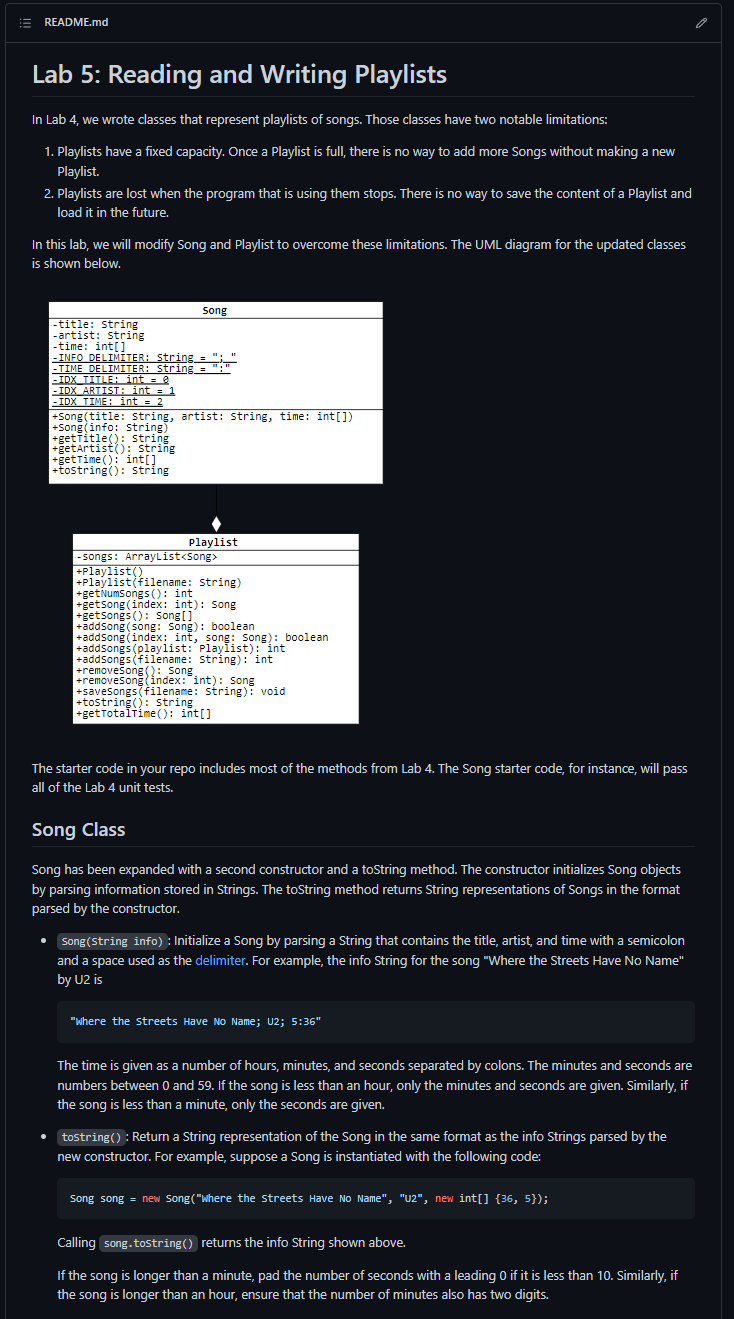
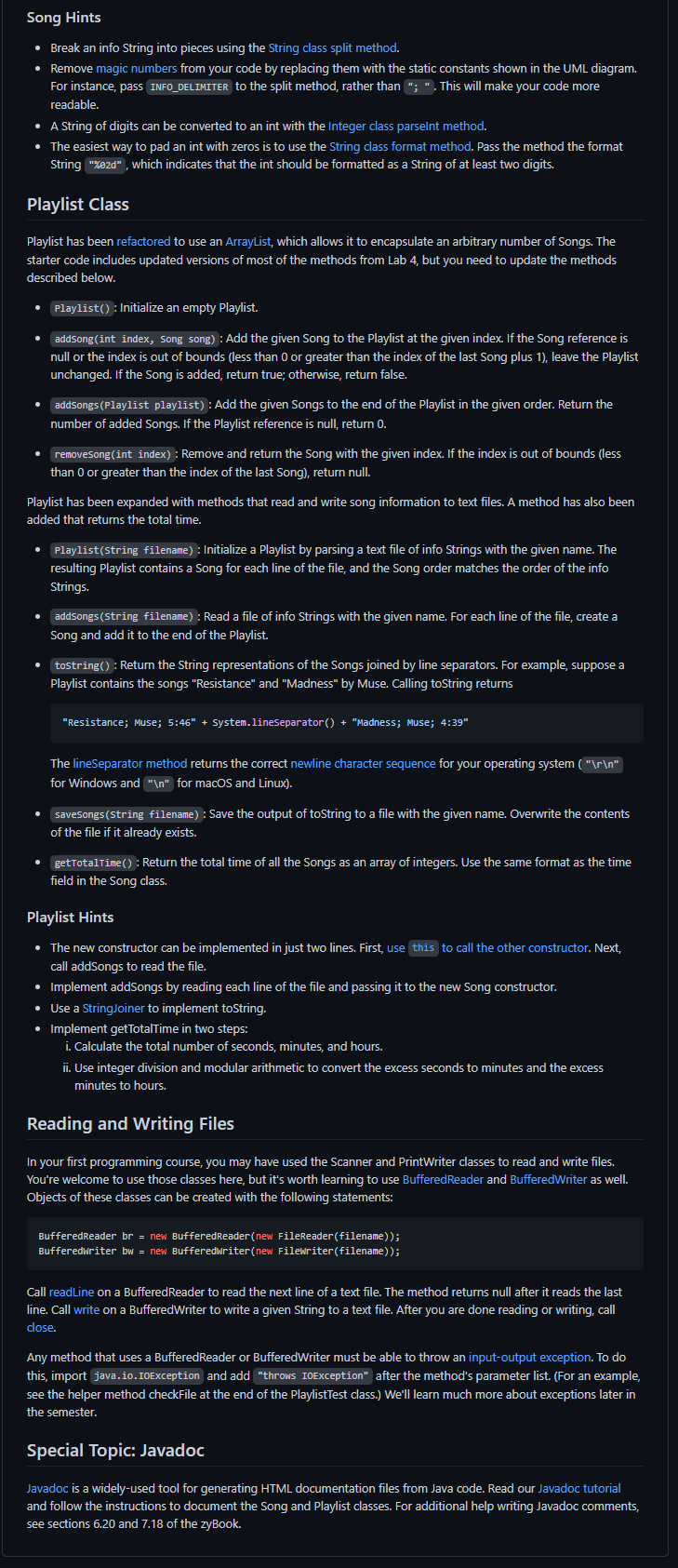
Lab 5: Reading and Writing Playlists In Lab 4, we wrote classes that represent playlists of songs. Those classes have two notable limitations: 1. Playlists have a fixed capacity. Once a Playlist is full, there is no way to add more Songs without making a new Playlist. 2. Playlists are lost when the program that is using them stops. There is no way to save the content of a Playlist and load it in the future. In this lab, we will modify Song and Playlist to overcome these limitations. The UML diagram for the updated classes is shown below. The starter code in your repo includes most of the methods from Lab 4. The Song starter code, for instance, will pass all of the Lab 4 unit tests. Song Class Song has been expanded with a second constructor and a toString method. The constructor initializes Song objects by parsing information stored in Strings. The toString method returns String representations of Songs in the format parsed by the constructor. - Song(string info): Initialize a Song by parsing a String that contains the title, artist, and time with a semicolon and a space used as the delimiter. For example, the info String for the song "Where the Streets Have No Name" by U2 is "Where the streets Have No Name; U2; 5:36 " The time is given as a number of hours, minutes, and seconds separated by colons. The minutes and seconds are numbers between 0 and 59 . If the song is less than an hour, only the minutes and seconds are given. Similarly, if the song is less than a minute, only the seconds are given. - tostring(): Return a String representation of the Song in the same format as the info Strings parsed by the new constructor. For example, suppose a Song is instantiated with the following code: Song song = new Song("Where the streets Have No Name", "U2", new int []{36,5}); Calling song.tostring() returns the info String shown above. If the song is longer than a minute, pad the number of seconds with a leading 0 if it is less than 10 . Similarly, if the song is longer than an hour, ensure that the number of minutes also has two digits. Lab 5: Reading and Writing Playlists In Lab 4, we wrote classes that represent playlists of songs. Those classes have two notable limitations: 1. Playlists have a fixed capacity. Once a Playlist is full, there is no way to add more Songs without making a new Playlist. 2. Playlists are lost when the program that is using them stops. There is no way to save the content of a Playlist and load it in the future. In this lab, we will modify Song and Playlist to overcome these limitations. The UML diagram for the updated classes is shown below. The starter code in your repo includes most of the methods from Lab 4. The Song starter code, for instance, will pass all of the Lab 4 unit tests. Song Class Song has been expanded with a second constructor and a toString method. The constructor initializes Song objects by parsing information stored in Strings. The toString method returns String representations of Songs in the format parsed by the constructor. - Song(string info): Initialize a Song by parsing a String that contains the title, artist, and time with a semicolon and a space used as the delimiter. For example, the info String for the song "Where the Streets Have No Name" by U2 is "Where the streets Have No Name; U2; 5:36 " The time is given as a number of hours, minutes, and seconds separated by colons. The minutes and seconds are numbers between 0 and 59 . If the song is less than an hour, only the minutes and seconds are given. Similarly, if the song is less than a minute, only the seconds are given. - tostring(): Return a String representation of the Song in the same format as the info Strings parsed by the new constructor. For example, suppose a Song is instantiated with the following code: Song song = new Song("Where the streets Have No Name", "U2", new int []{36,5}); Calling song.tostring() returns the info String shown above. If the song is longer than a minute, pad the number of seconds with a leading 0 if it is less than 10 . Similarly, if the song is longer than an hour, ensure that the number of minutes also has two digits
Step by Step Solution
There are 3 Steps involved in it

Get step-by-step solutions from verified subject matter experts
 Study Help