







Question: in java please.. Specification: Start with your Java program prog340 which implements Deliverable A. Do a Depth-first search of the directed graph, starting at the
in java please..
Specification: Start with your Java program prog340 which implements Deliverable A. Do a Depth-first search of the directed graph, starting at the node with value S (not case sensitive). List the starting and finishing times of each Node, and the class of each Edge (tree edge, forward edge, back edge, cross edge). Make the starting time of the source node time 1. At many points in the search, you may have to choose which node to explore next. Here are the rules to do so: 1. If you have a choice among two or more unexplored Nodes to explore next, there are two cases: a. If the values of all Edges are all integers, choose the Edge with the lowest value. If there is a tie, choose the Edge to the Node whose name comes first in lexicographic order. (All node names are unique.) b. Otherwise, if the values of the Edges are not all integers (at least one general alphabetical character or non-positive integer), choose the Edge to the Node whose name comes first in lexicographic order. 2. If you have explored as far as possible from the starting node without exploring every node of the graph, continue from the Node whose name comes first lexicographically from among all unexplored Nodes. Dont Break Existing Functionality Running Deliverable A on the test files should still work. Actually, it should always work for any test file in any deliverable. Administrative Details The prog340 handout describes the format of the input file for this and all program deliverables. As will always be the case in this class, the program must be written in Java and must run on the University Windows computer systems. To ensure this I strongly recommend that you: 1. Use only Oracle Java SE, and 2. Test it on the University systems before submission if you have any doubts about its ability to run on the University Windows. 3. As before, try to minimize disruption to the existing codebase, although you will have to do some machinations to deal with Graphs having Edges with positive integral values differently from more general edges. Output: Here is sample output for one graph AB0.txt. ~ val AAA BB C DDD E Alfa S ~ > ~ 99 fig Bravo 67 999 -42 3 x == Charlie ~ ~ 4 ~ yz 9 Delta 4e 3 22 x ~ !=2 Echo yes ~ ~ ~ d>e 33 ICS 340, Spring 2021 Program Deliverable B Due Mar 5th, 2021
The output for this file should be: Node Start Time End Time Alpha 1 10 Bravo 2 9 Charlie 3 8 Delta 4 7 Echo 5 6 Edge Type AAA-BB T AAA-DDD F AAA-EEE F BB-AAA B BB-BB B BB-C T BB-DDD F BB-E F C-BB B C-DDD T C-E F DDD-AAA B DDD-BB B DDD-C B DDD-E T E-DDD B E-E B
import javax.swing.*; import java.io.*; import java.util.*; import java.awt.*; import java.awt.event.*;
/** ProgramA simply reads a file containing rows of space-separated Strings, ** your assignment is to print out those strings interpreted as a graph. **/
public class Prog340 extends JPanel implements ActionListener { private static final long serialVersionUID = 1L; // Keep Eclipse happy. File inputFile; File outputFile; PrintWriter output; JFileChooser fileChooser; Graph g; String[] comboBoxList; // For putting names in Combo Box
/** The main method instantiates a Prog340 class, which includes giving you a choice of things to do. ** The only one active now will be reading the graph file and having you parse it. ** ** @param args ** - Not used ** ** @throws FileNotFoundException ** - Thrown if the file selected is not found. Shouldn't happen with a FileChooser. **/
public static void main(String[] args) throws FileNotFoundException { javax.swing.SwingUtilities.invokeLater(new Runnable() { public void run() { createAndShowGUI(); } }); } /** Create and show the GUI. ** For thread safety, this method should be invoked from the event-dispatching thread. **/ private static void createAndShowGUI() { // Create and set up the window JFrame frame = new JFrame("Prog340"); frame.setDefaultCloseOperation(JFrame.EXIT_ON_CLOSE); // Create and set up the content pane. JComponent newContentPane = new Prog340(); newContentPane.setOpaque(true);; // content panes must be opaque frame.setContentPane(newContentPane);; // Display the window. frame.pack(); frame.setVisible(true); } /** The constructor creates a new ProgramA object, and sets up the input and output files. **/ public Prog340() { super( new BorderLayout() );
try { // I like the colorful FileChooser. UIManager.setLookAndFeel(UIManager.getSystemLookAndFeelClassName()); System.out.println( "Look and feel set."); } catch (Exception e) { // exit on exception. System.err.format("Exception: %s%n", e); System.exit(0); }
fileChooser = new JFileChooser(); fileChooser.setDialogTitle("Choose a file"); // Start looking for files at the currect directory, not home. fileChooser.setCurrentDirectory(new File(".")); inputFile = null; g = new Graph(); // Select the action comboBoxList = new String[5]; comboBoxList[0] = new String("prog340: Select file and read graph"); comboBoxList[1] = new String("Deliv A"); comboBoxList[2] = new String("Deliv B"); comboBoxList[3] = new String("Deliv C"); comboBoxList[4] = new String("exit");
JComboBox
try { if (fileChooser.showOpenDialog(null) == JFileChooser.APPROVE_OPTION) {
// Instantiate the selected input and output files. inputFile = fileChooser.getSelectedFile(); System.out.println( "Chosen file = " + inputFile + " "); } // read text file Scanner sc = new Scanner( inputFile ); // First line special: It contains "~", and "val", and the nodes with the edges. String firstLine = sc.nextLine(); String[] splitString = firstLine.split( " +" ); // Ignore first two fields of first line, Every other field is a node. for ( int i = 2; i nodeList = g.getNodeList(); while ( sc.hasNextLine() ) { String nextLine = sc.nextLine(); splitString = nextLine.split(" +");
Node n = nodeList.get( nodeIndex ); n.setName( splitString[0] ); n.setVal( splitString[1] );
for ( int i = 2; i
} sc.close();
} catch (Exception x) { System.err.format("ExceptionOuter: %s%n", x); } }
}
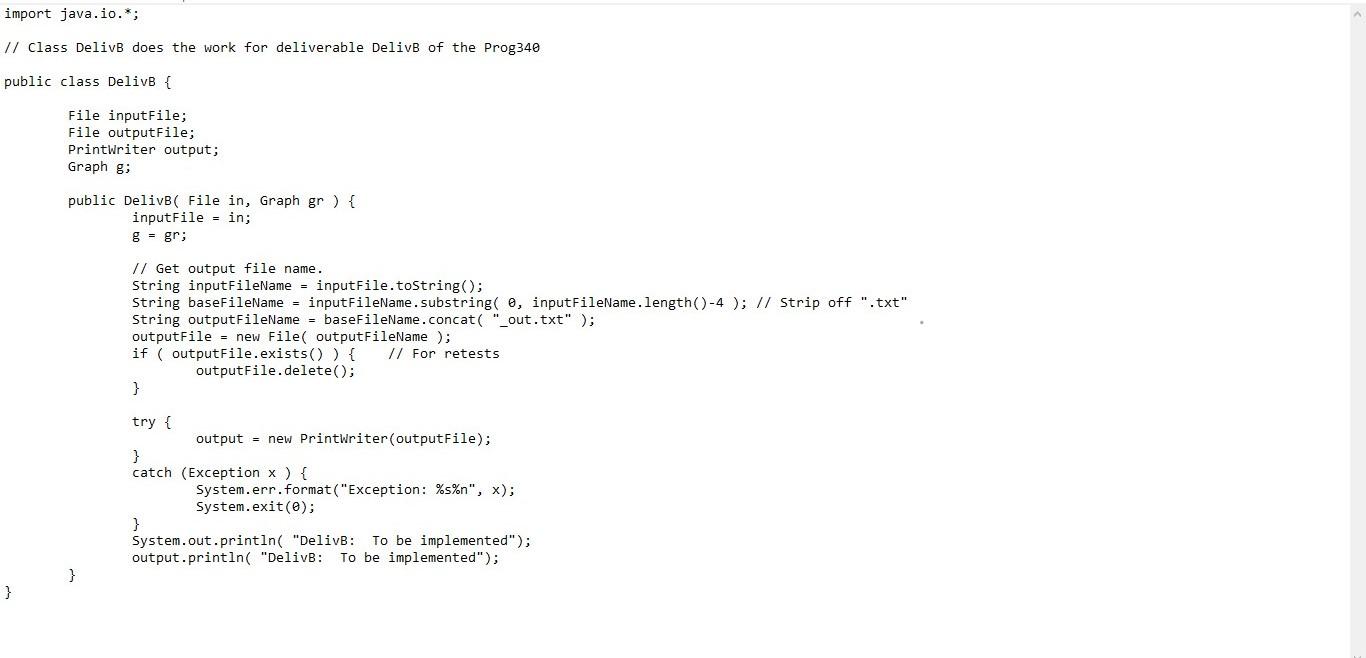
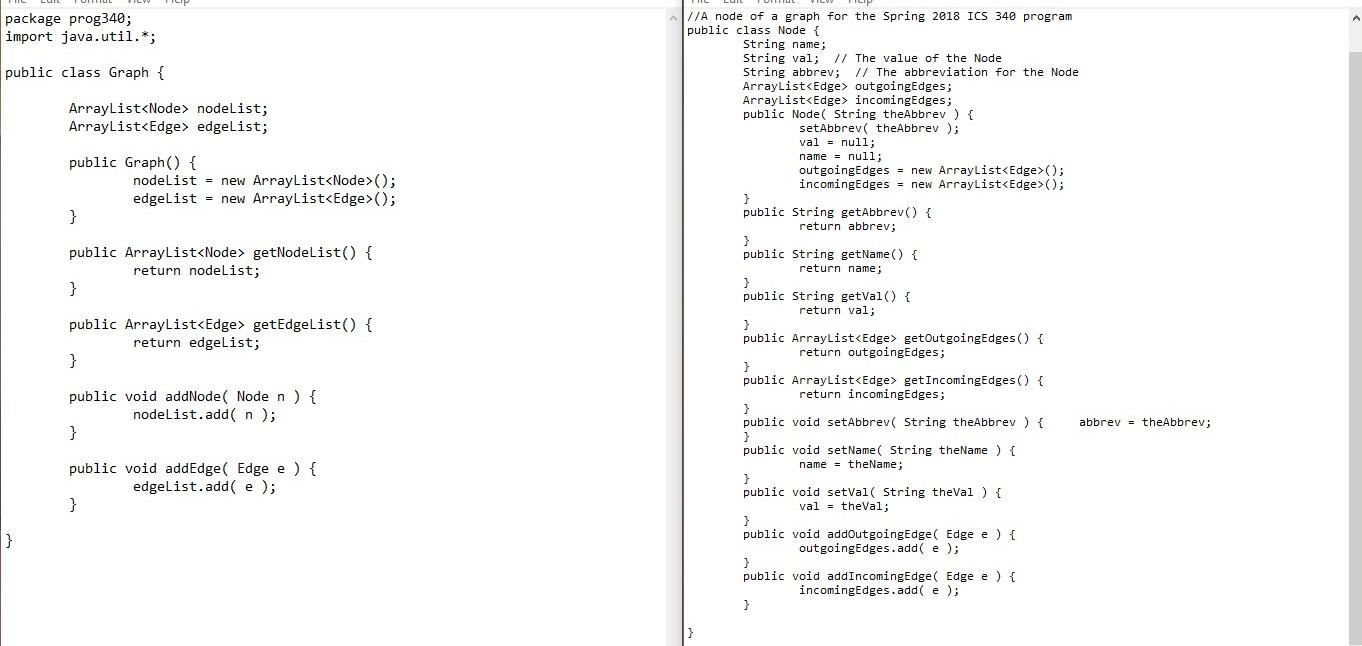
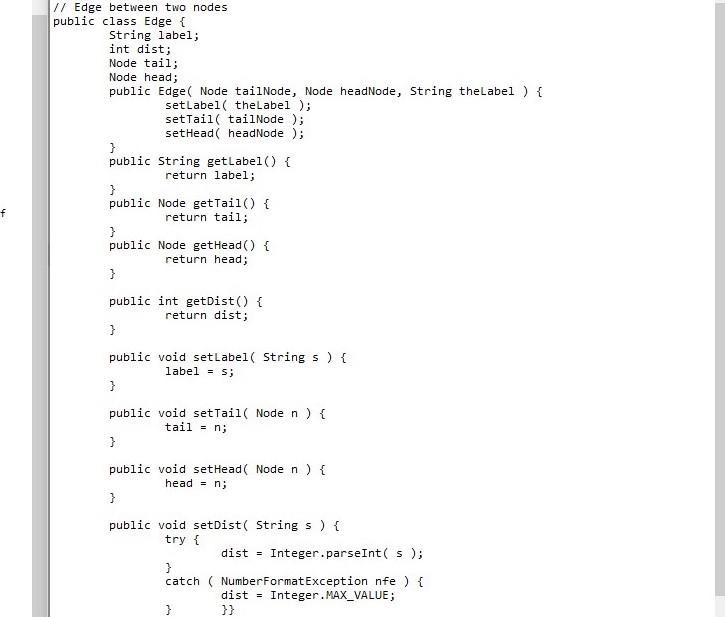
import java.io.*; // Class DelivB does the work for deliverable Delive of the Prog340 public class Delive { File inputFile; File output File; Printwriter output; Graph gi public Delivb( File in, Graph gr ) { inputFile = in; g = gr; // Get output file name. String inputFileName = inputFile.toString(); String baseFileName = inputFileName.substring( o, inputFileName. length() -4 ); // Strip off ".txt" String outputFileName = baseFileName.concat( "_out.txt" ); outputFile = new File( outputFileName); if (outputFile.exists()) { // For retests outputFile.delete(); } try { output = new Printwriter(outputFile); } catch (Exception x ) { System.err.format("Exception: %s%n", x); System.exit(); System.out.println("Delive: To be implemented"); output.println("Delive: To be implemented"); } } package prog340; import java.util.*; public class Graph { ArrayList
Step by Step Solution
There are 3 Steps involved in it

Get step-by-step solutions from verified subject matter experts
 Study Help