







Question: In Java Please These are the Concentration.java and DrawingPanel.java. Of a photo is blurry or hard to read please comment and I'll retake it. Thanks!
In Java Please
These are the Concentration.java and DrawingPanel.java.
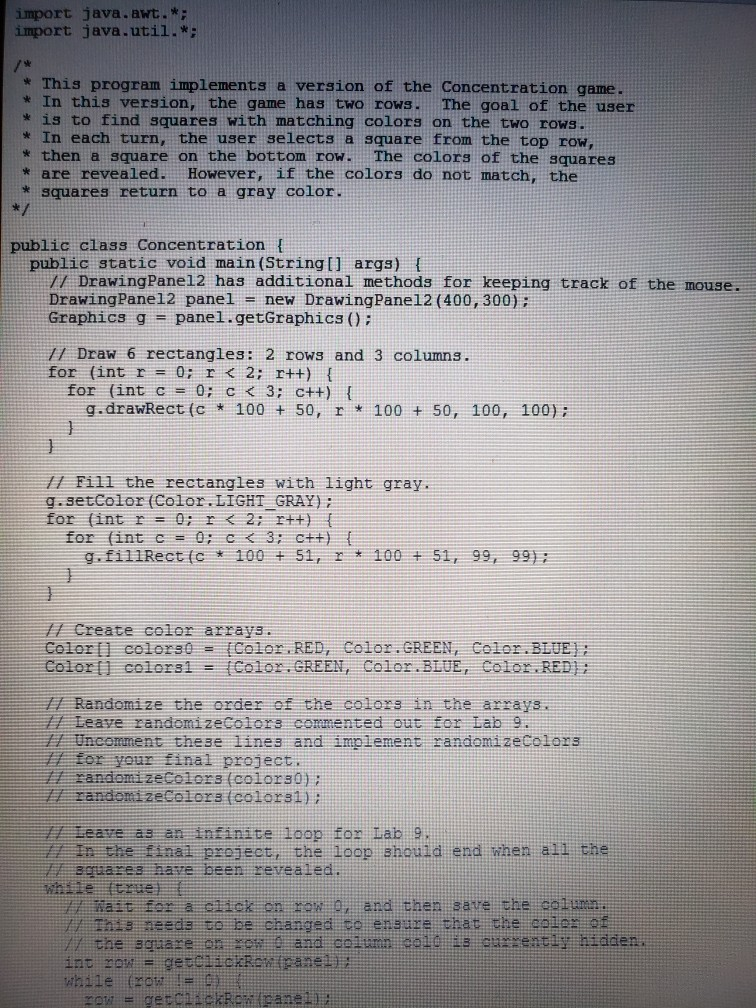
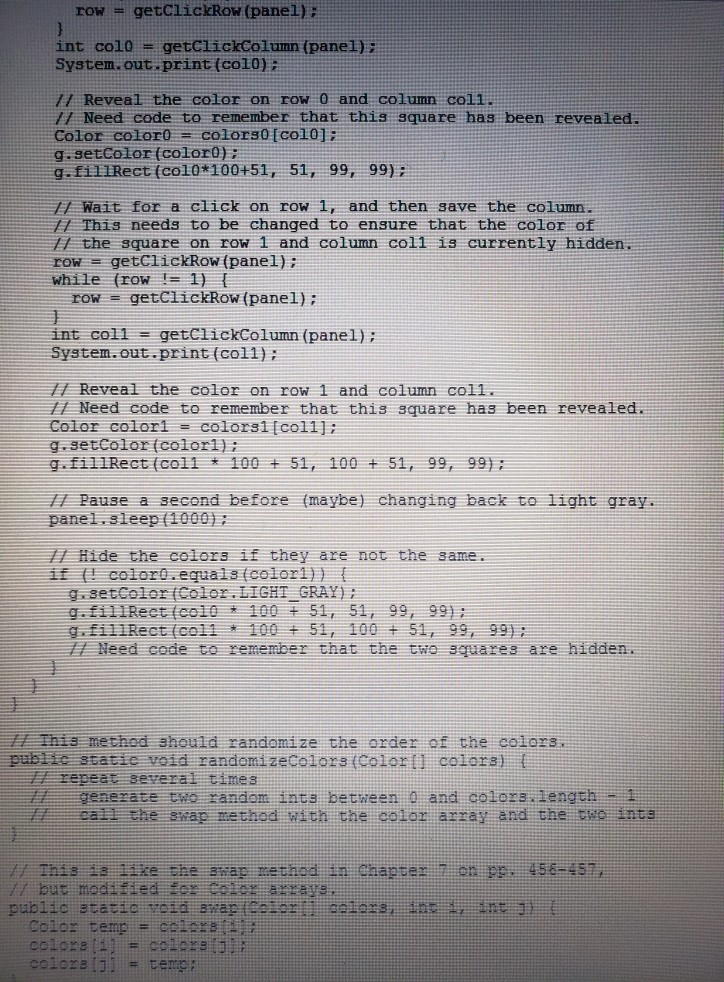
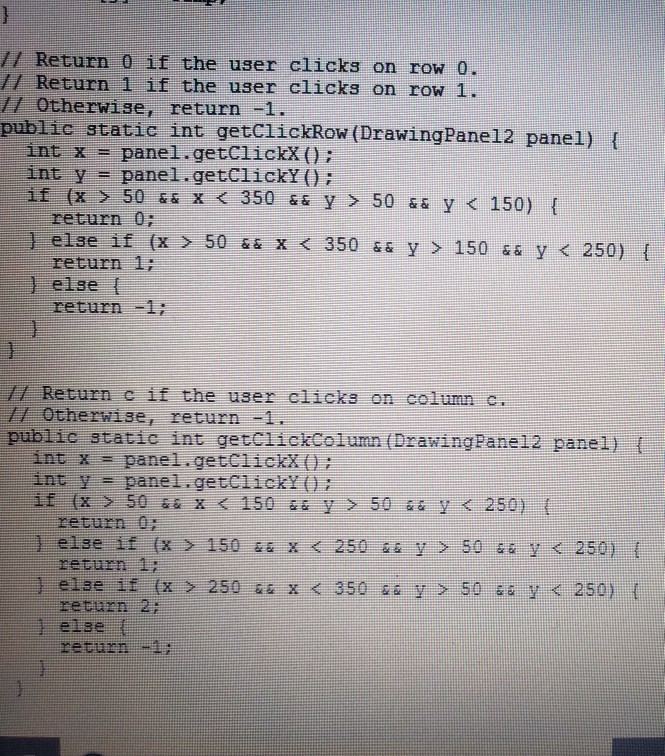
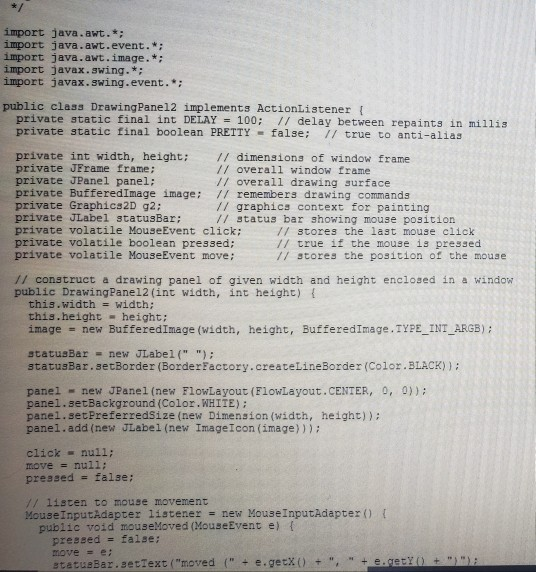
Of a photo is blurry or hard to read please comment and I'll retake it. Thanks!
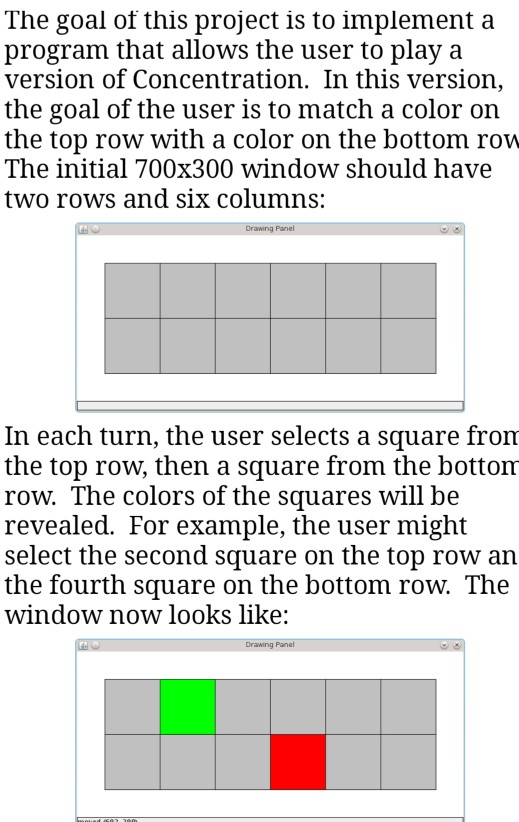
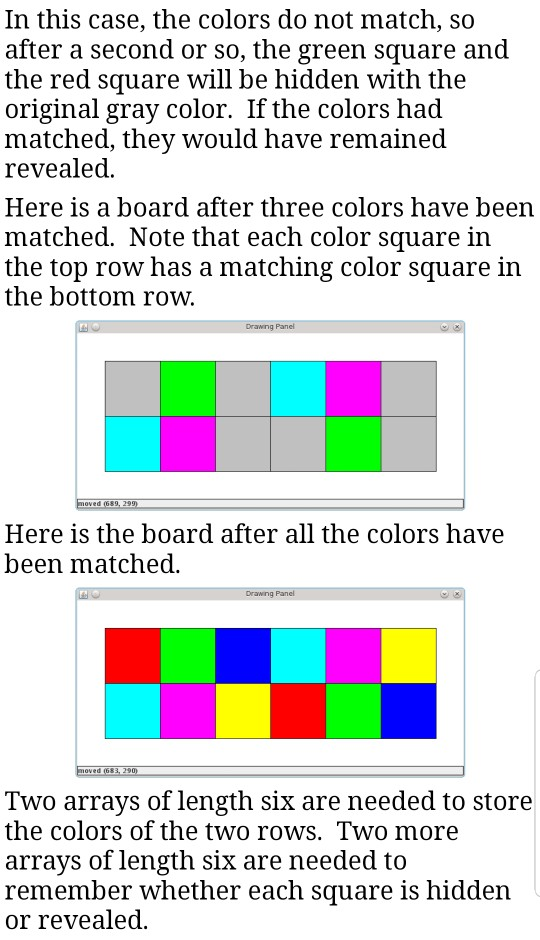
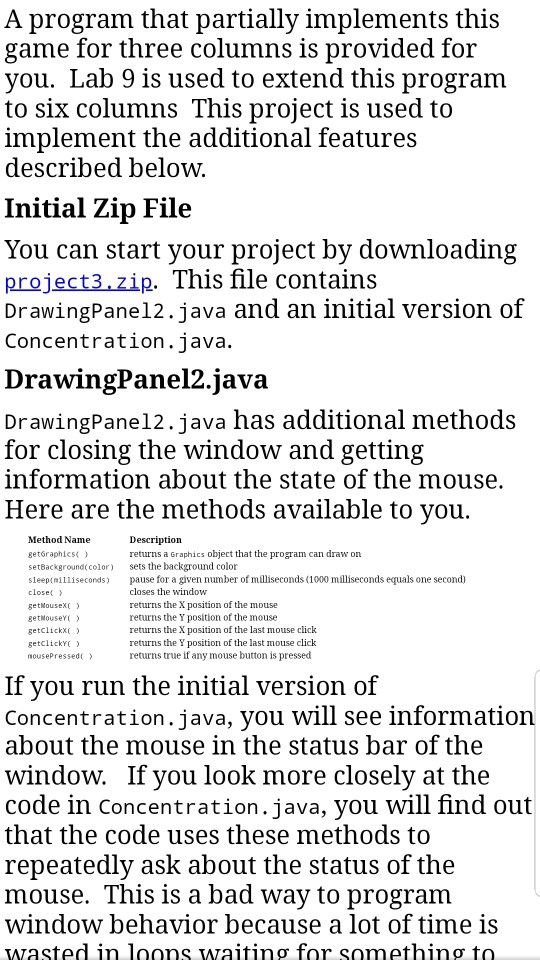
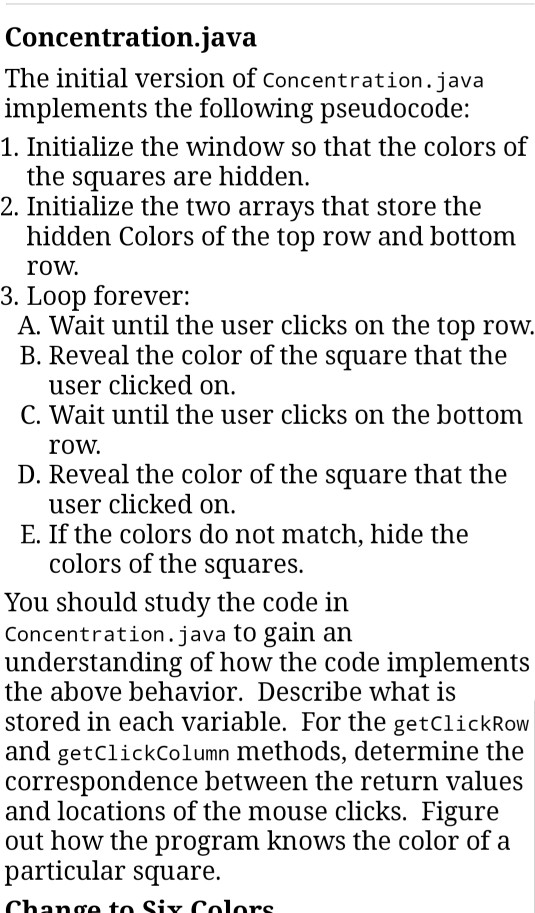
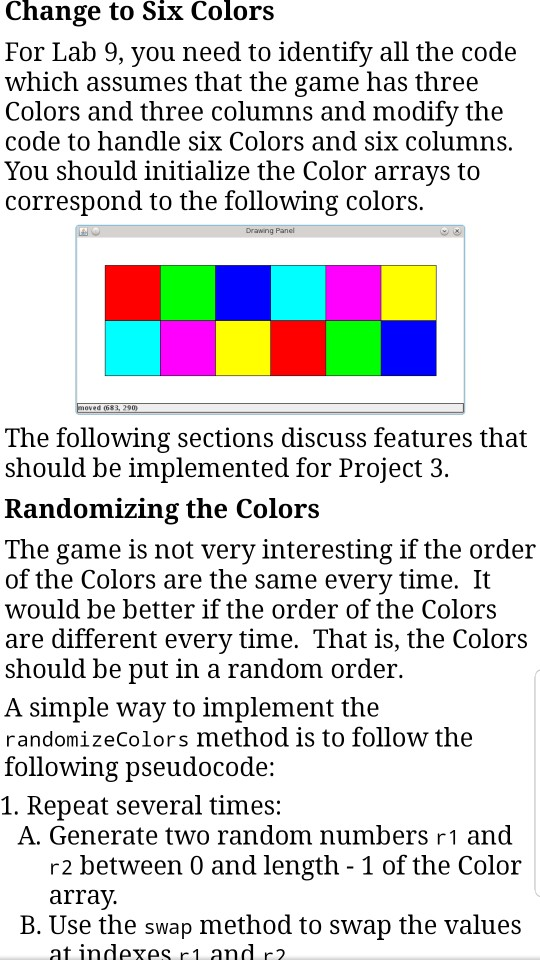
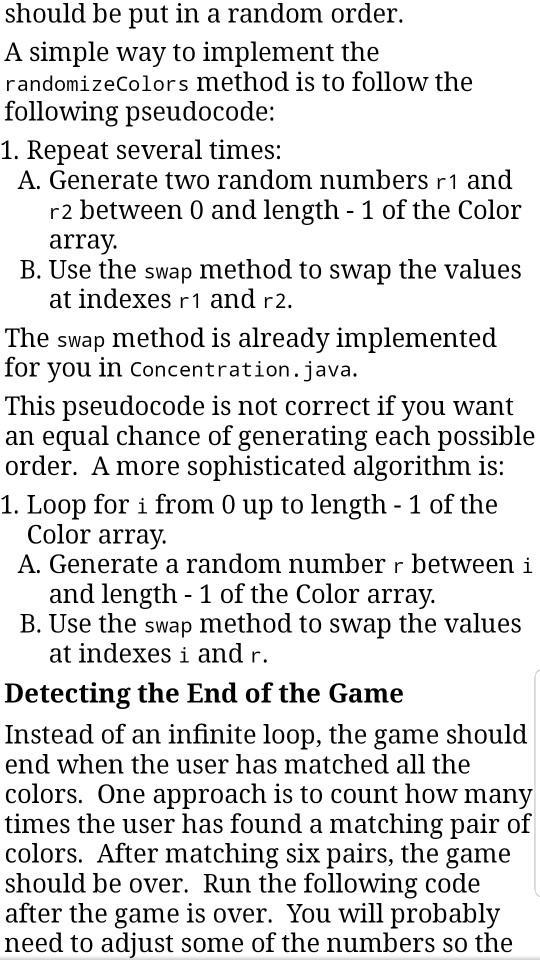
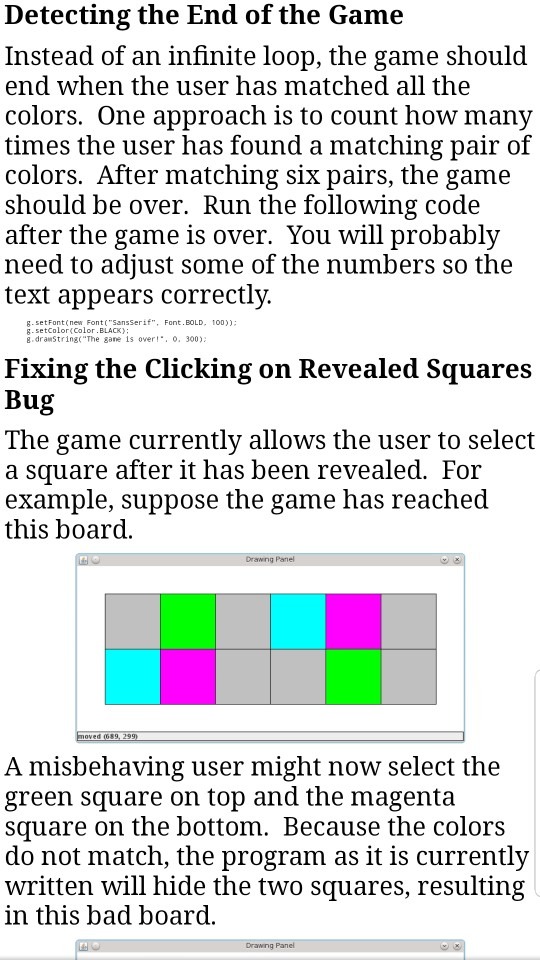
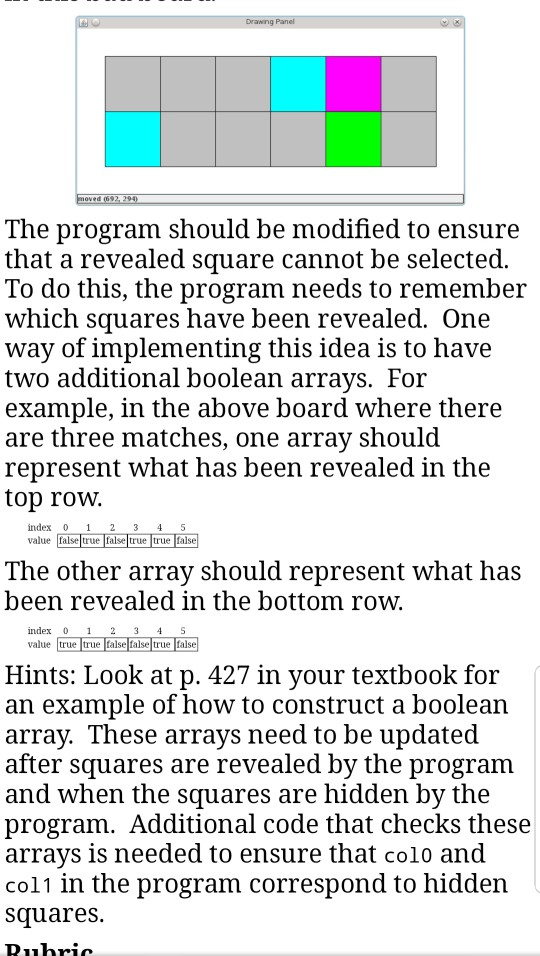
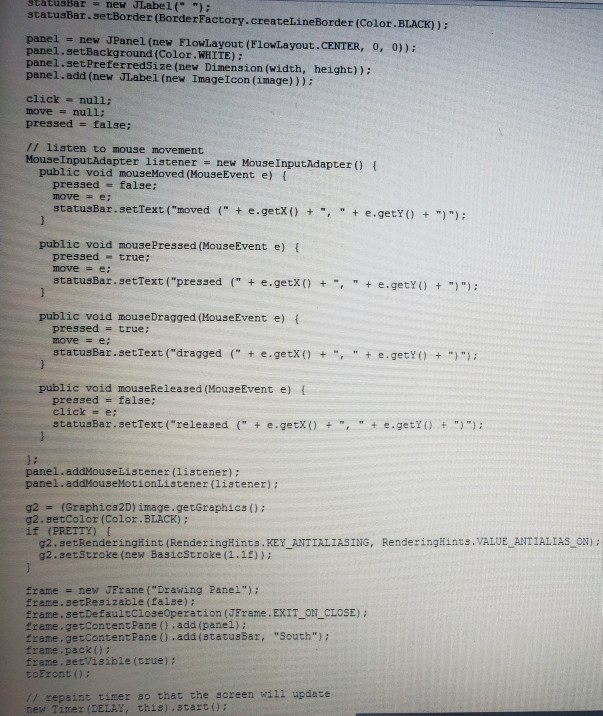
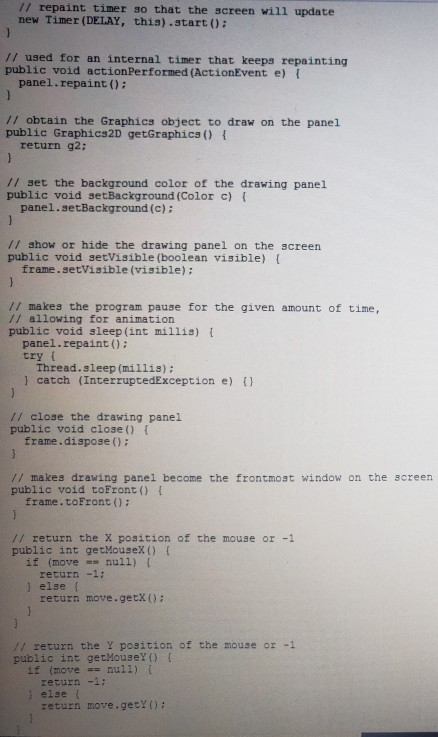
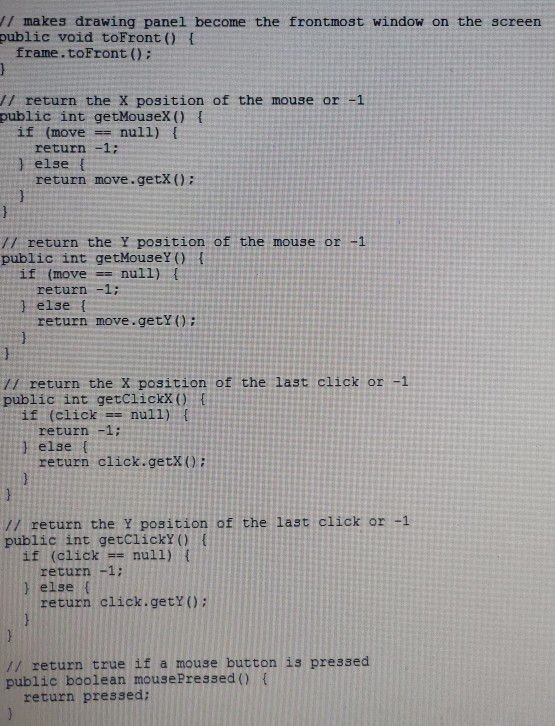
The goal of this project is to implement:a program that allows the user to play a version of Concentration. In this version, the goal of the user is to match a color on the top row with a color on the bottom row The initial 700x300 window should have two rows and six columns: In each turn, the user selects a square from the top row, then a square from the bottonm row. The colors of the squares will be revealed. For example, the user might select the second square on the top row an the fourth square on the bottom row. The window now looks like: Drawing Panel In this case, the colors do not match, so after a second or so, the green square and the red square will be hidden with the original gray color. If the colors had matched, they would have remained revealed Here is a board after three colors have been matched. Note that each color square in the top row has a matching color square in the bottom row. Drawng Here is the board after all the colors have been matched. Two arrays of length six are needed to store the colors of the two rows. Two more arrays of length six are needed to remember whether each square is hidden or revealed A program that partially implements this game for three columns is provided for you. Lab 9 is used to extend this program to six columnsThis proiect is used to implement the additional features described below. Initial Zip File You can start your project by downloading project3.zip. This file contains DrawingPane12.java and an initial version of Concentration.java. DrawingPanel2.java DrawingPane12.java has additional methods for closing the window and getting information about the state of the mouse. Here are the methods available to vou Method Name getraphis) setBackgroundccolor) sets the background color sleep nilliseconds pause for a given number of milliseconds (1000 milliseconds equals one second) closec getNousexc getouse getclickxXC getclickC nousePressed) Description returns a Graphics object that the program can draw on closes the window returns the X position of the mouse returns the Y position of the mouse returns the X position of the last mouse click returns the Y position of the last mouse click returns true if any mouse button is pressed If you run the initial version of Concentration.java, you will see information about the mouse in the status bar of the window. If you look more closely at the code in concentration.java, you will find out that the code uses these methods to repeatedly ask about the status of the mouse. This is a bad way to program window behavior because a lot of time 1s wasted in loons waiting for something to Concentration.java The initial version of concentration, java implements the following pseudocode: 1. Initialize the window so that the colors of the squares are hiddern 2. Initialize the two arrays that store the hidden Colors of the top row and bottom row. 3. Loop forever: A. Wait until the user clicks on the top row. B. Reveal the color of the square that the user clicked on C. Wait until the user clicks on the bottom row. D. Reveal the color of the square that the user clicked on E. If the colors do not match, hide the colors of the squares. You should study the code in Concentration.java to gain an understanding of how the code implements the above behavior. Describe what is stored in each variable. For the getclickRow and getclickColumn methods, determine the correspondence between the return values and locations of the mouse clicks. Figure out how the program knows the color of a particular square. Change to Six Colors For Lab 9, you need to identify all the code which assumes that the game has three Colors and three columns and modifv the code to handle Six Colors and six columns You should initialize the Color arrays to correspond to the following colors. The following sections discuss features that should be implemented for Project 3. Randomizing the Colors The game is not very interesting if the order of the Colors are the same everv time. It would be better if the order of the Colors are different every time. That is, the Colors should be put in a random order. A simple way to implement the randomizeColors method is to follow the following pseudocode: 1. Repeat several times: A. Generate two random numbers r1 and r2 between 0 and length - 1 of the Color array B. Use the swap method to swap the values at indexes r1 and r2 should be put in a random order. A simple way to implement the randomizeColors method is to follow the following pseudocode: 1. Repeat several times: A. Generate two random numbers r1 and r2 between 0 and length - 1 of the Color array. B. Use the swap method to swap the values at indexes r1 and r2. The swap method is already implemented for vou in concentration.java. This pseudocode is not correct if you want an equal chance of generating each possible order. Amore sophisticated algorithm is: 1. Loop for i from 0 up to length - 1 of the Color array A. Generate a random number r between i and length -1 of the Color array. B. Use the swap method to swap the values at indexes i and r. Detecting the End of the Game Instead of an infinite loop, the game should end when the user has matched all the colors. One approach is to count how many times the user has found a matching pair of colors. After matching six pairs, the game should be over. Run the following code after the game is over. You will probably need to adjust some of the numbers so the Detecting the End of the Game Instead of an infinite loop, the game should end when the user has matched all the colors. One approach is to count how many times the user has found a matching pair of colors. After matching six pairs, the game should be over. Run the following code after the game is over. You will probably need to adiust some of the numbers so the text appears correctly. g.setFont (new Font( "SansSerif", Font.BOLD. 100)): g.setcolor Color.BLACK) 8-dramString"The gane is over!". . 300) Fixing the Clicking on Revealed Squares The game currently allows the user to select a square after it has been revealed. For example, suppose the game has reached this board A misbehaving user might now select the green square on top and the magenta square on the bottom. Because the colors do not match, the program as it is currently written will hide the two squares, resulting in this bad board Drawng The program should be modified to ensure that a revealed square cannot be selected To do this, the program needs to remember which squares have been revealed. One way of implementing this idea is to have two additional boolean arrays. For example, in the above board where there are three matches, one array should represent what has been revealed in the top roW. index 0 1 23 45 value Talse t true true fals The other array should represent what has been revealed in the bottom row. index 0 2 3 4 S value true true false false true fals Hints: Look at p. 427 in your textbook for an example of how to construct a boolean array. These arrays need to be updated after squares are revealed by the program and when the squares are hidden by the program. Additional code that checks these arrays is needed to ensure that colo and col1 in the program correspond to hidden squares. import java.awt.* import java.awt.event.* import java.awt.image. * import javax.swing.* import javax.swing.event. public class DrawingPane12 implements ActionListener ( private static final int DELAY 100; // delay between repaints in millis private static final boolean PRETTYfalse; // true to anti-alias private int width, height: // dimensions of window frame private JFrame frame: private JPanel panel: private BufferedImage image: // remembers drawing commands private Graphics2D g2: private JLabel statusBar; private volatile MouseEvent click: private volatile boolean pressed; private volatile MouseEvent move; // overall window frame // overall drawing surface // graphics context for painting / status bar showing mouse position // stores the last mouse click / true if the mouse is pressed / stores the position of the mouse // construct a drawing panel of given width and height enclosed in a window public DrawingPanel2 (int width, int height) f this.width -width; this.height -height: image new BufferedImage (width, height, BufferedImage.TYPE INT ARGB): statusBar -new JLabel(" ") statusBar.setBorder (BorderFactory.createLineBorder (Color.BLACK)) panei.ae tBackgrpundco1P2 pane! new JPanel (new FlowLayout (FlowLayout,CENTER, 0, panel.setBackground (Color.WHIIE): panel.setPreferredSize (new Dimension (width, height)): panel.add (new JLabel (new ImageIcon (image))) 0)); click null; move null: pressed false ; // listen to mouse movement MouseInputAdapter listener-new MouseInputAdaptert public void mouseMoved (MouseEvent e) f pressed = false; movee (" + e.getX () " + e, eti o t ",-) + statuaBarsetText ( "moved ttuarnew JLabel (") statusBar.setBorder (BorderFactory.createLineBorder (Color.B LACK)): panel new JPanel (new FlowLayout (FlowLayout.CENTER, 0, 0)): panel.setBackground (Color.WHITE): panel.setPreferredsize (new Dimension (width, height)): panel.add (new JLabel (new ImageIcon (image)): click null: move null: pressed- false: // listen to mouse movement Mouse InputAdapter listener - new Mouse InputAdapter ) t public void mouseMoved (MouseEvent e) f pressed = false; move e: statusBar.setText ("moved " e.getx)e.getYo": public void mousePressed (MouseEvent e) t pressed true: move e statusBar. setText ("pressed ( e.getx)egetY() ): public void mouseDragged (MouseEvent e) t pressed true: move = e; statusBar.setText ("dragged (" e.getx)O+ ,+ e.getY)+") public void mouseReleased (MouseEvent e) t pressed false; click e ; statusBar.setText ("released (" e.getx()e.getY) panel.addMouseListener (listener) panel.addMouseMotionListener (listener): g2-(Graphics2D) image.getGraphics(0; g2.setColor (Color. BLACK) if (PRETTY) g2.etRenderingHint (Rende ringHints . KEY g2.setstroke (new BasicStroke (1.11)): ANTIALIASNG Rende ringHints,VALUE-ANTIALIAS ON); Erame new JFrame ("Drawing Panel") frame.setResizable (false): Erame.setDefaultcloseOperation (JFrame. EXIT_ON_CLOSE): frane.getcontentPane().add (panel); frame.getcontentPane .add (stacusBar, "South") frame.pack ): frame.setVisible (true): tofront O: // zepaint tiner so that the screen will update new Timer (DELAY, this).start): // repaint timer so that the screen will update new Timer (DELAY, this).start : // used for an internal timer that keeps repainting public void actionPerformed (ActionEvent e) panel.repaint (): // obtain the Graphics object to draw on the panel public Graphics2D getGraphics) t return g2: // set the background color of the drawing panel public void setBackground (Color c) panel.setBackground (c) // show or hide the drawing panel on the screen public void setVisible (boolean visible) t frame.setVisible (visible): // makes the program pause for the given amount of time, // allowing for animation public void sleep(int millis) panel.repaint ) try t Thread.sleep (millis): ) catch (InterruptedException e) // close the drawing panel public void close ) I frame.dispose ): // makes drawing panel become the frontmost window on the screen public void toFront ) frame. toFront ): // return the X position of the mouse or -1 public int getMousex () if (movenui1) return -1: ) else return move.getx ): // return the Y position of the mouse or -1 public int getMousel )[ if (move null1) ( return -1: , else return move.getY o: /1 makes drawing panel become the frontmost window on the screen public void toFront) frame.toFront ); // return the X position of the mouse or -1 public int getMousex() I if (movenull) return -1: ) else f return move.getX(0: /l return the Y position of the mouse or -1 public int getMouseY () I if (movenull) return-1: 1 else t return move.getY): /1 return the X position of the last click or -1 public int getclickXOt if (clicknull):f return -1: 1 else t return click.getX // return the Y position of the last click or -1 public int getclickY ) ( if (click null) t return -1: ) else ( return clack.getxo; // return true if a mouse button is pressed public boolean mousePressed ) t return pressed
Step by Step Solution
There are 3 Steps involved in it

Get step-by-step solutions from verified subject matter experts
 Study Help