







Question: In java, You will implement an Appointment class that interacts with the menu-driven application, called ApptMenu. There will be four fields in the Appointment class:
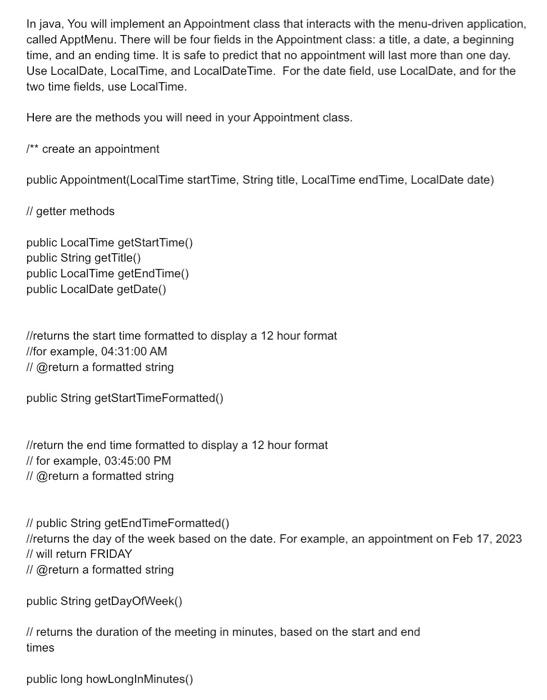
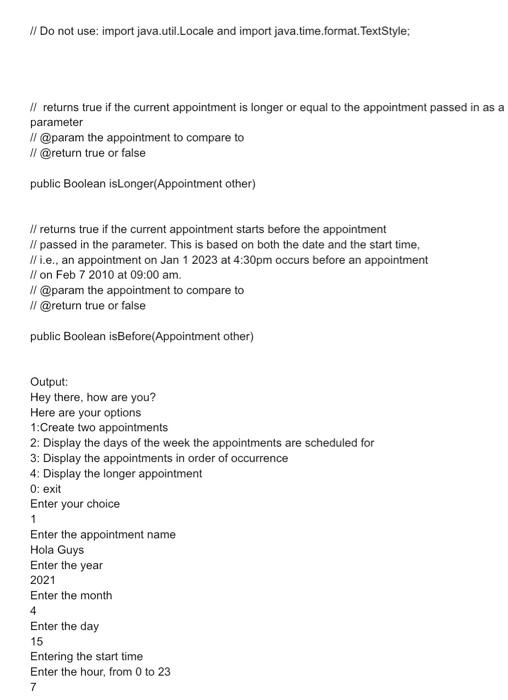
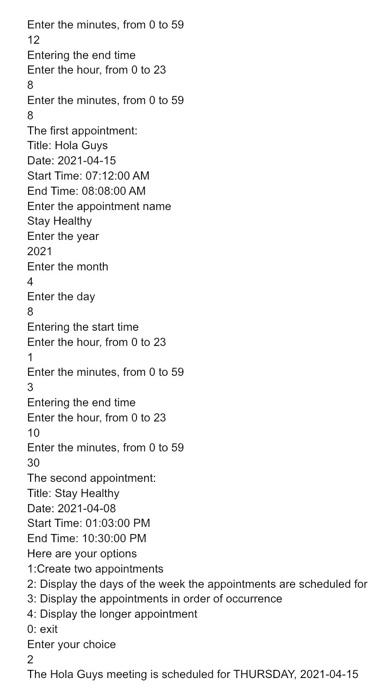
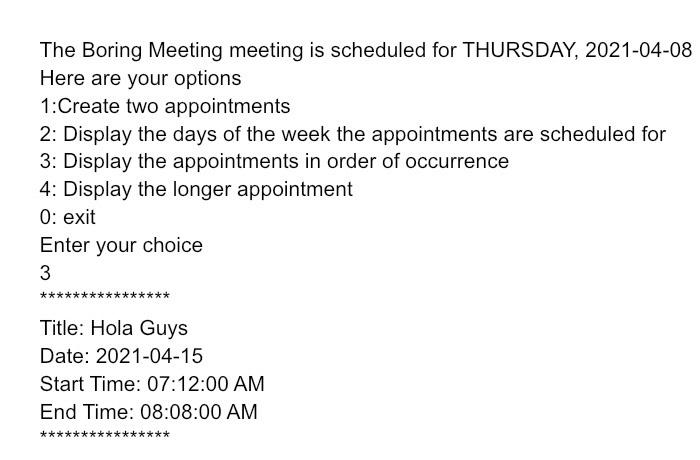
In java, You will implement an Appointment class that interacts with the menu-driven application, called ApptMenu. There will be four fields in the Appointment class: a title, a date, a beginning time, and an ending time. It is safe to predict that no appointment will last more than one day. Use LocalDate, LocalTime, and LocalDateTime. For the date field, use LocalDate, and for the two time fields, use LocalTime. Here are the methods you will need in your Appointment class. f create an appointment public Appointment(LocalTime startTime, String title, LocalTime endTime, LocalDate date) I/ getter methods public LocalTime getStartTime() public String getTitle() public LocalTime getEndTime() public LocalDate getDate() //returns the start time formatted to display a 12 hour format //for example, 04:31:00 AM I/ @return a formatted string public String getStartTimeFormatted() //return the end time formatted to display a 12 hour format /I for example, 03:45:00 PM /I @return a formatted string I/ public String getEndTimeFormatted() I/returns the day of the week based on the date. For example, an appointment on Feb 17, 2023 // will return FRIDAY //@return a formatted string public String getDayOfWeek() I/ returns the duration of the meeting in minutes, based on the start and end times public long howLonglnMinutes() I/ Do not use: import java.util.Locale and import java.time.format. TextStyle: II returns true if the current appointment is longer or equal to the appointment passed in as a parameter // @param the appointment to compare to // @return true or false public Boolean isLonger(Appointment other) I/ returns true if the current appointment starts before the appointment I/ passed in the parameter. This is based on both the date and the start time, // i.e., an appointment on Jan 12023 at 4:30pm occurs before an appointment II on Feb 72010 at 09:00 am. I/ @param the appointment to compare to I/ @return true or false public Boolean isBefore(Appointment other) Output: Hey there, how are you? Here are your options 1:Create two appointments 2: Display the days of the week the appointments are scheduled for 3: Display the appointments in order of occurrence 4: Display the longer appointment 0 : exit Enter your choice 1 Enter the appointment name Hola Guys Enter the year 2021 Enter the month 4 Enter the day 15 Entering the start time Enter the hour, from 0 to 23 7 Enter the minutes, from 0 to 59 12 Entering the end time Enter the hour, from 0 to 23 8 Enter the minutes, from 0 to 59 8 The first appointment: Title: Hola Guys Date: 2021-04-15 Start Time: 07:12:00 AM End Time: 08:08:00 AM Enter the appointment name Stay Healthy Enter the year 2021 Enter the month 4 Enter the day 8 Entering the start time Enter the hour, from 0 to 23 1 Enter the minutes, from 0 to 59 3 Entering the end time Enter the hour, from 0 to 23 10 Enter the minutes, from 0 to 59 30 The second appointment: Title: Stay Healthy Date: 2021-04-08 Start Time: 01:03:00 PM End Time: 10:30:00 PM Here are your options 1:Create two appointments 2: Display the days of the week the appointments are scheduled for 3: Display the appointments in order of occurrence 4: Display the longer appointment 0 : exit Enter your choice 2 The Hola Guys meeting is scheduled for THURSDAY, 2021-04-15 The Boring Meeting meeting is scheduled for THURSDAY, 2021-04-08 Here are your options 1:Create two appointments 2: Display the days of the week the appointments are scheduled for 3: Display the appointments in order of occurrence 4: Display the longer appointment 0 : exit Enter your choice 3 Title: Hola Guys Date: 2021-04-15 Start Time: 07:12:00 AM End Time: 08:08:00 AM
Step by Step Solution
There are 3 Steps involved in it

Get step-by-step solutions from verified subject matter experts
 Study Help