



Question: In MATLAB, a grey-scale image is stored a a matrix of numbers, all between 0 (black) and 255 (white). Since there are 256 possible
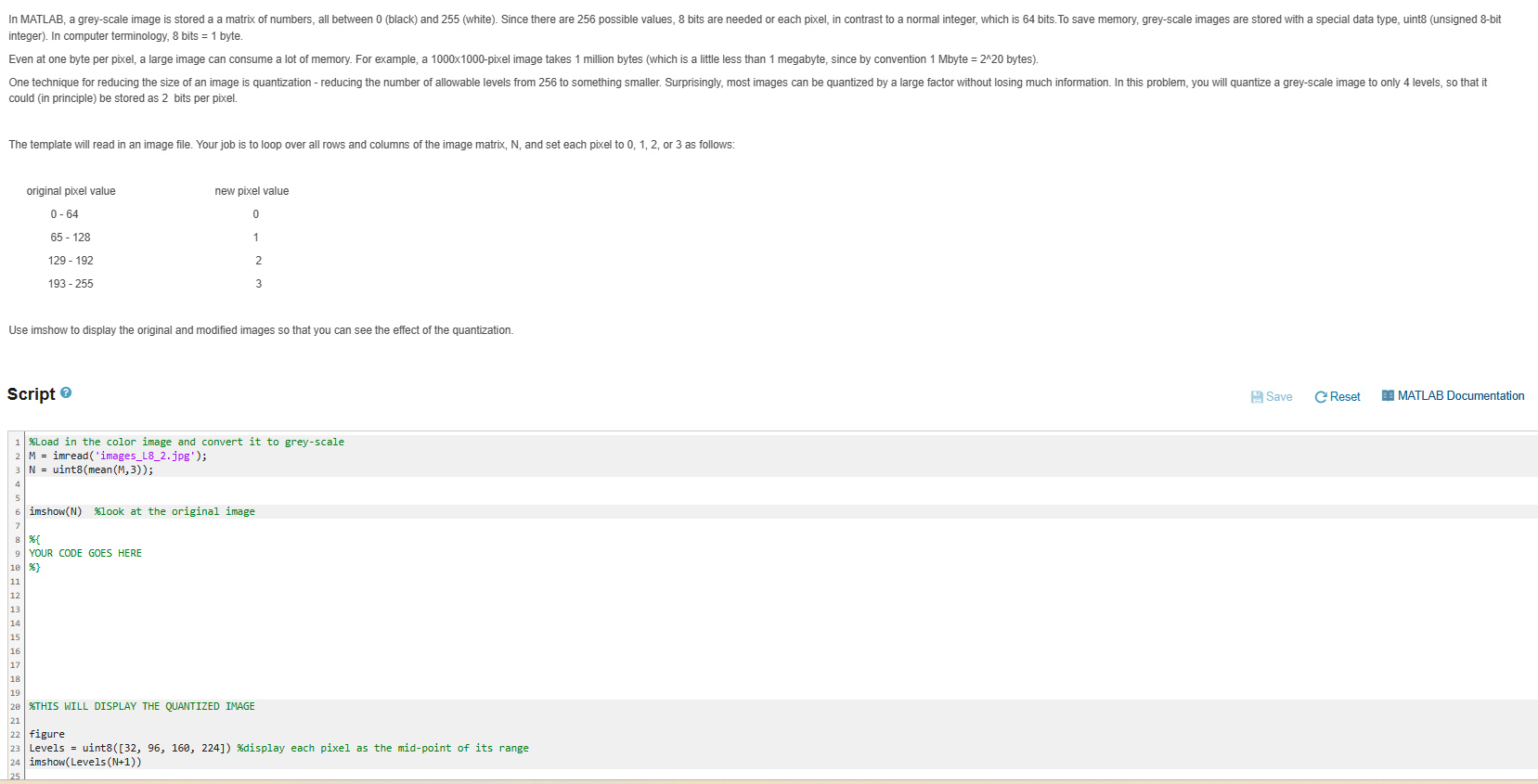
In MATLAB, a grey-scale image is stored a a matrix of numbers, all between 0 (black) and 255 (white). Since there are 256 possible values, 8 bits are needed or each pixel, in contrast to a normal integer, which is 64 bits. To save memory, grey-scale images are stored with a special data type, uint8 (unsigned 8-bit integer). In computer terminology, 8 bits = 1 byte. Even at one byte per pixel, a large image can consume a lot of memory. For example, a 1000x1000-pixel image takes 1 million bytes (which is a little less than 1 megabyte, since by convention 1 Mbyte = 2^20 bytes). One technique for reducing the size of an image is quantization - reducing the number of allowable levels from 256 to something smaller. Surprisingly, most images can be quantized by a large factor without losing much information. In this problem, you will quantize a grey-scale image to only 4 levels, so that it could (in principle) be stored as 2 bits per pixel. The template will read in an image file. Your job is to loop over all rows and columns of the image matrix, N, and set each pixel to 0, 1, 2, or 3 as follows: original pixel value 0-64 65 - 128 129 - 192 193-255 Script new pixel value 0 1 Use imshow to display the original and modified images so that you can see the effect of the quantization. 2 3 1 % Load in the color image and convert it to grey-scale 2 M imread('images_L8_2.jpg'); 3 N uint8(mean (M, 3)); 4 7 8 %{ 9 YOUR CODE GOES HERE imshow(N) %look at the original image 10 %} 11 12 13 14 15 16 17 18 19 20 %THIS WILL DISPLAY THE QUANTIZED IMAGE 21 22 figure 23 Levels = uint8([32, 96, 160, 224]) %display each pixel as the mid-point of its range 24 imshow(Levels (N+1)) 25 Save C Reset MATLAB Documentation
Step by Step Solution
There are 3 Steps involved in it
The question involves writing a MATLAB script to quantize a greyscale image to just four ... View full answer

Get step-by-step solutions from verified subject matter experts