







Question: In Matlab: Difference Analysis: Input 1: Function handle to be used as the input for the approximation Input 2: Name of a vector holding the
In Matlab:
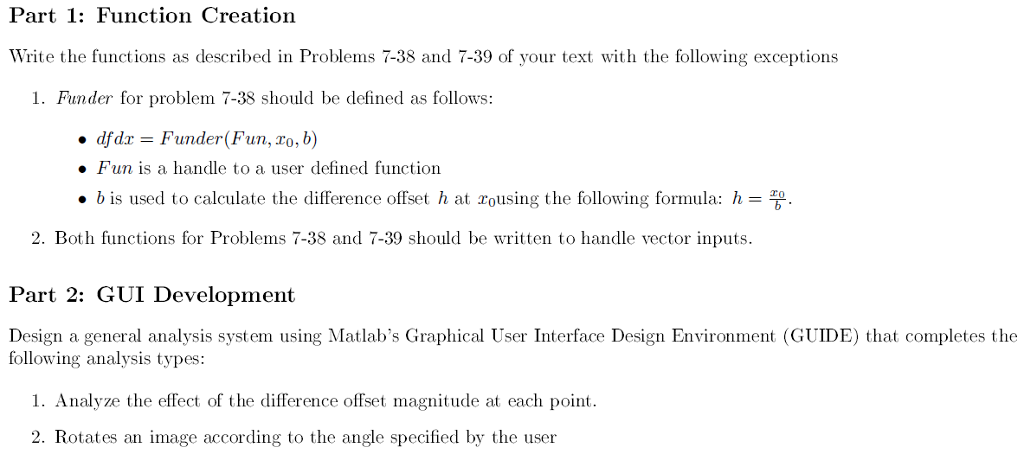
Difference Analysis: Input 1: Function handle to be used as the input for the approximation Input 2: Name of a vector holding the input points for the approximation Input 3: Function handle to the analytical solution of the functional derivative we are attempting to approximate. Slider Bar: Set to provide integer values for b for the Funder function. Values should range from 1 to 100;
Use Inputs 1-3 and Funder you wrote in Part 1 of this project to calculate the derivative of the function specified in Input1 at the points specified in Input 2 for the individual oets obtained from the scale factor provided by the slider bar.. Plot the results of this approximation in plot area 1.
Evaluate the analytical solution to the derivative specied in Input 4 at the points specified in Input 2. Determine the difference between the analytical solution and the approximation. Plot the analytical solution and the magnitude of the difference as error bars at each point in plot area 2. Save results of the approximation, the analytical solution, and the scale factor as GUI Variables.
Rotation Analysis Input 1: Function handle to be used as the input for the image rotation. (Note: this requires a function that operates on two variables) Input 2: Name of a vector holding the input X coordinates Input 3: Name of a vector holding the input Y coordinates Input 4: Function handle to the analytical solution of the functional derivative we are attempting to approximate. Slider Bar: Set to provide integer values for for therotation function. Values should range from 1 to 359;
Calculate the output of the function specified in Input1 at the points specified in Inputs 2 and 3. Plot the results in plot area 1. Call the rotation function you wrote in Part 1 using the X and Y input coordinates given in Inputs 2 and 3 and the value from the slider bar. Evaluate the input function using the new rotated coordinates. Display the results in plot area 2. Save results of the input function output for the input coordinates, the rotated coordinates, function output for the rotated coordinates, and the current value as GUI Variables Useful Functions: meshgrid and imagesc.
Analysis Type Selection The type of analysis is determined by a pop-up menu with a list of the 2 analysis types. Save Results Button Use this button to save all the GUI variable specified in the Difference and Rotation Analyses back to Matlab's base workspace.
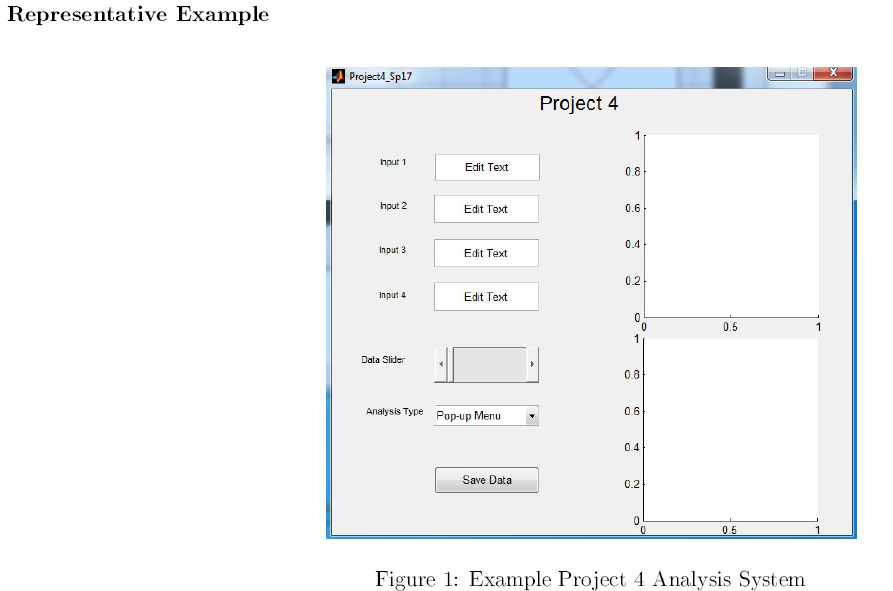
Problem 7-38:
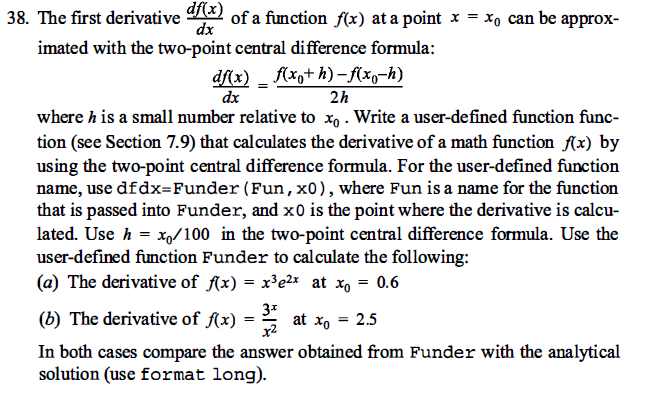
Problem 7-39:
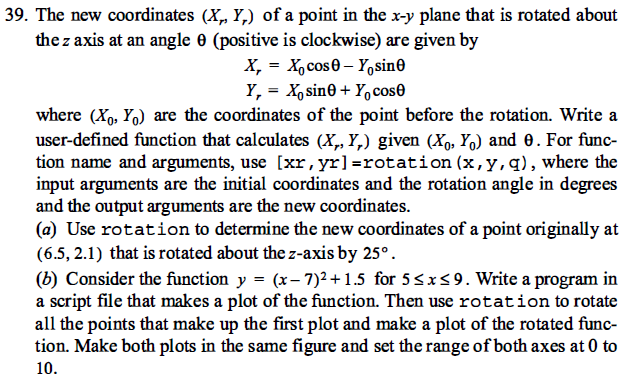
Part 1: Function Creation Write the functions as described in Problems 7-38 and 7-39 of your text with the following exceptions 1. Furn der for problem 7-38 should be defined as follows: afdr Funder (Fun, To, b) Fun is a handle to a user defined function b is used to calculate the difference offset h at rousing the following formula: h TO 2. Both functions for Problems 7-38 and 7-39 should be written to handle vector inputs. Part 2: GUI Development Design a general analysis system using Matlab's Graphical User Interface Design Environment (GUIDE) that completes the following analysis types: 1. Analyze the effect of the difference offset magnitude at each point 2. Rotates an image according to the angle specified by the user Part 1: Function Creation Write the functions as described in Problems 7-38 and 7-39 of your text with the following exceptions 1. Furn der for problem 7-38 should be defined as follows: afdr Funder (Fun, To, b) Fun is a handle to a user defined function b is used to calculate the difference offset h at rousing the following formula: h TO 2. Both functions for Problems 7-38 and 7-39 should be written to handle vector inputs. Part 2: GUI Development Design a general analysis system using Matlab's Graphical User Interface Design Environment (GUIDE) that completes the following analysis types: 1. Analyze the effect of the difference offset magnitude at each point 2. Rotates an image according to the angle specified by the user
Step by Step Solution
There are 3 Steps involved in it

Get step-by-step solutions from verified subject matter experts
 Study Help