







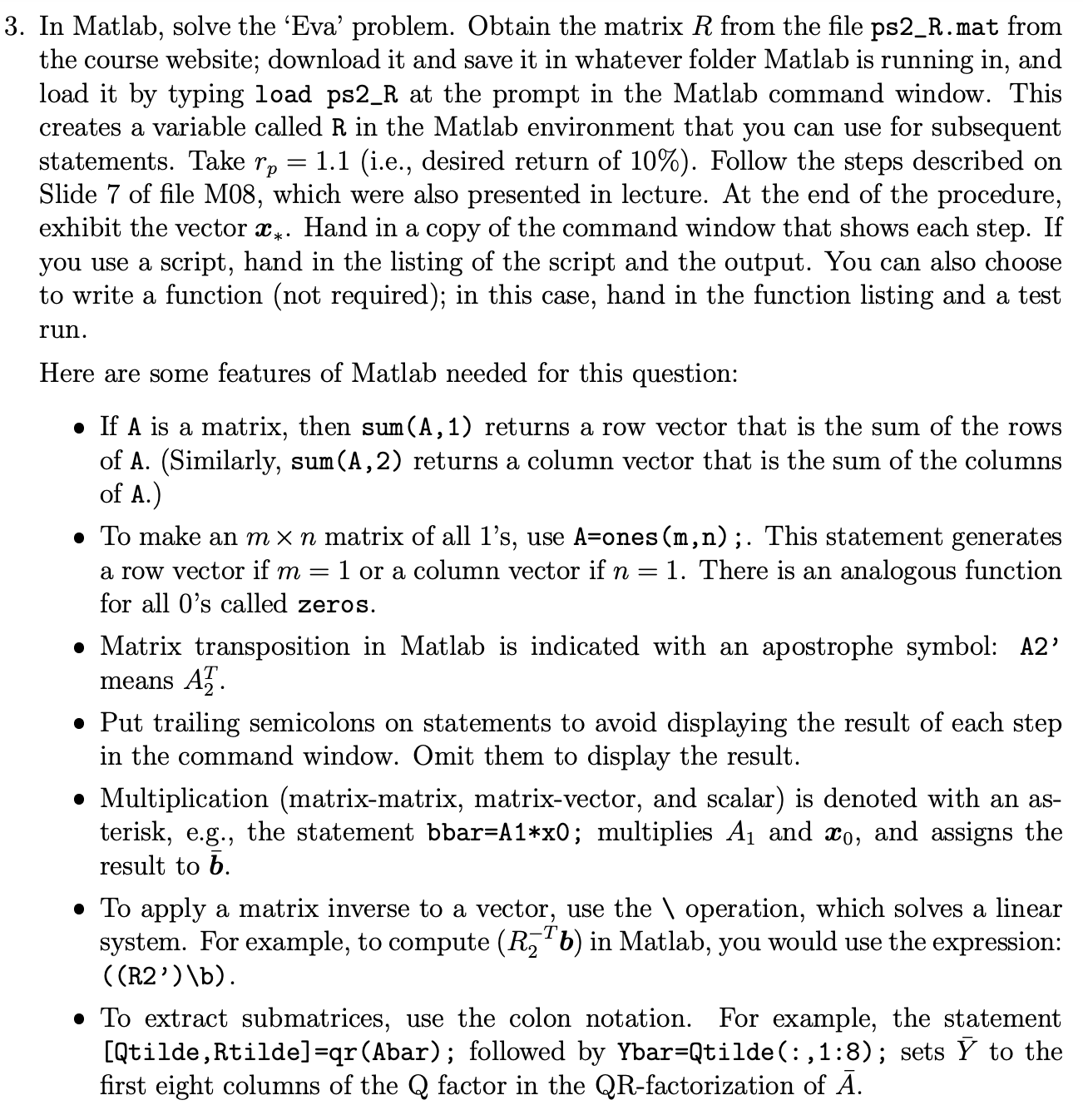
Question: In Matlab, solve the 'Eva' problem. Obtain the matrix R from the file ps 2 _ R . mat from the course website; download it
In Matlab, solve the 'Eva' problem. Obtain the matrix from the file psRmat from
the course website; download it and save it in whatever folder Matlab is running in and
load it by typing load psR at the prompt in the Matlab command window. This
creates a variable called in the Matlab environment that you can use for subsequent
statements. Take ie desired return of Follow the steps described on
Slide of file M which were also presented in lecture. At the end of the procedure,
exhibit the vector Hand in a copy of the command window that shows each step. If
you use a script, hand in the listing of the script and the output. You can also choose
to write a function not required; in this case, hand in the function listing and a test
run.
Here are some features of Matlab needed for this question:
If is a matrix, then returns a row vector that is the sum of the rows
of ASimilarly sum returns a column vector that is the sum of the columns
of A
To make an matrix of all s use ones; This statement generates
a row vector if or a column vector if There is an analogous function
for all s called zeros.
Matrix transposition in Matlab is indicated with an apostrophe symbol: A
means
Put trailing semicolons on statements to avoid displaying the result of each step
in the command window. Omit them to display the result.
Multiplication matrixmatrix, matrixvector, and scalar is denoted with an as
terisk, eg the statement bbarAx; multiplies and and assigns the
result to
To apply a matrix inverse to a vector, use the operation, which solves a linear
system. For example, to compute in Matlab, you would use the expression:
Rb
To extract submatrices, use the colon notation. For example, the statement
QtildeRtildeqrAbar; followed by YbarQtilde::; sets to the
first eight columns of the Q factor in the QR factorization of
Step by Step Solution
There are 3 Steps involved in it
1 Expert Approved Answer
Step: 1 Unlock

Question Has Been Solved by an Expert!
Get step-by-step solutions from verified subject matter experts
Step: 2 Unlock
Step: 3 Unlock
 Study Help