







Question: in matlab using Simulink Required File Name: Tutorial_Simulink_4.slx 1. Modify Tutorial_Simulink_3.slx and save it as Tutorial_Simulink_4.slx by making the following changes. a. Create a Subsystem
in matlab using Simulink
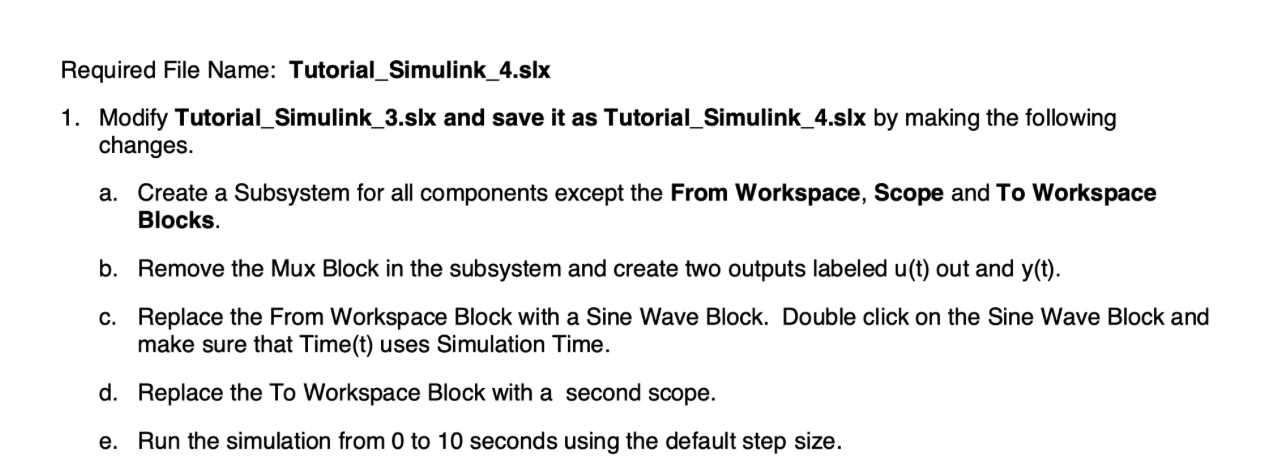
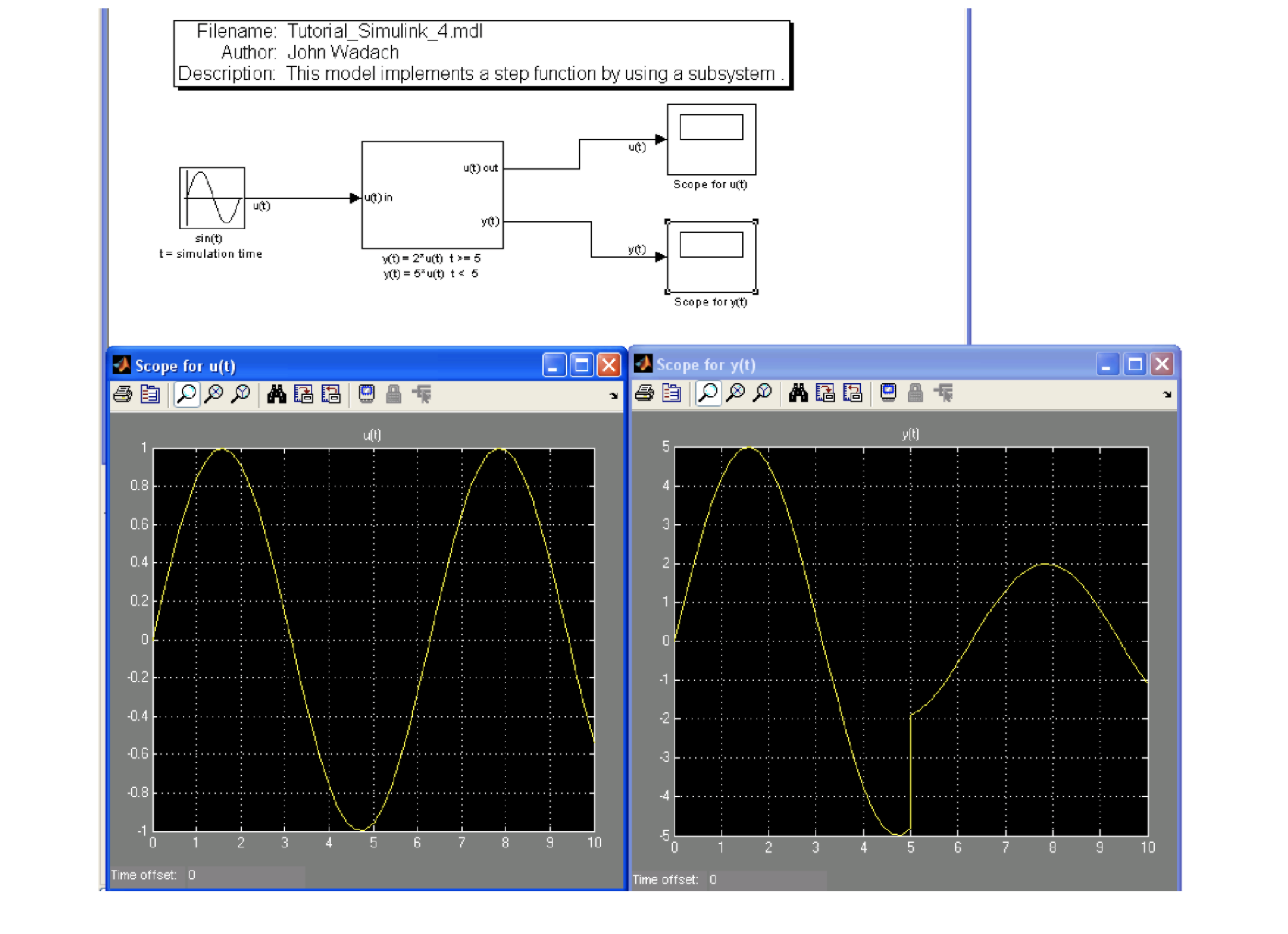
Required File Name: Tutorial_Simulink_4.slx 1. Modify Tutorial_Simulink_3.slx and save it as Tutorial_Simulink_4.slx by making the following changes. a. Create a Subsystem for all components except the From Workspace, Scope and To Workspace Blocks. b. Remove the Mux Block in the subsystem and create two outputs labeled u(t) out and y(t). c. Replace the From Workspace Block with a Sine Wave Block. Double click on the Sine Wave Block and make sure that Time(t) uses Simulation Time. d. Replace the To Workspace Block with a second scope. e. Run the simulation from 0 to 10 seconds using the default step size. Filename: Tutorial_Simulink_4.mdl Author: John Wadach Description. This model implements a step function by using a subsystem
Step by Step Solution
There are 3 Steps involved in it

Get step-by-step solutions from verified subject matter experts
 Study Help