







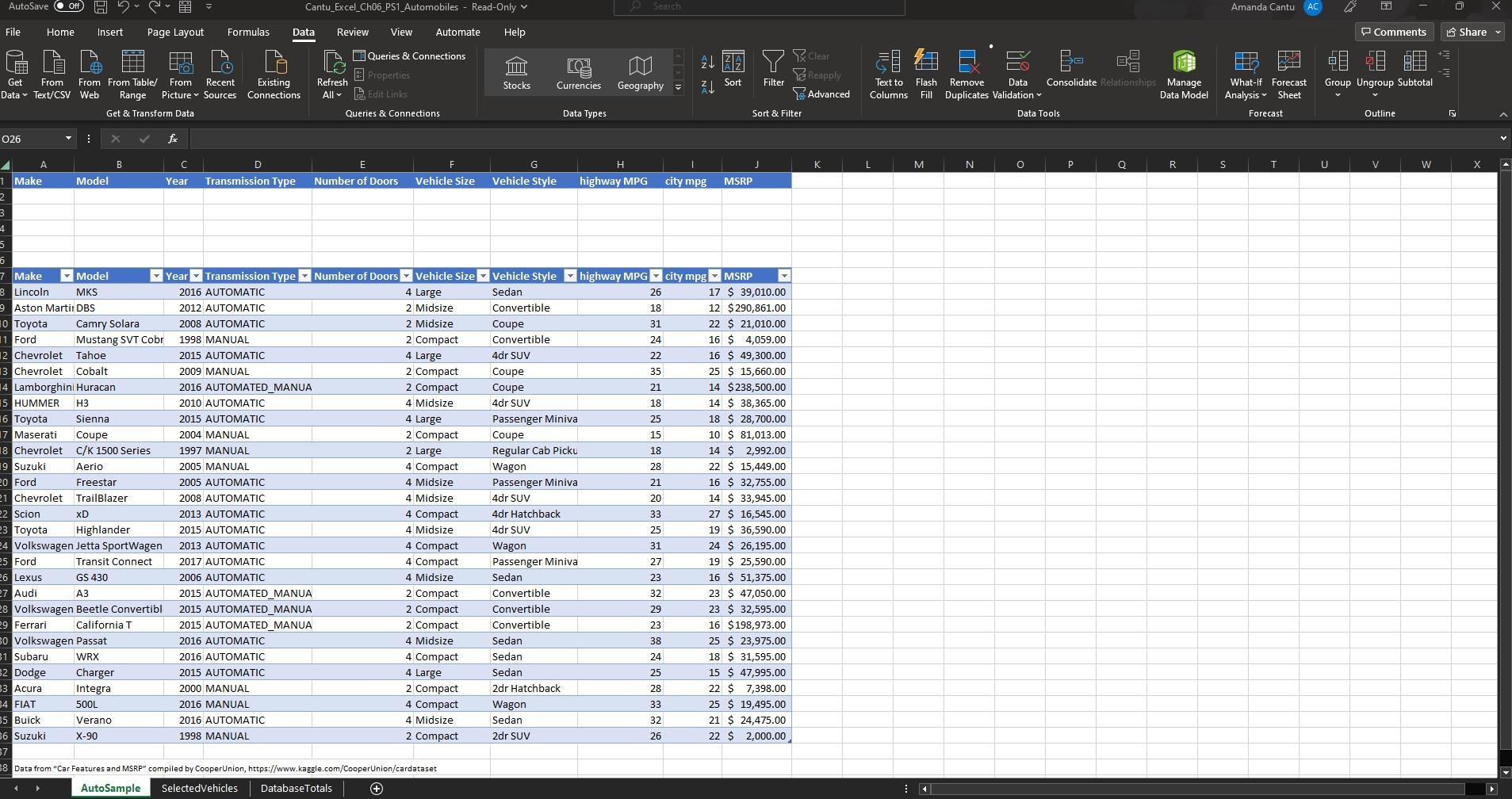
Question: In order to create an Advanced Filter you must include the column headings to which you will be specifying criteria. Copy the headers in A7:J7
| In order to create an Advanced Filter you must include the column headings to which you will be specifying criteria. Copy the headers in A7:J7 and paste the headings starting in cell A1. |
| Using the Advanced Filter, display only the records with an Automatic transmission type, that are a Midsize vehicle size, with an MSRP of . |
| Copy the filtered data, including the headings, and paste a copy on the SelectedVehicles worksheet, starting in cell A1. If necessary, adjust the column widths so that all data are visible. |
I'm having a hard time trying to figure out how to create the advanced filter.
Step by Step Solution
There are 3 Steps involved in it
1 Expert Approved Answer
Step: 1 Unlock

Question Has Been Solved by an Expert!
Get step-by-step solutions from verified subject matter experts
Step: 2 Unlock
Step: 3 Unlock
 Study Help