







Question: In Perl A frequent task that we need to do when working with HTML files from internet is removal of the HTML tags and comments.
 In Perl
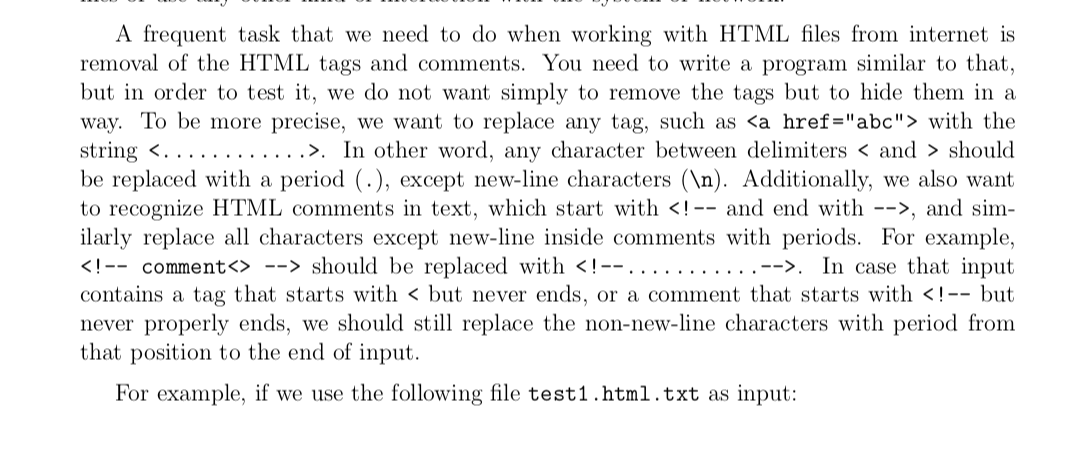
A frequent task that we need to do when working with HTML files from internet is removal of the HTML tags and comments. You need to write a program similar to that, but in order to test it, we do not want simply to remove the tags but to hide them in a way. To be more precise, we want to replace any tag, such as with the string <............>. In other word, any character between delimiters should be replaced with a period (.), except new-line characters ( ). Additionally, we also want to recognize HTML comments in text, which start with , and sim- ilarly replace all characters except new-line inside comments with periods. For example, should be replaced with . In case that input contains a tag that starts with
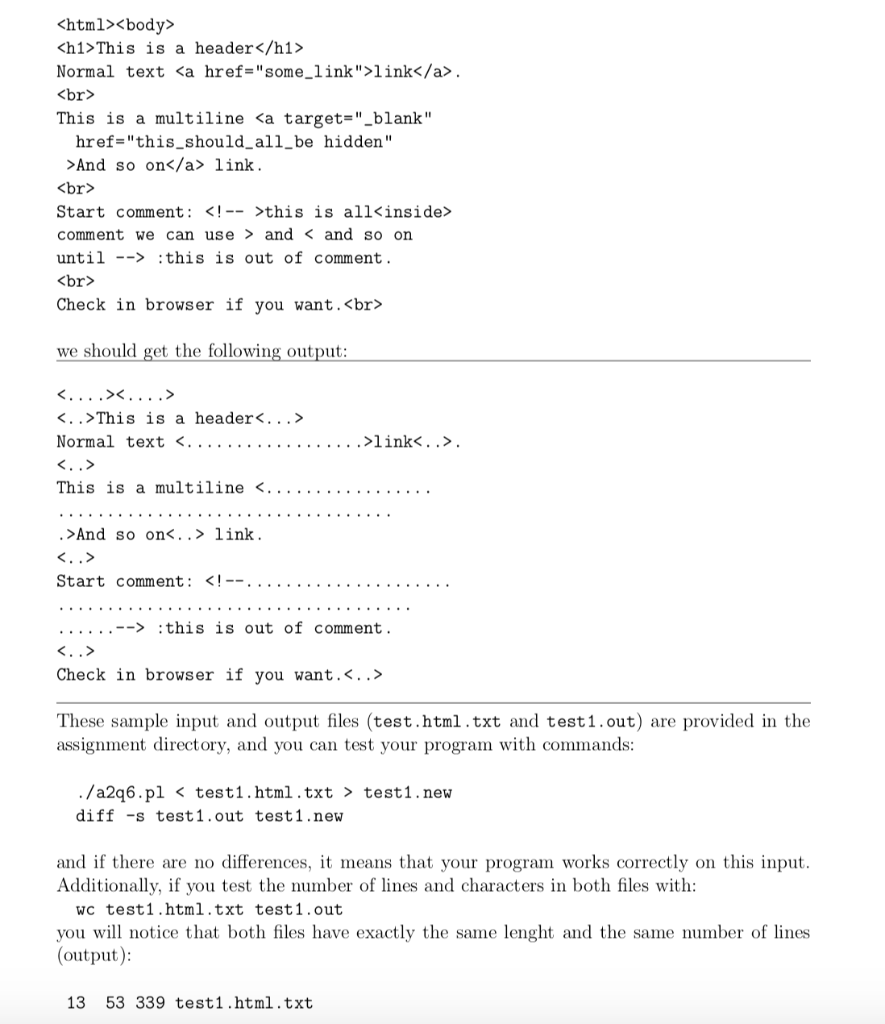
This is a header
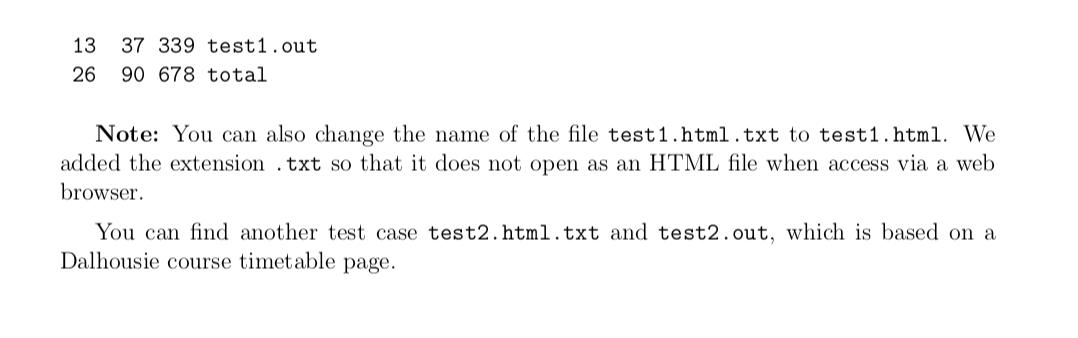
Normal text link. This is a multiline And so on link. Start comment: this is out of comment. Check in browser if you want. we should get the following output: <....x....> <..>This is a header<...> Normal text <. .................link>. <..> This is a multiline <........ .>And so on..> link. <..> Start comment: this is out of comment. <..> Check in browser if you want.<..> These sample input and output files (test.html.txt and test 1.out) are provided in the assignment directory, and you can test your program with commands: ./a2q6.pl test1.new diff -s test1.out test1.new and if there are no differences, it means that your program works correctly on this input. Additionally, if you test the number of lines and characters in both files with: WC test1.html.txt test 1.out you will notice that both files have exactly the same lenght and the same number of lines (output): 13 53 339 test1.html.txt 13 37 339 test1.out 26 90 678 total Note: You can also change the name of the file test1.html.txt to test1.html. We added the extension .txt so that it does not open as an HTML file when access via a web browser. You can find another test case test2.html.txt and test2.out, which is based on a Dalhousie course timetable page. A frequent task that we need to do when working with HTML files from internet is removal of the HTML tags and comments. You need to write a program similar to that, but in order to test it, we do not want simply to remove the tags but to hide them in a way. To be more precise, we want to replace any tag, such as with the string <............>. In other word, any character between delimiters should be replaced with a period (.), except new-line characters ( ). Additionally, we also want to recognize HTML comments in text, which start with , and sim- ilarly replace all characters except new-line inside comments with periods. For example, should be replaced with . In case that input contains a tag that starts withThis is a header
Normal text link. This is a multiline And so on link. Start comment: this is out of comment. Check in browser if you want. we should get the following output: <....x....> <..>This is a header<...> Normal text <. .................link>. <..> This is a multiline <........ .>And so on..> link. <..> Start comment: this is out of comment. <..> Check in browser if you want.<..> These sample input and output files (test.html.txt and test 1.out) are provided in the assignment directory, and you can test your program with commands: ./a2q6.pl test1.new diff -s test1.out test1.new and if there are no differences, it means that your program works correctly on this input. Additionally, if you test the number of lines and characters in both files with: WC test1.html.txt test 1.out you will notice that both files have exactly the same lenght and the same number of lines (output): 13 53 339 test1.html.txt 13 37 339 test1.out 26 90 678 total Note: You can also change the name of the file test1.html.txt to test1.html. We added the extension .txt so that it does not open as an HTML file when access via a web browser. You can find another test case test2.html.txt and test2.out, which is based on a Dalhousie course timetable pageStep by Step Solution
There are 3 Steps involved in it

Get step-by-step solutions from verified subject matter experts
 Study Help