







Question: In python Lab Assignment #F Assignments: 1. Add a user login system to your user interface 2. The user log se the given user data
In python
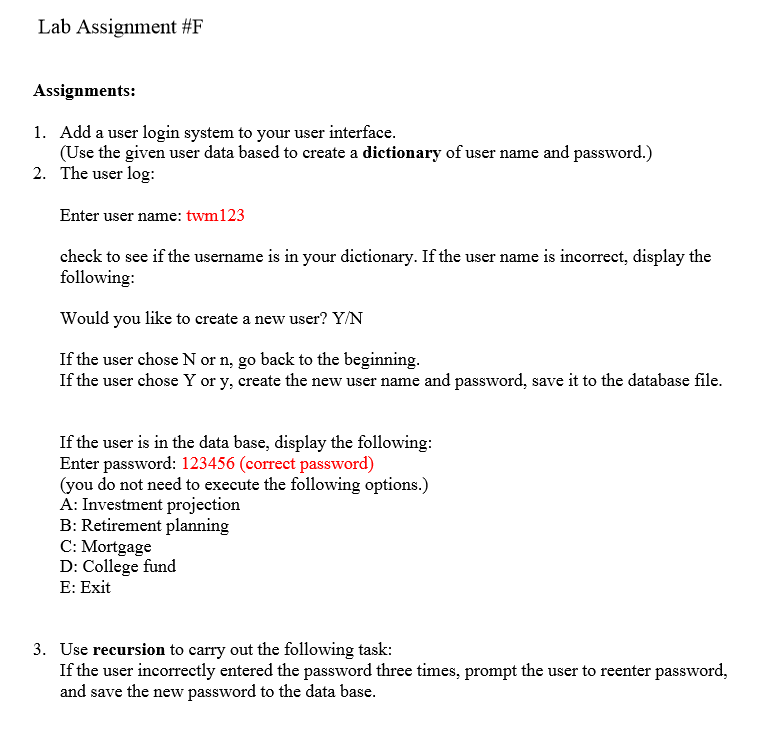
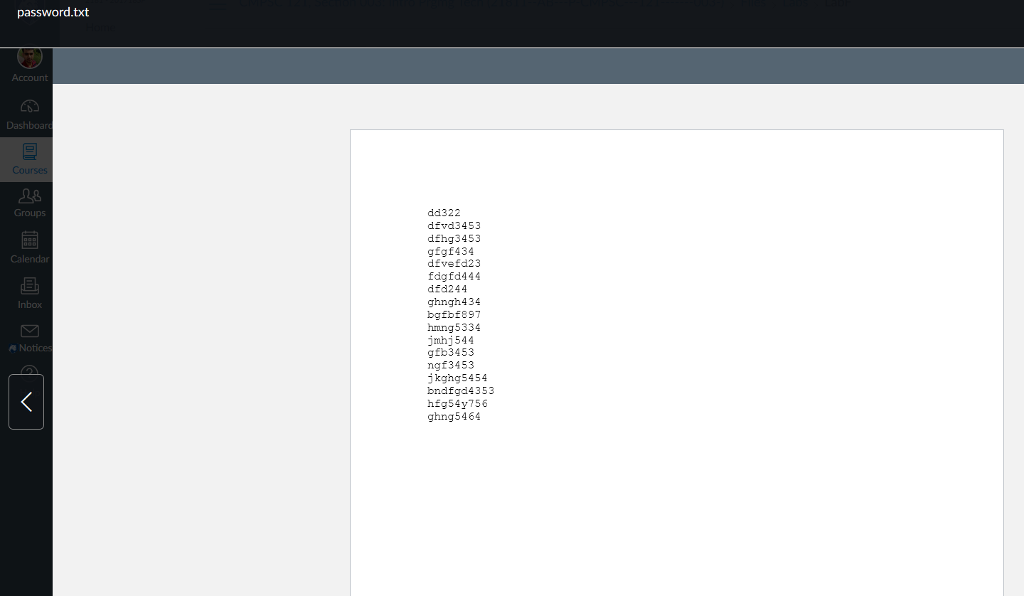
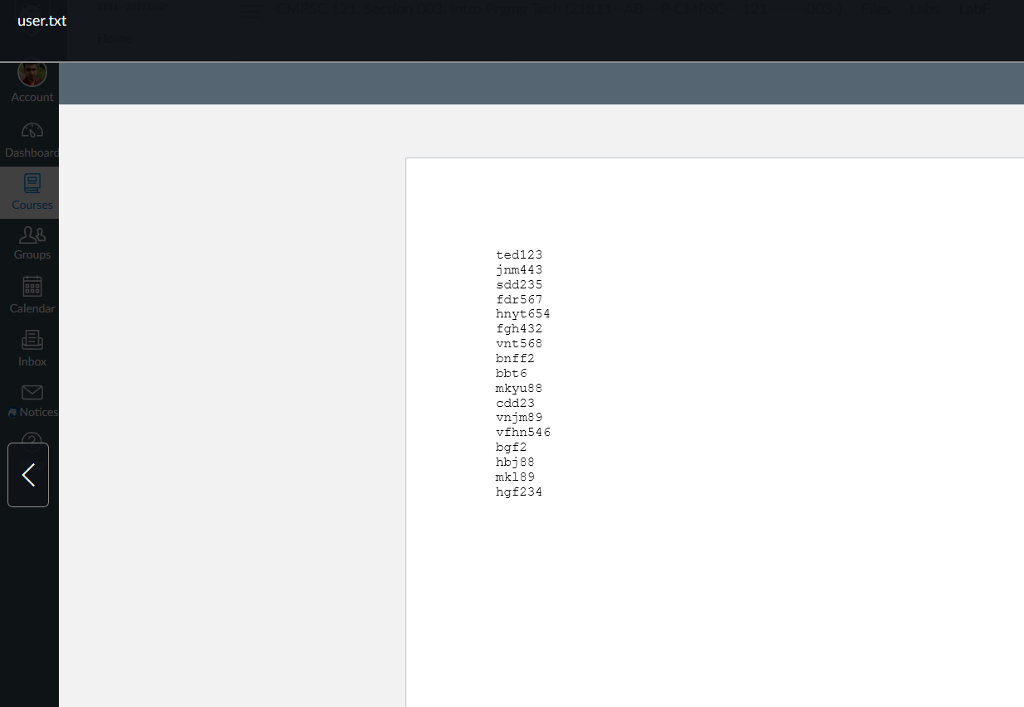
Lab Assignment #F Assignments: 1. Add a user login system to your user interface 2. The user log se the given user data based to create a dictionary of user name and password.) Enter user name: twm123 check to see if the username is in your dictionary. If the user name is incorrect, display the followin Would you like to create a new user? Y/N If the user chose N or n, go back to the beginning g. If the user chose Y or y, create the new user name and password, save it to the database file If the user is in the data base, display the following Enter password: 123456 (correct password) (you do not need to execute the following options.) A: Investment projection B: Retirement planning C: Mortgage D: College fund E: Exit Use recursion to carry out the following task: If the user incorrectly entered the password three times, prompt the user to reenter password, and save the new password to the data base 3. Lab Assignment #F Assignments: 1. Add a user login system to your user interface 2. The user log se the given user data based to create a dictionary of user name and password.) Enter user name: twm123 check to see if the username is in your dictionary. If the user name is incorrect, display the followin Would you like to create a new user? Y/N If the user chose N or n, go back to the beginning g. If the user chose Y or y, create the new user name and password, save it to the database file If the user is in the data base, display the following Enter password: 123456 (correct password) (you do not need to execute the following options.) A: Investment projection B: Retirement planning C: Mortgage D: College fund E: Exit Use recursion to carry out the following task: If the user incorrectly entered the password three times, prompt the user to reenter password, and save the new password to the data base 3
Step by Step Solution
There are 3 Steps involved in it

Get step-by-step solutions from verified subject matter experts
 Study Help