







Question: in python language Background weather There is a program called weather on our server. Running the weather command by itself will give you a brief
![brief description of the syntax: Syntax: weather [-t] temp humidity pre The](https://dsd5zvtm8ll6.cloudfront.net/si.experts.images/questions/2024/09/66f51b4b963f0_33966f51b4b38c81.jpg)
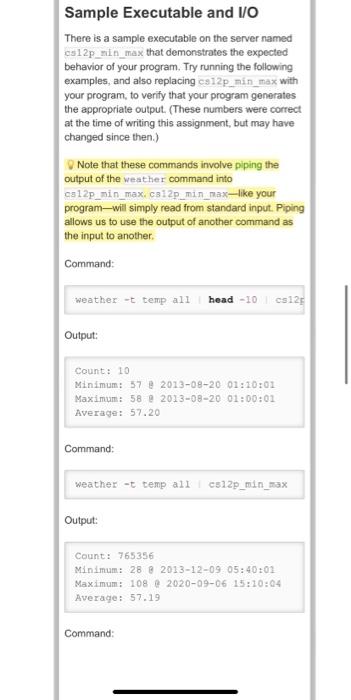
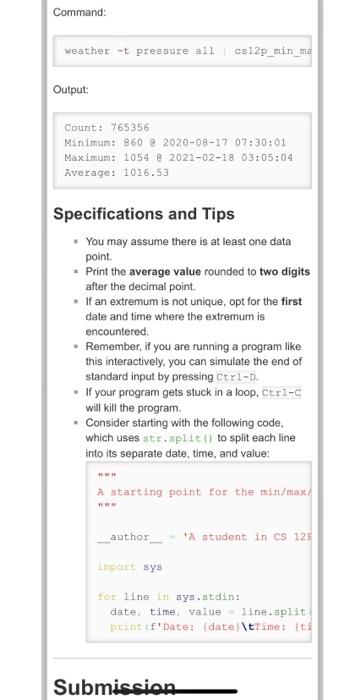
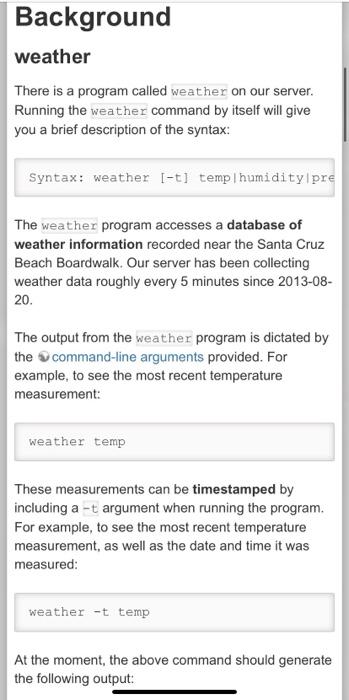
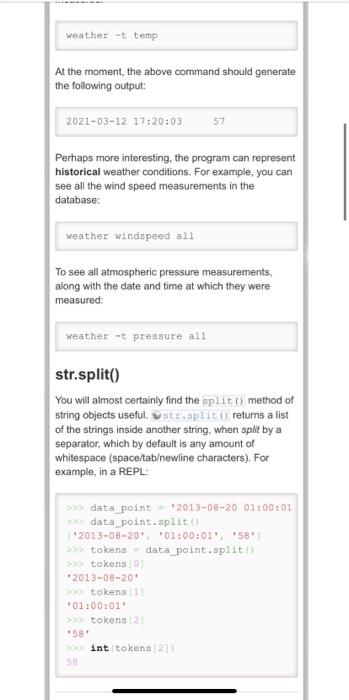
Background weather There is a program called weather on our server. Running the weather command by itself will give you a brief description of the syntax: Syntax: weather [-t] temp humidity pre The weather program accesses a database of weather information recorded near the Santa Cruz Beach Boardwalk. Our server has been collecting weather data roughly every 5 minutes since 2013-08- 20. The output from the weather program is dictated by the command-line arguments provided. For example, to see the most recent temperature measurement: weather temp These measurements can be timestamped by including a -t argument when running the program. For example, to see the most recent temperature measurement, as well as the date and time it was measured: weather -t temp At the moment, the above command should generate the following output: weather -t temp At the moment, the above command should generate the following output 2021-03-12 17:20:03 57 Perhaps more interesting, the program can represent historical weather conditions. For example, you can see all the wind speed measurements in the database: weather windspeed all To see all atmospheric pressure measurements, along with the date and time at which they were measured: weather -t pressure all str.split() You will almost certainly find the split() method of string objects useful. tr.sput returns a list of the strings inside another string, when split by a separator, which by default is any amount of whitespace (space/tabewline characters). For example, in a REPL: >>> data point - 2013-08-20 01:00:01 >>> data point.split 2013-08-20 01:00:01 581 >>> tokens = data point.split >>> tokens 2013-08-20 > tokens 01:00:01 >> tokens 123 #581 >> int tokena 121 Assignment You shall write a program that reads an arbitrary number of data points from standard input. one per line, formatted as follows, where each value is separated by whitespace 1. Date (st:) 2. Time (etc) 3. Value (int) Your program shall determine the number of values, the maximum value the minimum value and the average value (as a float), along with the date and time at which the extreme values occurred, and print those data as four lines of output, formatted as in the examples below. For example, input data might look like this (the output from weather - temp all head -10) 2013-08-20 01:00:01 2013-08-20 01:05:02 2013-08-20 01:10:02 2013-08-20 03:15:02 2013-08-20 01:20:03 2013-08-20 01:25:02 2013-08-20 03:30:01 2013-08-20 01:35:01 2013-08-20 01:40:02 2013-08-20 01:45:01 58 58 52 57 52 57 57 52 57 57 Sample Executable and I/O There is a sample executable on the server named cs12p_sin_wax that demonstrates the expected behavior of your program. Try running the following examples, and also replacing as 12p_nin sax with your program, to verify that your program generates the appropriate output. (These numbers were correct at the time of writing this assignment, but may have changed since then.) Sample Executable and VO There is a sample executable on the server named cs12p_min_max that demonstrates the expected behavior of your program. Try running the following examples, and also replacing cs12p_min_max with your program, to verify that your program generates the appropriate output. (These numbers were correct at the time of writing this assignment, but may have changed since then.) Note that these commands involve piping the output of the weather command into ca12p_min_max. cs12p_min_max-like your programwill simply read from standard input. Piping allows us to use the output of another command as the input to another Command: weather -t temp all head-10 cs123 Output: Count: 10 Minimum: 57 @ 2013-08-20 01:20:01 Maximum: 58 2013-08-20 01:00:01 Average: 57.20 Command: weather -t temp all c512p_min_max Output: Count: 765356 Minimum: 28 8 2013-12-09 05:40:01 Maximum: 108 @ 2020-09-06 15:10:04 Average: 57.19 Command Command: weather -t pressure all cs12p_min_me Output: Count: 765356 Minimum: 860 @ 2020-08-17 07:30:01 Maximum: 1054 @ 2021-02-18 03:05:04 Average: 1016.53 Specifications and Tips . You may assume there is at least one data point Print the average value rounded to two digits after the decimal point. . If an extremum is not unique, opt for the first date and time where the extremum is encountered. . Remember, if you are running a program like this interactively, you can simulate the end of standard input by pressing Ctrl-D. . If your program gets stuck in a loop, Ctrl-c will kill the program . Consider starting with the following code. which uses str.split() to split each line into its separate date, time, and value: A starting point for the min/max/ author "A student in CS 12 Import sys for line in sys.stdin: date, time, value - line.split print (f'Date: (date/\tTime: fti Submission
Step by Step Solution
There are 3 Steps involved in it

Get step-by-step solutions from verified subject matter experts
 Study Help