







Question: in python Part 2: Programming Problem Problem 1: Phone Book Implement simple phonebook operations. Phonebook is a dictionary with names as keys and phone numbers
in python
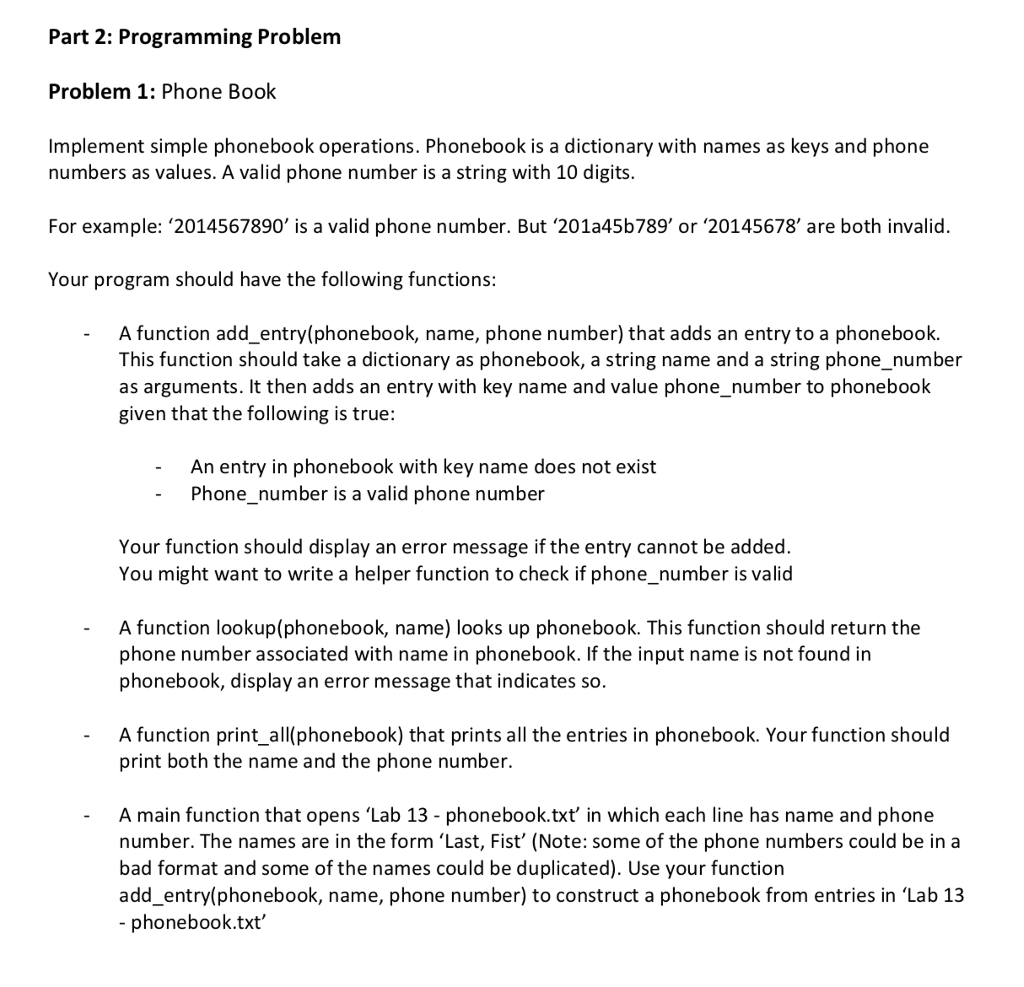
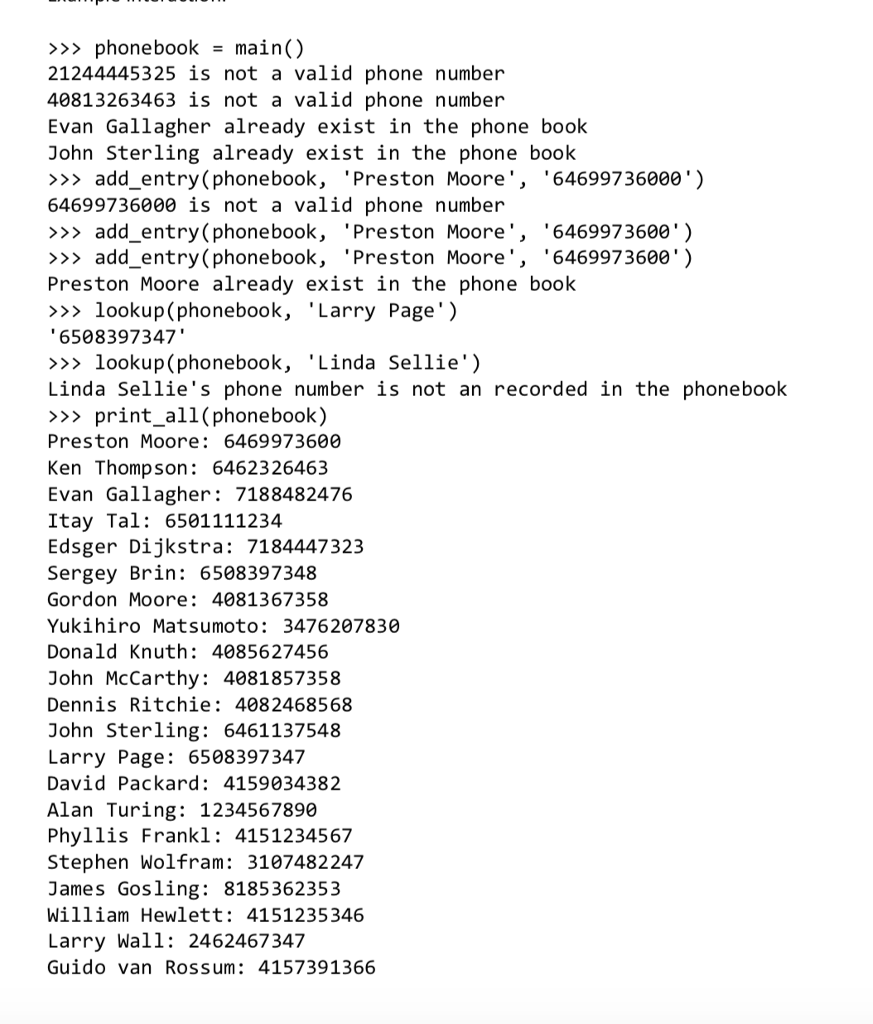
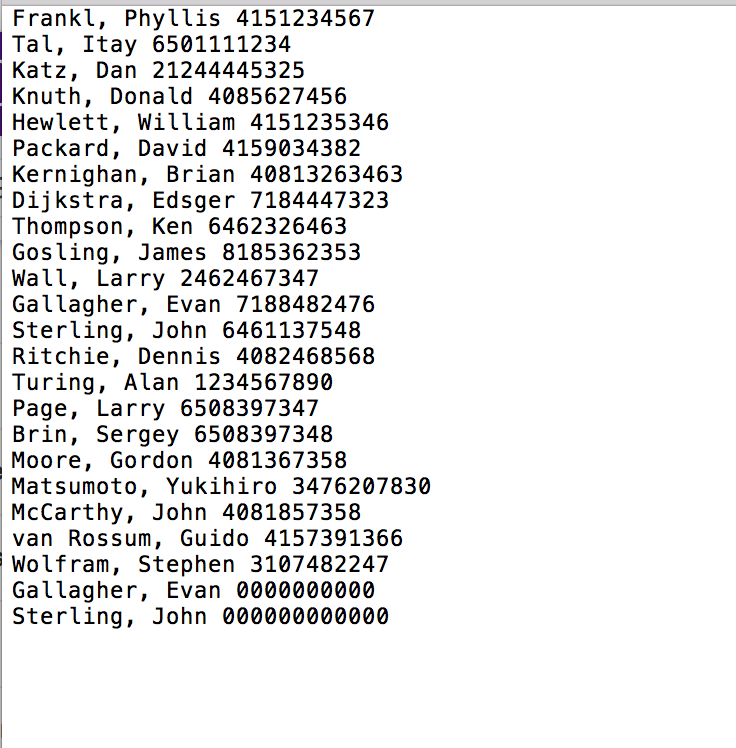
Part 2: Programming Problem Problem 1: Phone Book Implement simple phonebook operations. Phonebook is a dictionary with names as keys and phone numbers as values. A valid phone number is a string with 10 digits. For example: 2014567890' is a valid phone number. But '201a45b789' or '20145678' are both invalid. Your program should have the following functions: function add_entry(phonebook, name, phone number) that adds an entry to a phonebook. This function should take a dictionary as phonebook, a string name and a string phone_number as arguments. It then adds an entry with key name and value phone_number to phonebook given that the following is true: A An entry in phonebook with key name does not exist Phone_number is a valid phone number Your function should display an error message if the entry cannot be added. You might want to write a helper function to check if phone_number is valid A function lookup(phonebook, name) looks up phonebook. This function should return the phone number associated with name in phonebook. If the input name is not found in phonebook, display an error message that indicates so. A function print_all(phonebook) that prints all the entries in phonebook. Your function should print both the name and the phone number. A main function that opens 'Lab 13 -phonebook.txt in which each line has name and phone number. The names are in the form 'Last, Fist' (Note: some of the phone numbers could be in a bad format and some of the names could be duplicated). Use your function add_entry(phonebook, name, phone number) to construct a phonebook from entries in 'Lab 13 phonebook.txt
Step by Step Solution
There are 3 Steps involved in it

Get step-by-step solutions from verified subject matter experts
 Study Help