







Question: In python, please just fill in the code on the second picture. You have been hired by a local grocery store to create a new
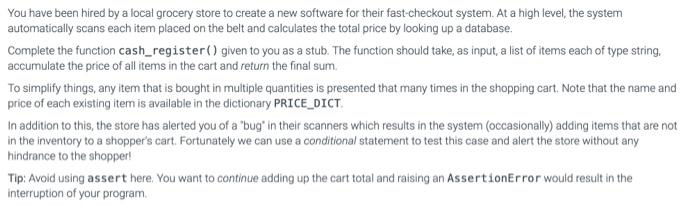
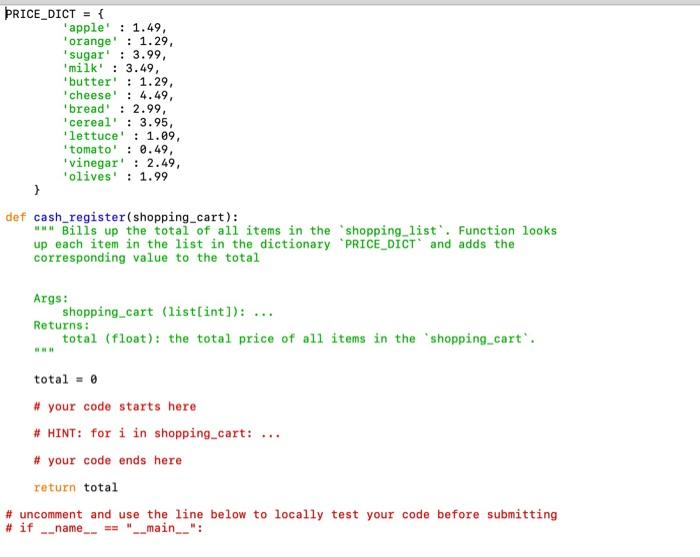
You have been hired by a local grocery store to create a new software for their fast-checkout system. At a high level, the system automatically scans each item placed on the belt and calculates the total price by looking up a database. Complete the function cash_register() given to you as a stub. The function should take, as input, a list of items each of type string. accumulate the price of all items in the cart and return the final sum To simplify things, any item that is bought in multiple quantities is presented that many times in the shopping cart. Note that the name and price of each existing item is available in the dictionary PRICE_DICT In addition to this, the store has alerted you of a "bug' in their scanners which results in the system (occasionally) adding items that are not in the inventory to a shopper's cart. Fortunately we can use a conditional statement to test this case and alert the store without any hindrance to the shopper! Tip: Avoid using assert here. You want to continue adding up the cart total and raising an AssertionError would result in the interruption of your program PRICE_DICT = { 'apple' : 1.49, 'orange' : 1.29, sugar : 3.99 milk' : 3.49, butter' : 1.29, cheese! : 4.49 'bread' : 2.99 'cereal' : 3.95, 'lettuce' : 1.09, tomato' : 0.49, 'vinegar : 2.49, 'olives' : 1.99 } def cash_register(shopping_cart): Bills up the total of all items in the shopping_list. Function looks up each item in the list in the dictionary "PRICE_DICT and adds the corresponding value to the total Args: shopping cart (list[int]): ... Returns: total (float): the total price of all items in the 'shopping_cart'. total = 0 # your code starts here # HINT: for i in shopping_cart: # your code ends here return total # uncomment and use the line below to locally test your code before submitting # if name "__main__
Step by Step Solution
There are 3 Steps involved in it

Get step-by-step solutions from verified subject matter experts
 Study Help