







Question: in python pls 16.2 LAB: Encryption / Decryption - Part 2 (Vigenere cipher) For this problem, you will implement a cryptographic method, known since the
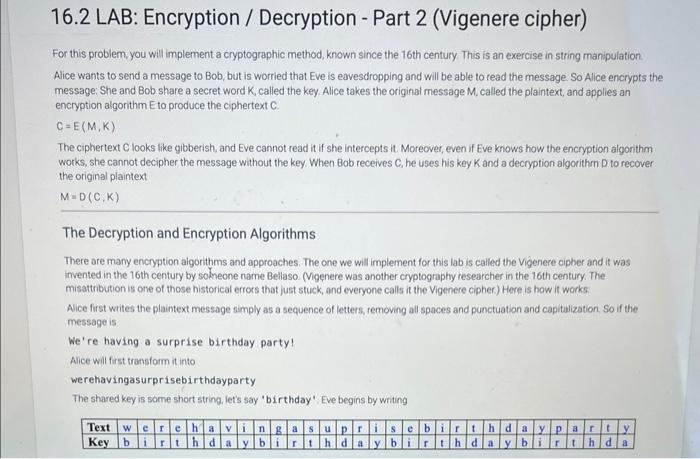
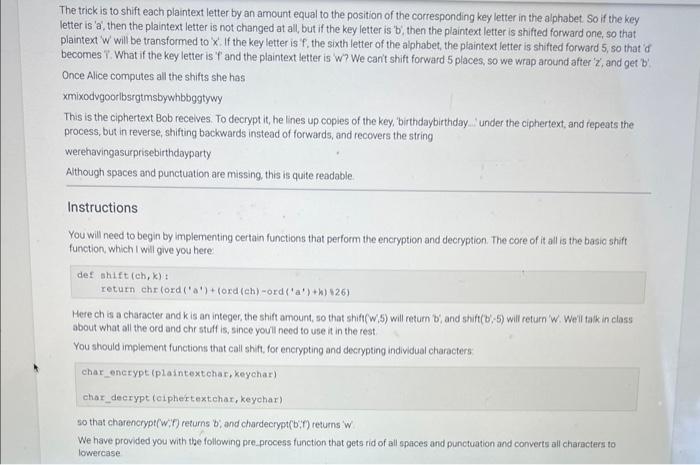
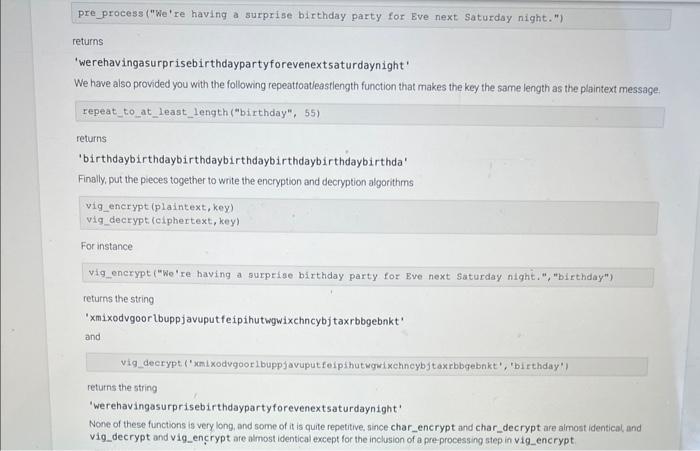
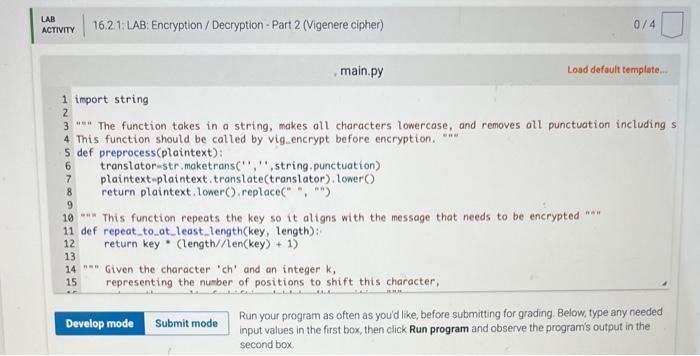
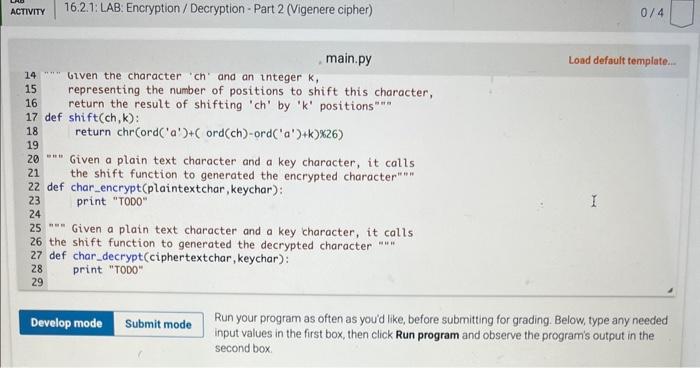
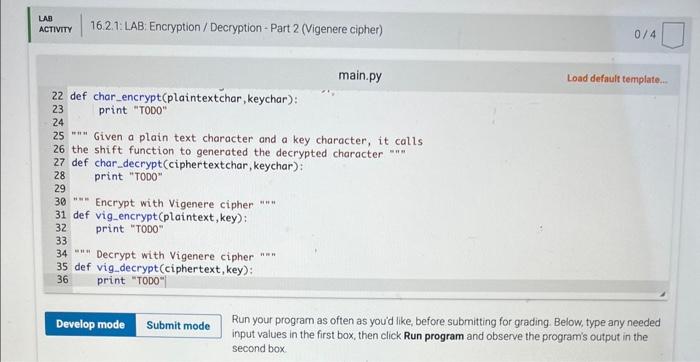
16.2 LAB: Encryption / Decryption - Part 2 (Vigenere cipher) For this problem, you will implement a cryptographic method, known since the 16 th century This is an exercise in string manipulation. Alice wants to send a message to Bob, but is worried that Eve is eavesdropping and will be able to read the message. So Alice encrypts the message: She and Bob share a secret word K, called the key. Alice takes the original message M, called the plaintext, and applies an encryption algorithm E to produce the ciphertext C. C=E(M,K) The ciphertext C looks like gibberish, and Eve cannot read it if she intercepts it. Moreover, even if Eve knows how the encryption algonthm works, she cannot decipher the message without the key. When Bob receives C, he uses his key K and a decryption algorithm D to recover the original plaintext M=D(C,K) The Decryption and Encryption Algorithms There are many encryption algorithms and approaches. The one we will implement for this lab is called the Vigenere cipher and it was invented in the 16 th century by solneone name Bellaso. (Vigenere was another cryptography researcher in the 16 th century. The misattribution is one of those historical errors that just stuck, and everyone cals it the Vigenere cipher) Here is how it works Alice first writes the plaintext message simply as a sequence of letters, removing all spaces and punctuation and capitalization. So if the message is We're having a surprise birthday party! Alice will first transform it into werehavingasurprisebirthdayparty The shared key is some short string. let's say 'birthday'. Eve begins by writing The trick is to shift each plaintext letter by an amount equal to the position of the corresponding key letter in the alphabet: So if the key letter is 'a', then the plaintext letter is not changed at all, but if the key letter is 'b', then the plaintext letter is shifted forward one, so that plaintext ' w ' will be transformed to ' x '. If the key letter is ' f, the sixth letter of the alphabet, the plaintext letter is shifted forward 5 , so that 'of becomes . What if the key letter is ' T ' and the plaintext letter is ' W '? We can' shift forward 5 places, so we wrap around after ' z ', and get b ' Once Alice computes all the shifts she has xmixodvgoorlbsrgtmsbywbbggtywy This is the ciphertext Bob recelves. To decrypt it, he lines up copies of the key, 'birthdaybirthday ' under the ciphertext, and repeats the process, but in reverse, shifting backwards instead of forwards, and recovers the string werehavingasurprisebirthdayparty Although spaces and punctuation are missing, this is quite readable Instructions You will need to begin by implementing certain functions that perform the encryption and decryption. The core of it all is the basio shift function, which I will give you here defshift(ch,k)treturnchroord(a)+(ord(ch)ord(a)+k)26) Here ch is a character and k is an integer, the shift amount, so that shift (w,5) will retum b; and shift( (b;5) will return ' W. Weil tak in class about what all the ord and che stuff is, since youll need to use it in the rest You should implement functions that call shift, for encrypting and decrypting individual characters char_encrypt (plaintextchar, keychar) char_decrypt (oiphertextchar, keyehar) so that charencrypt( w; if) returns b; and chardecrypt (b;i) returns i w We have provided you with the following pre.process function that gets rid of all spaces and punctuation and converts all characters to lowercase pre_process ("We're having a surprise birthday party for Eve next Saturday night.") returns 'werehavingasurprisebirthdaypartyforevenextsaturdaynight' We have also provided you with the following repeattoatieastlength function that makes the key the same length as the plaintext message. repeat_to_at_least_length ("birthday", 55) returns 'birthdaybirthdaybirthdaybirthdaybirthdaybirthdaybirthda' Finally, put the pieces together to write the encryption and decryption algorithms \[ \begin{array}{l} \text { vig_encrypt (plaintext, key) } \\ \text { vig_decrypt (ciphertext, key) } \end{array} \] For instance vig encrypt ("We're having a surprise birthday party for Eve next Saturday night.", "birthday") returns the string 'xmixodvgoor Lbuppjavuputfeipihutwgwixchncybjtaxrbbgebnkt' and vig_deerypt (')onixodvgoorlbuppjavuput feipihutwgut xehnoybjt axrbbgebnkt', 'birthday') returns the string 'werehavingasurprisebirthdaypartyforevenextsaturdaynight' None of these functions is very long, and some of it is quite repetitive. since char_encrypt and char_decrypt are almost identical, and vig_decrypt and vig_enrypt are almost identical except for the inclusion of a pre-processing step in vig_encrypt. 16.2. LAB: Encryption / Decryption - Part 2 (Vigenere cipher) 0/4 main.py Load default template... import string "=" The function takes in a string, makes all characters lowercase, and removes all punctuation including s This function should be called by vig_encrypt before encryption. =n def preprocess(plaintext): translator=str, maketrans( ", ', string,punctuation) plaintext-plaintext.translate(translator), tower() return plaintext. lower(), replace (=, ,, ) "*n This function repeats the key so it aligns with the message that needs to be encrypted "an" def repeat_to_at_least_length(key, length): return key * (length//en (key)+1) "=" Given the character 'ch' and an integer k, 15 representing the number of positions to shift this character, Run your program as often as you'd like, before submitting for grading. Below, type any needed main.py Load default template.. Run your program as often as you'd like, before submitting for grading. Below, type any needed input values in the first box, then click Run program and observe the program's output in the second box. Run your program as often as you'd like, before submitting for grading. Below, type any needed input values in the first box, then click Run program and observe the program's output in the second box
Step by Step Solution
There are 3 Steps involved in it

Get step-by-step solutions from verified subject matter experts
 Study Help